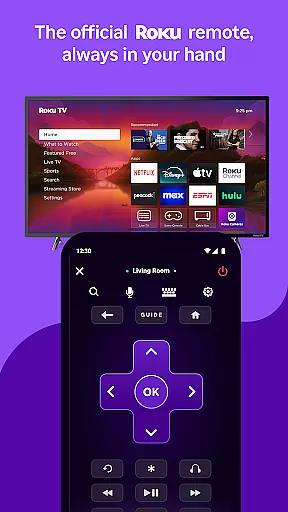
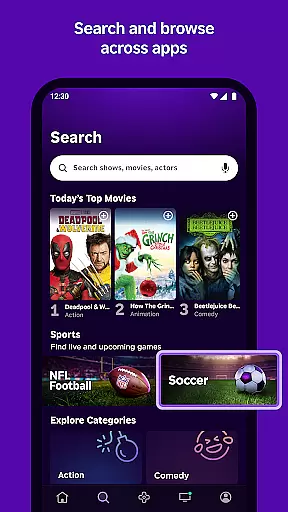
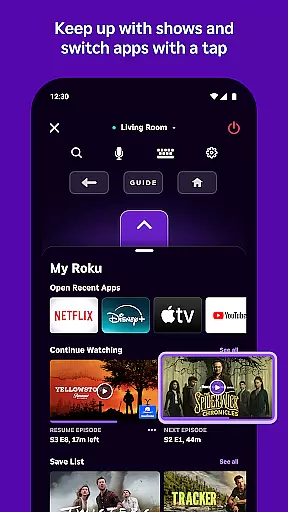
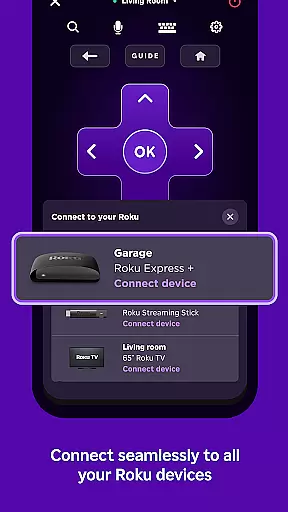
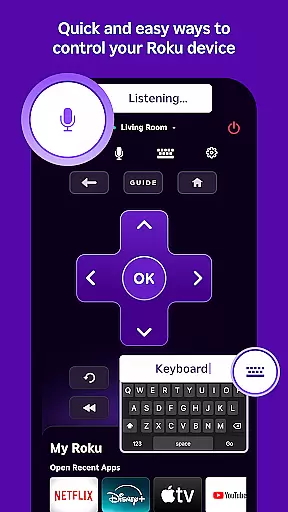
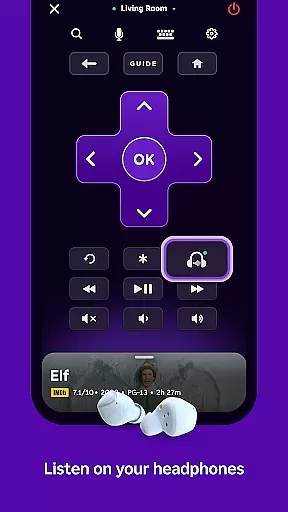
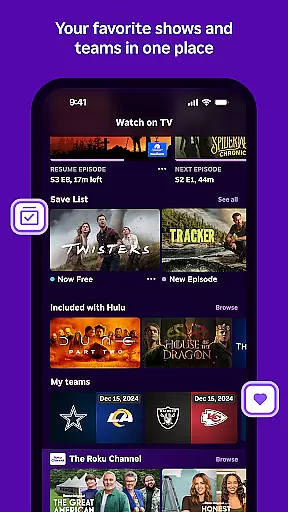
The Roku App is an essential entertainment companion that enhances your streaming experience. It allows users to control Roku devices with a convenient remote, search for content using voice or keyboard, and enjoy private listening through headphones. Additionally, it offers access to The Roku Channel for streaming free movies and live TV, while enabling media casting from mobile devices to TV screens.
This app is particularly useful for those who want seamless interaction between their mobile devices and Roku streaming equipment. By connecting to the same wireless network as your Roku device, you can easily manage channels, launch apps, and enter text more efficiently. Its availability in multiple languages makes it accessible to a broad audience, ensuring a versatile and user-friendly experience.
The Roku App boasts several standout features that cater to diverse user needs. One of its primary functions is the ability to control Roku devices remotely, providing convenience and ease of use. Users can also leverage voice search capabilities available in English and Spanish, allowing for quick and intuitive content discovery.
Another notable feature is private listening, which lets users enjoy entertainment without disturbing others. Furthermore, the app supports media casting, enabling users to share videos and photos directly on their TVs. With functionalities like adding and launching channels and simplified text entry via a mobile keyboard, the Roku App ensures a comprehensive and efficient streaming management solution.
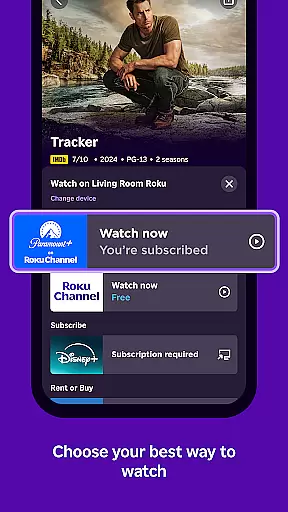
The Roku App excels in providing a diverse range of content options for users. With access to The Roku Channel, viewers can enjoy free movies and live TV directly from their mobile devices. This feature ensures that users have a constant stream of fresh entertainment choices at their fingertips.
Beyond traditional streaming, the app allows casting of personal media files such as videos and photos from your phone to your TV. This dual functionality creates an ecosystem where both professional and personal content can be enjoyed on a larger screen, enhancing the overall viewing experience.
While some channels may require payment and availability varies by region, the app consistently updates its offerings. Users can explore different channels and discover new content through easy navigation and management features within the app itself.
User engagement is a key strength of The Roku App, designed to keep viewers connected throughout their entertainment journey. By integrating voice search capabilities in multiple languages, including English, Spanish, and others, the app makes content discovery quick and intuitive, encouraging longer usage sessions.
The convenience of private listening through headphones adds another layer of user retention, allowing individuals to enjoy their favorite shows without disturbing others. This feature particularly appeals to night owls or those sharing living spaces, promoting extended viewing periods during traditionally less active hours.
Furthermore, the ability to easily add and launch channels directly from the mobile interface simplifies the process of accessing preferred content. When combined with the streamlined text entry system using a mobile keyboard, these features collectively contribute to maintaining high user engagement levels and improving overall retention rates.
User-friendly interface
Voice search functionality
Private listening mode
Media casting support
Cross-device compatibility
Limited voice search regions
Restricted channel availability
Network dependency for key features
Some channels require payment
Regional content variations

Play games. Earn real rewards. Cash out in 3hours via PayPal or gift cards.
 4.40
4.40
Unofficial Game Companion App” “Guides • Builds • Tips • Progression
4.4
Fun brain twisting challenge with trending Whirlpool Filter.
4.70
Create melty bead designs by numbers, photos or your imagination
4.40
Fire effects for your Philips Hue lights
4.20
Create and play realistic-looking mock Emergency Alert System messages.
4.30
Just play games to earn gift cards. Keep playing, keep earning.
4.50
Browse popular images and videos from Reddit on Android TV!
3.90
With the Steam Mobile App, you can take Steam with you anywhere.
3.00
Catalog & tracker of your DVD, Blu-ray & Digital Movie and TV Collection Library
4.80
Scan sets, track your builds, and enjoy intuitive digital instructions.
4.70
Hand-drawn, cartoon OC creator - original character creator
4.70
Series,Películas y Telenovelas
4.50
Atomus is a 10-finger multi-touch interactive visualizer.
4.30
A companion app for the game Elite Dangerous
4.10
Necrophone is spirit box ghost hunting app made for spirit communication.
3.70
Ultimate VR movie player for android mobile videos
4.4
A wonderful collection of the most beautiful sounds of animals and birds
4.5
Raise Christmas Magic with daily missions, magical scanners, and kindness.
4.5


User Reviews