
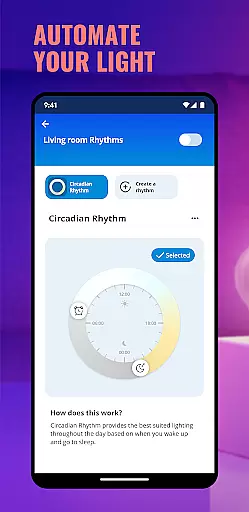
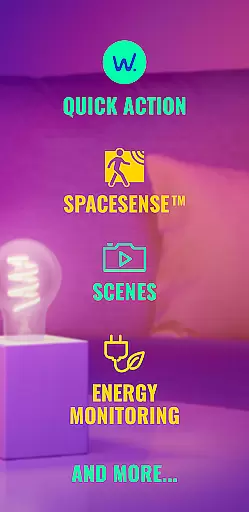
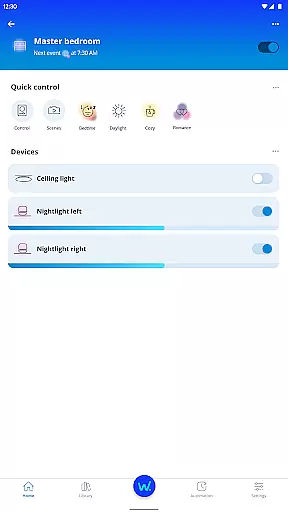
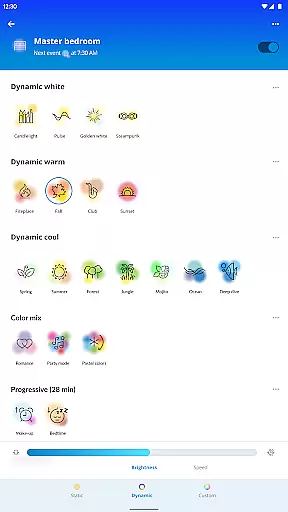
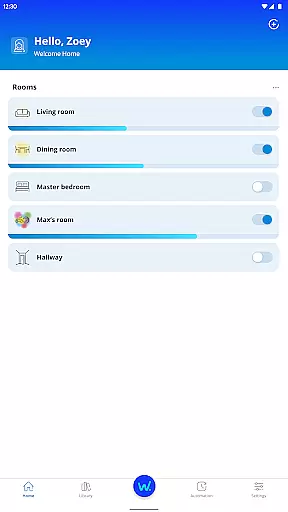
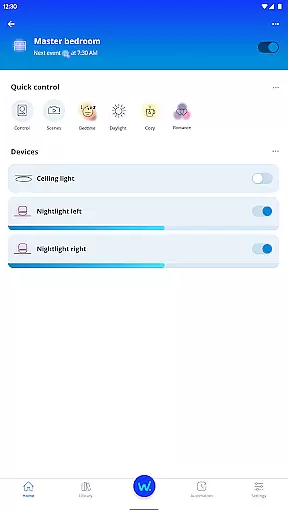
WiZ Connected is a smart lighting application designed to simplify the way users interact with their home lighting systems. The app allows you to organize and control lights by groups within different rooms, providing both local Wi-Fi control and remote cloud access. This ensures that whether you're at home or away, managing your lighting environment is seamless and efficient.
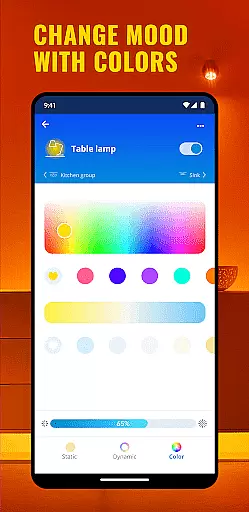
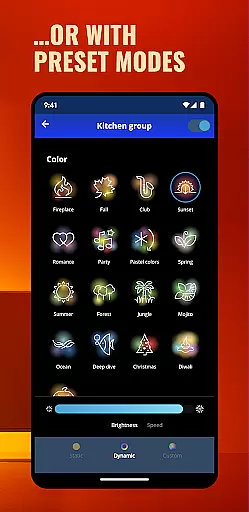
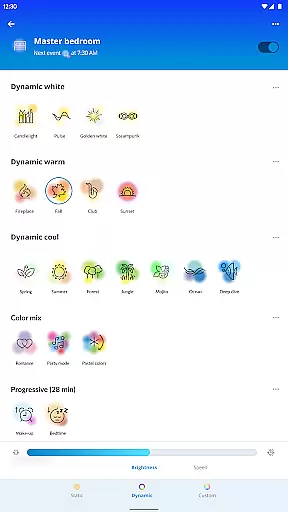
The app offers a wide variety of light modes, ranging from fun to functional, allowing users to customize their spaces according to mood or necessity. Whether it's enhancing productivity during work hours or creating a relaxing ambiance for leisure time, WiZ Connected has settings to match every need. Additionally, all user preferences are securely stored in the cloud, enabling easy sharing with family, friends, or guests as desired.
This smart lighting solution not only improves convenience but also enhances the overall living experience by letting users tailor their environments precisely how they want them. With its intuitive interface and robust functionality, WiZ Connected stands out as an essential tool for modern households looking to embrace smart home technology.
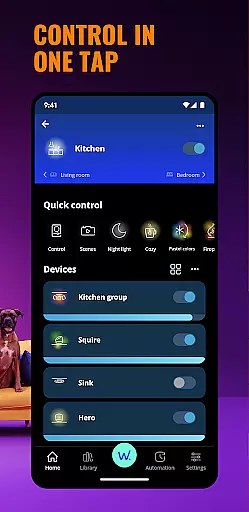
WiZ Connected boasts several standout features that make it a top choice for smart lighting control. One of its primary capabilities is the ability to manage lights by grouping them within specific rooms. This feature allows for targeted adjustments without affecting other areas of the house, offering both precision and ease of use. Users can switch between various light modes, each crafted to serve different purposes such as boosting focus, setting a romantic atmosphere, or simply brightening up a space.
In addition to localized control via Wi-Fi, the app provides robust remote access through cloud connectivity. This means you can adjust your home lighting from anywhere in the world, ensuring your house is always lit to your preference. The secure cloud storage system not only saves all your customized settings but also facilitates effortless sharing among trusted individuals like family members or temporary guests.
Another notable aspect is the app's emphasis on security and privacy. All data transmissions between the app and devices are encrypted, safeguarding personal information against unauthorized access. Furthermore, regular updates ensure compatibility with new devices and continuous improvement based on user feedback, making WiZ Connected a reliable long-term solution for smart lighting needs.
In the context of smart home applications like WiZ Connected, property listing authenticity ensures that all light settings and configurations are accurately represented and stored. This is crucial for maintaining consistency across different users and devices.
WiZ Connected achieves this by securely storing all lighting settings on the cloud. Each configuration, whether it's for a specific room or group of lights, is accurately saved and can be retrieved anytime. This guarantees that users experience the exact lighting environment they have set up, regardless of how they access the system.
The benefit to users is significant. When sharing settings with family or guests, everyone experiences the same authentic lighting environment. This feature enhances both convenience and reliability, ensuring that every user enjoys the intended ambiance without discrepancies.
This level of authenticity in property listings extends to remote access as well. Whether controlling lights via Wi-Fi at home or through the cloud from a remote location, users can trust that their saved settings will be faithfully reproduced, providing a consistent and reliable smart lighting experience.
Effective home management features are essential for modern smart home applications. In the case of WiZ Connected, these features allow users to organize and control their smart lighting system efficiently, enhancing both convenience and energy efficiency.
The application provides intuitive controls for grouping lights within rooms, enabling users to create customized lighting environments. These groups can be managed individually or collectively, allowing for sophisticated control over different areas of a home. The ability to switch between various light modes - from functional to fun - demonstrates the app's versatility in managing home environments.
Users benefit from seamless integration with both local Wi-Fi networks and cloud services. This dual connectivity approach ensures that lighting can be controlled from anywhere, at any time. Such flexibility is particularly valuable for managing properties remotely or accommodating temporary occupants like guests.
Furthermore, the secure sharing functionality represents an advanced home management feature. Users can grant controlled access to family members or visitors without compromising their primary settings. This creates a sophisticated yet user-friendly home management system that adapts to various living situations while maintaining security and personal preferences.
User-friendly interface
Wide range of light modes
Secure cloud storage
Remote access capability
Easy sharing options
Limited device compatibility
Occasional connectivity issues
Premium features require subscription
Dependent on stable internet
Initial setup complexity

Home Ideas | Renovation Advice | Local Pros. Go From Dream to Home with Houzz.
 4.70
4.70
Draw your floor plan smartly. Make house design blueprint with home planner app
3.60
Parcel Pending Resident App
4.50
Plants, Beauty, Collectibles
4.60
Book your local plumber 24/7, track your service order & get exclusive coupons
4.00
AI Home Designer & Room Planner: Decorate your interior space with AI
4.40
Control your Vivint Smart Home with the next generation Vivint App.
4.30
Find your next home, house, apartment, condo, casa, flat, rental, studio, or bed
4.70
3D House Design and AI Room Planner - from floor plans to full interior design.
4.40
B-hyve Pro App for landscape irrigation professionals
4.70
Convert your Phone to HiSense Smart TV Remote Control
4.70
Real estate app to find homes for sale or rent in the right neighborhood for you
4.70
The Merkury Smart app makes it easy to control your smart devices.
4.50
Apartment finder for apartments for rent. Compare prices, amenities & rentals.
4.50
Security App with HD Video, 2-way Audio, and event detection for Home monitoring
4.40
Control your thermostat, comfort, and home monitoring from your phone
4.30
AI floor creator to design your dream house, plan rooms & style your home
4.00
Technology powering many in-home services for residents across the United States
3.80
PRO Version of GLB AR Viewer
4.0


User Reviews