
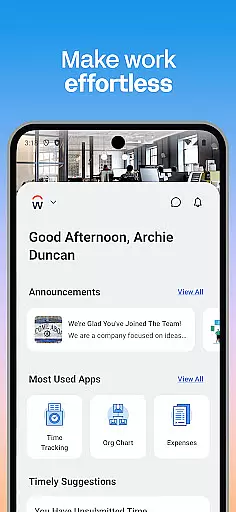
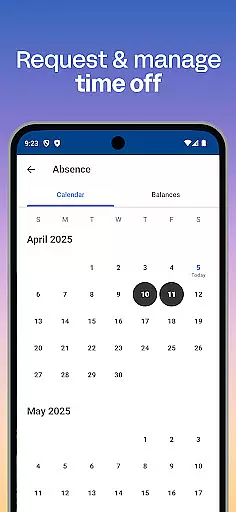
Workday is a comprehensive business application designed to enhance workplace productivity through its all-in-one platform. The app provides users with essential tools and insights needed for efficient task management, including time tracking, payroll access, and team communication.
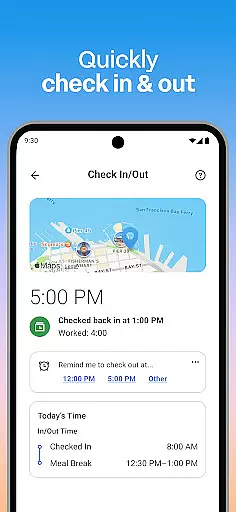
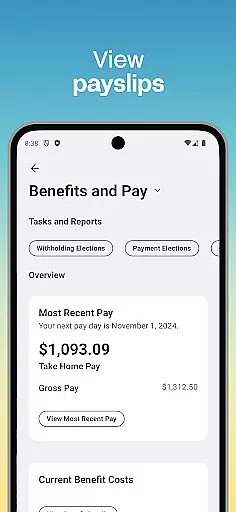
One of the standout features of Workday is its ability to consolidate numerous work-related tasks into a single mobile solution. Users can check in to work, request time off, view payslips, and even learn new skills via training videos. For managers, additional HR functionalities such as approving employee requests and managing payroll are readily accessible.
This makes Workday particularly useful in dynamic work environments where employees and managers need instant access to important work functions on the go. By centralizing these capabilities, Workday ensures that users can maintain high productivity levels regardless of their location.
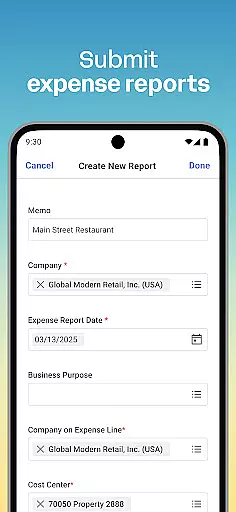
Workday stands out due to its rich feature set tailored for both regular employees and managers. One of the key aspects is its capacity to send push notification reminders, ensuring users never miss crucial tasks. Employees can submit timesheets and expenses, request time off, and engage with teammates effortlessly.
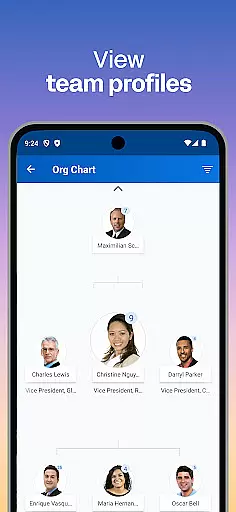
For managers, Workday offers advanced functionalities like approving employee requests with a simple tap, viewing detailed team profiles, and adjusting employee roles. Additionally, it provides interactive reports and dashboards which help in making informed decisions quickly. These features collectively ensure that every user can personalize their experience according to their specific needs.
The app's design emphasizes simplicity and security. Its intuitive interface allows users to navigate easily while top-notch security measures such as biometric authentication protect sensitive data. This combination of flexibility, personalization, and safety makes Workday an indispensable tool for modern businesses.
Workday's collaborative work features are designed to enhance team productivity and streamline communication. The app allows users to connect with teammates, approve employee requests, and manage team profiles effortlessly.
Managers can utilize the app to give performance reviews, adjust employee roles, and even browse interactive reports and dashboards. This ensures that decision-making is both informed and efficient, contributing to overall organizational success.
The ability to approve requests with a simple tap and view employee timesheets adds a layer of convenience for supervisors. These features not only save time but also improve the accuracy and reliability of workforce management.
By integrating these collaborative tools into one intuitive platform, Workday fosters a cohesive work environment where information flows seamlessly, enhancing both individual and team performance.
Task management in Workday offers an all-encompassing solution for maintaining workplace productivity. Users can submit timesheets and expenses, request time off, and check in and out of work, ensuring they stay on top of their daily responsibilities.
The app provides push notification reminders, so users never miss important tasks. This feature helps maintain high levels of productivity by keeping employees informed and engaged with their work schedules and deadlines.
Additionally, employees can view their payslips and learn new skills through training videos directly within the app. This dual focus on administrative efficiency and personal development empowers users to manage their work life effectively.
With its flexible and personalized approach, Workday ensures that users have quick access to the tools and insights they need most, allowing them to manage their tasks from anywhere, at any time.
User-friendly interface
Comprehensive HR tools
Secure cloud storage
Real-time updates
Customizable features
Limited third-party integrations
Occasional syncing issues
High cost for small businesses
Complex setup process
Steep learning curve

viewing and sharing of PDFs
 3.60
3.60
Ask Accio anything about business. Alibaba-backed, built by experts, not just AI
4.60
Find flexible, hourly jobs hiring near you in restaurant, retail & hospitality!
4.00
The revolutionary flexible staffing platform
4.40
The All-in-One File Manager for Phone, TV, Watch, Cars, XR / VR, Chromebook
4.10
TurboScan turns your phone into a full-featured PDF document scanner.
4.80
Make invoices, bills, receipts & estimates on the go with Invoice Generator.
4.70
Collaborate seamlessly with Google Chat, part of Google Workspace
4.50
Chat, meet, and collaborate to achieve more together, all in one place on Teams
4.60 4.70
4.70
Find jobs and make money fast with JobStack.
4.60
Grow your business and connect with more people with Meta Business Suite.
4.60
Earn money with the driver & delivery partner app for Uber, UberEats & Postmates
4.60
Find jobs near you and temp work in minutes, from your phone.
4.50
The app that lets you deliver with Amazon.
4.50
Earn crypto with secure cloud mining. Monitor, track & withdraw easily
4.40
Formerly Facebook Ads Manager. Manage and create ads on the go.
4.20
enjoy effortless PDF reading anytime, anywhere
3.90
Find part-time earning opportunities near you that pay within days.
3.20


User Reviews