
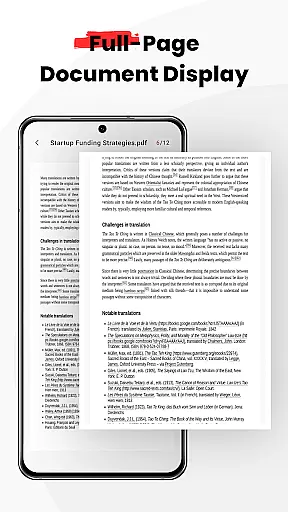
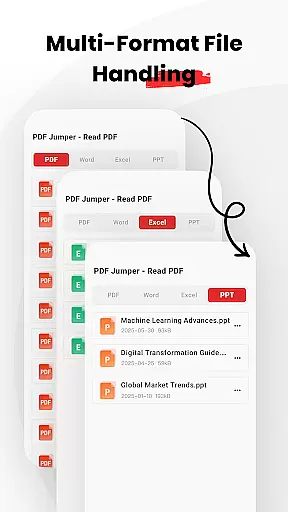
PDF Jumper is a versatile document management solution designed for seamless PDF reading and sharing across all devices. The app provides instant access to PDFs stored on your device, allowing users to open and read documents within seconds. Its universal compatibility supports multiple formats including PDF, DOC, PPT, and Excel, making it an essential tool for business professionals.
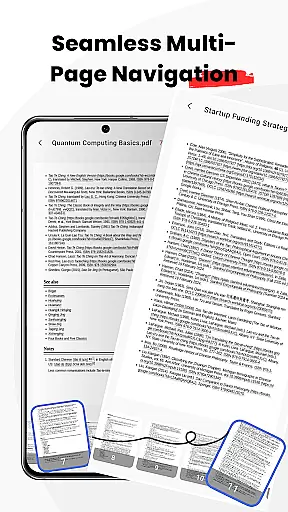
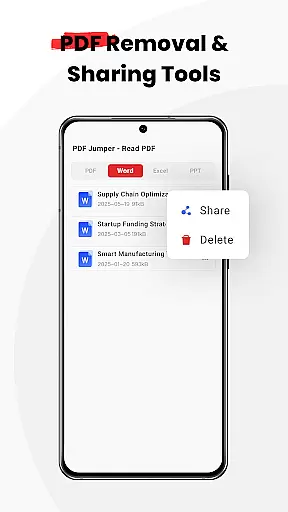
With smooth navigation features, users can effortlessly flip through pages using intuitive swipe controls. Additionally, the smart sharing functionality enables quick document transfers in various supported formats. PDF Jumper also offers full file management capabilities, empowering users to organize, share, or delete documents directly within the app. This makes it ideal for individuals who require efficient document handling on the go.
PDF Jumper stands out with its robust feature set tailored for business users. One of its key highlights is the instant access functionality, which allows users to open PDFs almost immediately after launching the app. This ensures minimal waiting time and maximum productivity when dealing with important documents.
The app's universal compatibility is another major advantage, supporting not only PDFs but also other essential formats like DOC, PPT, and Excel. Smooth navigation further enhances the user experience, providing effortless page transitions through intuitive swipe controls. Smart sharing options enable users to send documents in any supported format quickly. Lastly, comprehensive file management tools allow organizing, sharing, or deleting files directly from the app interface.
Collaborative work features are essential for modern business applications, enabling teams to work together efficiently regardless of location. PDF Jumper supports this by allowing users to share documents quickly in various formats, ensuring that team members can access and review files without compatibility issues.
The app's universal compatibility with formats like PDF, DOC, PPT, and Excel ensures that all team members, regardless of the software they use, can participate in collaborative efforts. This flexibility enhances productivity and ensures that projects move forward without delays caused by file format constraints.
Additionally, the smart sharing feature within PDF Jumper allows for seamless communication among team members. Users can send documents directly from the app to colleagues or friends, streamlining workflows and ensuring everyone has the most up-to-date information at their fingertips.
By integrating these collaborative work features, PDF Jumper not only simplifies document handling but also fosters a more connected and efficient working environment, crucial for successful project completion and business growth.
Effective task management is vital for maintaining productivity and ensuring that deadlines are met. PDF Jumper offers full file management capabilities, allowing users to organize, share, or delete documents directly within the app. This functionality helps users keep track of their tasks and manage their documents efficiently.
The app's instant access feature enables users to open and read PDFs stored on their device in seconds, which is crucial for quick task initiation and review. This speed in accessing necessary documents can significantly reduce downtime and enhance overall task management effectiveness.
Moreover, the smooth navigation provided by intuitive swipe controls makes it easy to flip through pages, ensuring that users can swiftly locate specific sections of a document. This ease of use contributes to better time management and allows users to focus more on the content rather than the process of accessing it.
By incorporating these task management features, PDF Jumper empowers users to handle their responsibilities more effectively, leading to improved productivity and more successful task outcomes.
User-friendly interface
Multi-format support
Fast document loading
Intuitive navigation
Comprehensive file management
Requires many permissions
Limited advanced editing
No cloud integration
Premium features locked
Occasional bugs reported

Find jobs and make money fast with JobStack.
 4.60
4.60
Completed Course Lectures on how to use IBM Maximo in Maintenance issues
4.3
The All-in-One File Manager for Phone, TV, Watch, Cars, XR / VR, Chromebook
4.10
Manage Your Shop
4.70
Build a store in minutes with our full suite of AI tools. Start for free!
4.20
Find jobs near you and temp work in minutes, from your phone.
4.50
Find part-time earning opportunities near you that pay within days.
3.20
Access to Paylocity, empowering employees with information they need 24/7.
4.70
Say hello to the mobile work experience built to help you thrive at work.
4.30
Job search app that finds jobs for you! Takes the work out of looking for a job!
4.90
TurboScan turns your phone into a full-featured PDF document scanner.
4.80 4.70
4.70
Get instant construction estimates: accurate home repair & material calculator.
4.70
Make invoices, bills, receipts & estimates on the go with Invoice Generator.
4.70
Your employer must have UKG Ready software configured for Mobile.
4.60
From Gone to Back Again — In Just a Few Taps
4.50
Simple, Fast & Lightweight
3.90
Get your benefits on-the-go.
3.80
Access All PDF Files
3.40


User Reviews