
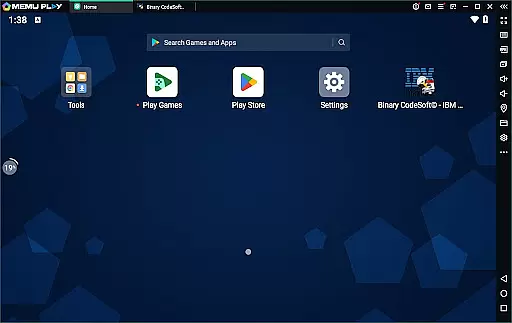
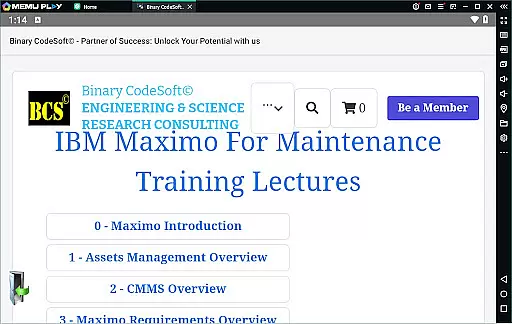
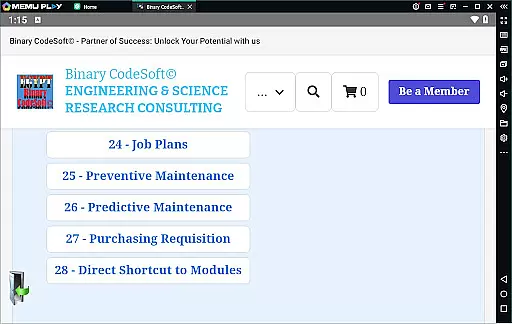
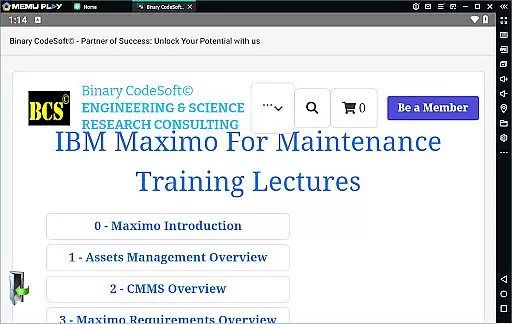
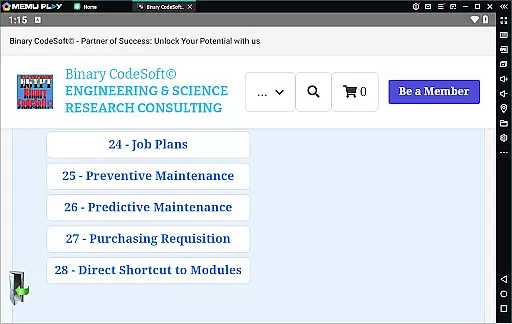

BCS©-Maximo Maintenance course is a comprehensive business application designed to educate users on maintenance operations and IBM Maximo. The app covers various aspects including maintenance strategies, planning and scheduling, costs, and the significance of effective maintenance management. It provides detailed insights into Maximo, offering an overview of asset management, CMMS, and new features within IBM Maximo.
The app further explores implementation strategies for IBM Maximo, delving into assets and locations management, work orders, job plans, and preventive as well as predictive maintenance techniques. With dedicated sections on shutdown planning, dynamic job plans, and multi-record task execution, it equips users with skills to efficiently manage maintenance tasks. This makes it an invaluable tool for businesses looking to streamline their maintenance processes using IBM Maximo.
BCS©-Maximo Maintenance course offers rich features that cater to those interested in mastering IBM Maximo for business maintenance needs. One key feature is its exhaustive content covering everything from introductory concepts of maintenance to advanced topics like predictive maintenance and IBM Maximo implementation strategies.
Another standout feature is the practical guidance provided through modules such as creating a 7-day or monthly plan, managing child work orders, and exporting data to MS Excel or MS Project files. Additionally, the app includes tips on purchasing, shortcuts to modules, and planning techniques that ensure users stay ahead in managing critical items using reports. These features collectively enhance the user's ability to effectively utilize IBM Maximo for superior maintenance outcomes.
In the realm of business applications, collaborative work features are essential for streamlining operations and enhancing team productivity. The BCSu00a9-Maximo Maintenance course offers comprehensive training on how to leverage IBM Maximo's capabilities to foster a collaborative environment.
This application provides tools for managing assets, planning maintenance schedules, and executing work orders that can be accessed and updated by multiple users simultaneously. This ensures that all team members have real-time access to the latest data, which is crucial for making informed decisions and maintaining operational efficiency.
Moreover, the course covers advanced functionalities such as dynamic job plans and shutdown planning using Maximo, enabling teams to adapt quickly to changing circumstances and minimize downtime. By learning these skills, users can significantly improve their organization's responsiveness and agility.
The ability to export data to MS Excel or MS Project files further enhances collaboration by allowing seamless integration with other business systems. This feature facilitates better communication and coordination across different departments, ensuring that everyone is aligned towards common goals.
Effective task management is pivotal for any business looking to optimize its maintenance operations. The BCSu00a9-Maximo Maintenance course equips users with the knowledge to utilize IBM Maximo's robust task management features, ensuring that every aspect of maintenance is meticulously planned and executed.
Participants will learn how to create and manage work orders, preventive maintenance schedules, and job plans. These elements are critical for maintaining an organized workflow and ensuring that resources are allocated efficiently. With this structured approach, businesses can reduce costs associated with poor maintenance practices and enhance overall productivity.
The course also delves into predictive maintenance techniques, empowering users to anticipate potential issues before they arise. This proactive strategy not only extends the lifespan of assets but also minimizes unexpected breakdowns, leading to more reliable operations.
Additionally, the application supports direct shortcuts to modules and executing tasks on multiple records, streamlining daily activities. Such features enable maintenance teams to stay one step ahead in their planning processes, ultimately driving better performance and outcomes for the organization.
User-friendly interface
Comprehensive educational content
Practical examples and strategies
Detailed coverage of IBM Maximo features
Effective learning tool for maintenance planning
Requires basic knowledge of IBM Maximo
Limited interactive features
No certification upon completion
Content may overwhelm beginners
Occasional technical glitches reported

Paychex Flex - Save Time and Stay Connected
 4.60
4.60
Recover what matters — quickly and easily.
4.70
All document reader, pdf viewer app, read docs & excel files
3.80
view, manage, and share every PDF file you have
3.60
Access to Paylocity, empowering employees with information they need 24/7.
4.70
Collaborate seamlessly with Google Chat, part of Google Workspace
4.50
Say hello to the mobile work experience built to help you thrive at work.
4.30
The app that lets you deliver with Amazon.
4.50
Work happy with AI Companion
4.10
BuildCalc - the easiest AND the most advanced construction calculator app.
4.80
TurboScan turns your phone into a full-featured PDF document scanner.
4.80
Employee Management Made Easy
4.80
Find the right fit, faster.
4.70
Grow your business and connect with more people with Meta Business Suite.
4.60
Amazon A to Z is the place to manage your work-life at Amazon.
4.50
Drive and earn extra money
4.50
From Gone to Back Again — In Just a Few Taps
4.50
Earn crypto with secure cloud mining. Monitor, track & withdraw easily
4.40
Delivery Track App - Tracking with Fedex, USPS, UPS, DHL. Monitor your Orders.
3.20


User Reviews