
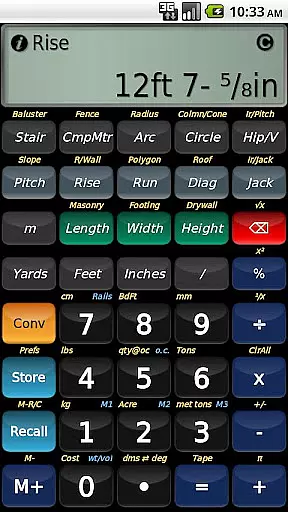
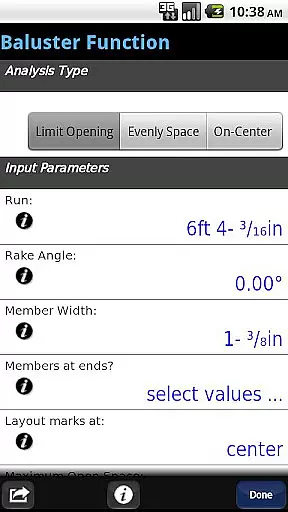
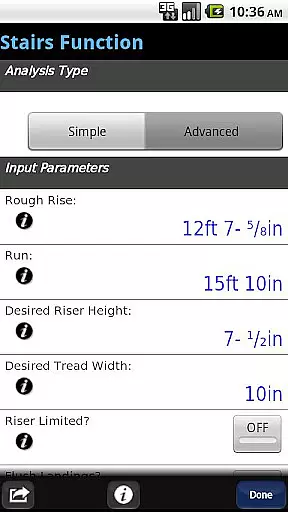
BuildCalc is a comprehensive construction calculator app designed to simplify complex calculations for professionals in the construction industry. With advanced features like the Baluster Function, Stair Layouts, and Fence Function, it offers precise measurements and layouts with minimal guesswork. The app also provides interactive functions that automatically update results when input values change, ensuring accuracy and saving time.
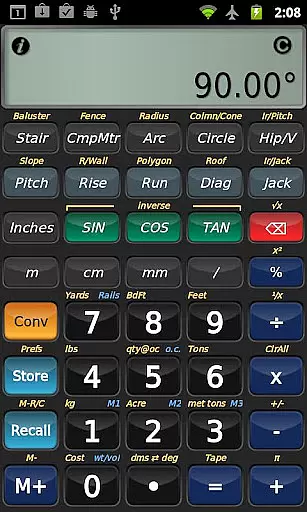
The app stands out by offering more functionality with less complexity. Users can customize sizes for masonry, drywall, and roofing materials while enjoying full daylight visibility mode. BuildCalc eliminates cumbersome button presses and arcane keystroke sequences, providing all results in list form with just one or two taps. Additionally, it allows users to save results for later recall, streamlining workflow on construction sites.
Whether you're calculating stair dimensions, planning a fence installation, or determining material quantities for a room, BuildCalc proves invaluable. Its user-friendly interface and robust feature set make it an essential tool for construction pros looking to enhance productivity and precision in their projects.
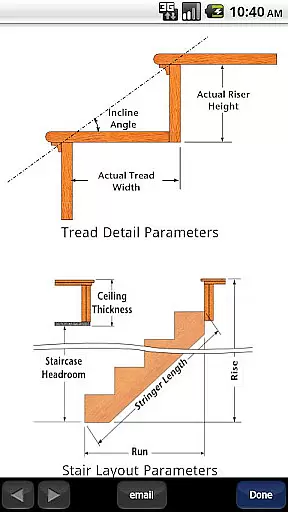
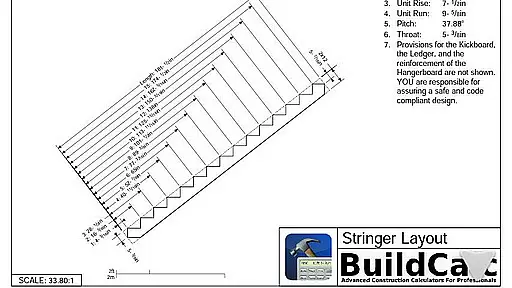
BuildCalc boasts a range of powerful features tailored for construction professionals. One standout is the Advanced Stair function, which provides dimensioned drawings of your Stringer, Stringer Installation, and Finished Staircase. These detailed plans can be shared via email as PDFs, facilitating easy communication with clients or team members. Another highlight is the Interactive Functions, including Stair, Baluster, Compound Miter, Diagonal, and Hip/Valley calculations, allowing dynamic updates without manual recalculations.
In addition to its specialized tools, BuildCalc offers enhanced usability through innovations like Full Daylight Visibility Mode and streamlined keypress sequences. Users benefit from customizable inputs for various materials such as bricks, blocks, tiles, and shingles—storing custom sizes in Length x Width format simplifies future reference. Furthermore, the app's emulation of Construction Master® Pro functionalities ensures familiarity for those transitioning from traditional calculators.
BuildCalc's commitment to reducing hassle extends to practical conveniences like Drywall and Masonry 'Room Mode.' By storing room dimensions, users can quickly determine material requirements for walls, ceilings, and floors with minimal effort. This focus on efficiency and precision makes BuildCalc an indispensable companion for anyone involved in construction projects.
In the realm of construction and design, collaboration is key. BuildCalc understands this and offers features that enhance team productivity and accuracy. The app provides interactive functions such as Stair, Baluster, Compound Miter, Diagonal, and Hip/Valley calculations which are fully interactive.
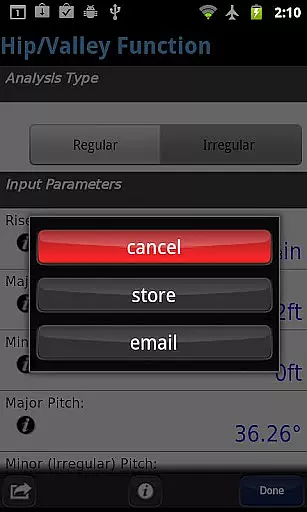
Imagine your team being able to change input values on the fly, adjust the Run, or switch between Regular and Irregular Hip Roof analysis without starting over. With BuildCalc, these changes are updated automatically, ensuring everyone is on the same page without the hassle of remembering specific key presses.
This seamless integration helps reduce errors and speeds up project timelines, allowing teams to focus more on execution and less on recalculations. By streamlining these collaborative processes, BuildCalc ensures that every member can contribute effectively, making teamwork not just easier but more efficient.
Effective task management is crucial in any construction project, and BuildCalc excels in providing tools that simplify this process. One standout feature is the Advanced Stair function, which allows users to generate professional stair layouts complete with dimensioned drawings of the Stringer, Stringer Installation, and Finished Staircase.
These detailed outputs can be shared directly from the app via email as a PDF, enabling easy distribution among team members and stakeholders. This means no more manual drafting or miscommunication about stair specifications, saving both time and resources.
Additionally, the Fence Function automates the calculation of posts, rails, pickets, and panels needed for a given fence row length. Such automation reduces guesswork and ensures precise material estimates, aiding in better planning and resource allocation. With BuildCalc, managing complex tasks becomes straightforward and reliable.
User-friendly interface
Advanced calculation tools
Interactive function updates
Customizable material sizes
Comprehensive project support
May have a learning curve
Some features are complex
Requires device space
Premium cost involved
Limited offline help

Formerly Facebook Ads Manager. Manage and create ads on the go.
 4.20
4.20
The revolutionary flexible staffing platform
4.40
FaxCover - Create fax cover pages. Works with any app or fax machine.
4.90
Find work, shifts and gigs near you. Jobs lasting a few hours to a few months.
4.30
All document reader, pdf viewer app, read docs & excel files
3.80
All your team communication in one place
4.70
Build a store in minutes with our full suite of AI tools. Start for free!
4.20
Access All PDF Files
3.40
We help people get jobs
4.70
Job search app that finds jobs for you! Takes the work out of looking for a job!
4.90
Create curriculum vitae, a professional cover letter creator and resume designer
4.80
Grow your business and connect with more people with Meta Business Suite.
4.60
Earn money with the driver & delivery partner app for Uber, UberEats & Postmates
4.60
A secure, all-in-one team collaboration app
4.30
FX Plus adds media, networking, and cloud capabilities to FX File Explorer.
4.10
Zoom built for Chrome OS
3.90
viewing and sharing of PDFs
3.60
Delivery Track App - Tracking with Fedex, USPS, UPS, DHL. Monitor your Orders.
3.20
We are a dynamic team of creatives people of design, marketing, web & apps
3.00


User Reviews