
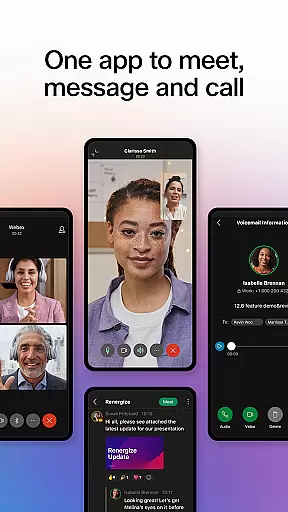



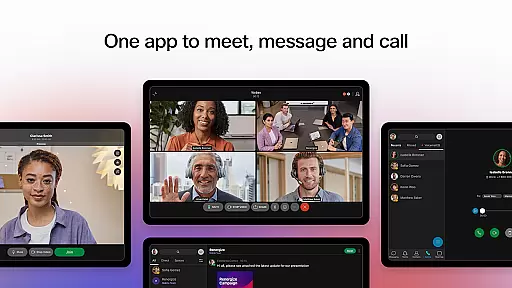


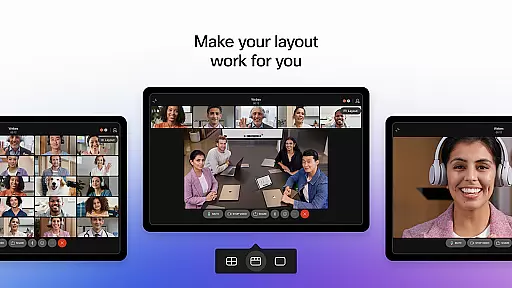
Webex is a comprehensive business communication app that unifies meetings, messaging, and calling into a single platform. Designed for seamless collaboration, it offers features such as real-time translation in over 100 languages, background noise removal, and personalized meeting layouts to ensure every participant can engage effectively regardless of location. Its secure environment makes it suitable for both internal teams and external partners, providing an inclusive space where ideas flow freely.
In addition to its robust meeting capabilities, Webex enhances productivity with intelligent messaging tools and integrated calling features. Users can connect through 1:1 or group chats, share files effortlessly using just an email address, and enjoy the convenience of their business phone anywhere, anytime. These functionalities make Webex an ideal solution for businesses seeking efficient remote work solutions.
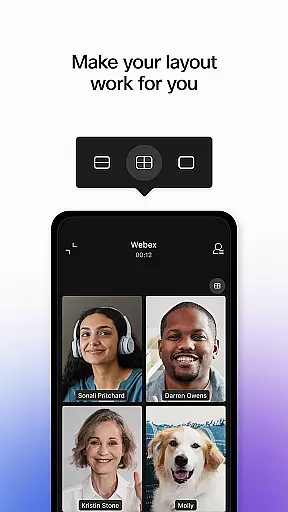
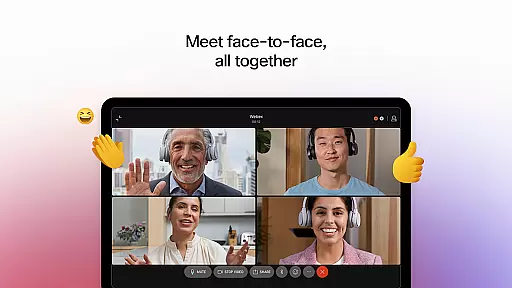
Webex stands out with its advanced meeting features, including real-time language translation, customizable meeting layouts, and AI-driven background noise cancellation. These innovations ensure that all participants, regardless of geographical location, can communicate clearly and effectively. The app also supports high-quality video and audio conferencing, making virtual meetings as engaging as face-to-face interactions.
Beyond meetings, Webex provides a rich messaging experience with options for secure file sharing and collaboration. Its built-in calling functionality includes visual voicemail and instant call initiation, empowering users to manage their communications efficiently. With end-to-end encryption and compliance with global privacy standards, Webex ensures that all interactions remain confidential and protected.
Collaboration is at the heart of the Webex App, designed to bring teams together seamlessly. The app offers engaging, intelligent, and inclusive experiences that make working together distinctly better, whether in real-time or anytime. With features like real-time translation for over 100 languages, personalized meeting layouts, and background noise removal, Webex ensures everyone can be seen and heard, regardless of their location.
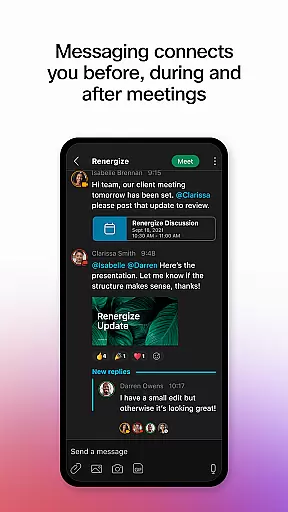
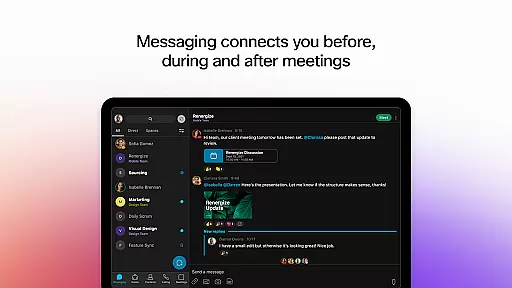
Webex goes beyond just meetings by integrating real-time messaging that connects users before, during, and after meetings. This feature allows for easy collaboration through 1:1 and group messaging, making it simple to share files securely with both internal teams and external colleagues using just an email address. These capabilities ensure that communication remains fluid and efficient, enhancing productivity across the board.
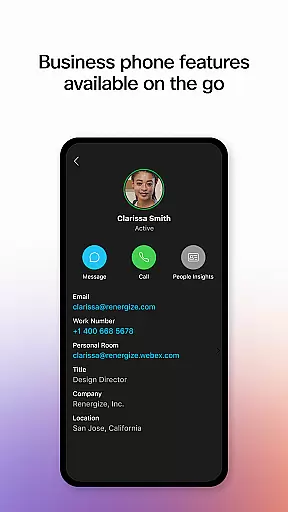
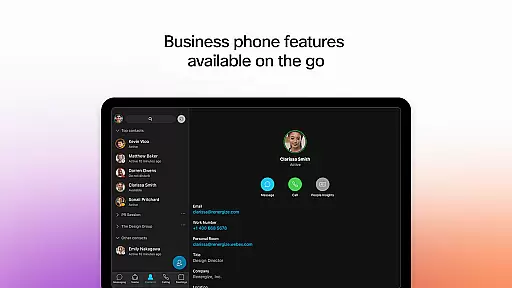
Moreover, Webex includes robust calling features built directly into the app, empowering users with their business phone capabilities anytime, anywhere. Users can instantly start impromptu conversations, access visual voicemail, and utilize other favorite calling features without switching between apps. This comprehensive integration of meeting, messaging, and calling functionalities within a single, secure platform significantly boosts collaborative work efficiency.
Effective task management is crucial for maintaining productivity, and the Webex App excels in this area by providing tools that keep teams organized and on track. While primarily known for its communication features, Webex also supports task management through integrated messaging and file-sharing capabilities that help teams coordinate tasks efficiently. By enabling seamless collaboration via 1:1 and group messaging, Webex ensures that all team members are aligned and informed about ongoing projects.
In addition to messaging, Webex enhances task management with its powerful calling features. Users can initiate impromptu calls to quickly address tasks or clarify doubts, ensuring that project momentum is maintained. Visual voicemail and other calling functionalities further streamline communication, allowing users to manage their responsibilities without missing a beat. These features collectively contribute to a more dynamic and responsive work environment.
Furthermore, Webex's ability to facilitate real-time interactionsu2014including meetings with advanced options like personalized layouts and noise removalu2014ensures that discussions around task management are clear and productive. Teams can collaborate effectively, knowing that they have a reliable platform supporting their efforts. Overall, Webex provides a cohesive solution for managing tasks while fostering a collaborative atmosphere conducive to achieving exceptional work outcomes.
User-friendly interface
Secure communication
Integrated features
Global accessibility
Advanced AI tools
Occasional connectivity issues
Limited free version
High cost for premium
Complex setup for beginners
Resource-intensive

ANDROID'S TOP MOBILE OFFICE - Word, Excel, PowerPoint and PDF at your fingertips
 4.50
4.50
FaxCover - Create fax cover pages. Works with any app or fax machine.
4.90
One marketplace. Hundreds of services. Unlimited possibilities. All on Fiverr.
4.40
enjoy effortless PDF reading anytime, anywhere
3.90
Delivery Track App - Tracking with Fedex, USPS, UPS, DHL. Monitor your Orders.
3.20
All your team communication in one place
4.70
We are a dynamic team of creatives people of design, marketing, web & apps
3.00
Mobile POS for any business: sales, invoices, retail, restaurants & appointments
4.60
From Gone to Back Again — In Just a Few Taps
4.50
Employee Management Made Easy
4.80
Recover what matters — quickly and easily.
4.70
Make invoices, bills, receipts & estimates on the go with Invoice Generator.
4.70
AI-powered document scanner with auto enhance for perfect PDFs.
4.60
Find jobs near you and temp work in minutes, from your phone.
4.50
Say hello to the mobile work experience built to help you thrive at work.
4.30
VSD Viewer - Visio Drawings Viewer for Android Preview VSD, VDX, VSDX drawings
4.10
On the go? Take FedEx with you.
4.00
Roadie connects people with stuff to send with drivers already going that way.
3.50
Convert Your Lovable.dev Website into a Mobile App Instantly!
4.3


User Reviews