
Connecteam is a comprehensive employee management app designed specifically for businesses with non-desk employees. It combines essential tools like work scheduling, time tracking, internal communication, task management, and employee training into one affordable solution.
The app's standout feature is its intuitive design that allows business owners to learn and implement the system within a day. With specialized tools such as GPS-based job tracking, automated scheduling, and paperless checklists, Connecteam streamlines daily operations while enhancing team productivity and engagement.
Ideal for small to medium-sized businesses in industries like healthcare, retail, or field services, Connecteam helps managers efficiently coordinate their teams while keeping all important information accessible through mobile devices.
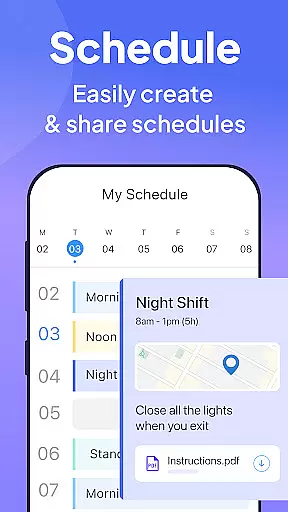
Connecteam offers an impressive array of features that address key business needs. The work scheduling tool includes advanced options like team shift planning, GPS status updates, and detailed job information attachments. Its auto-scheduling capability saves managers valuable time when creating weekly plans.
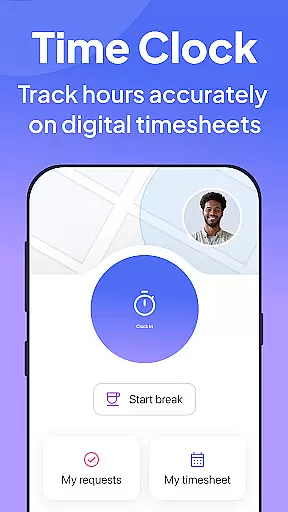
The employee time clock feature provides precise GPS-based time tracking with geofencing capabilities. Automated break calculations and seamless payroll software integration make timesheet management effortless. Push notifications ensure employees never miss a clock-in or clock-out.
Beyond operational tools, Connecteam excels in communication and engagement. The platform includes live chat, company news posts, and employee feedback surveys. The digital ID card system adds another layer of convenience and security, allowing for QR-based access control across multiple locations.
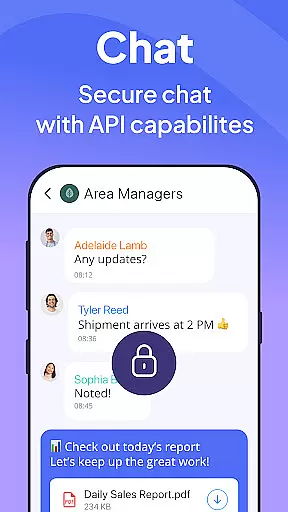
Collaborative work features are essential for businesses that rely on seamless communication and teamwork. Connecteam's employee management app excels in this area by offering a comprehensive internal communication platform. This platform allows for streamlined interactions through live chat, which supports both one-on-one and group conversations, ensuring that all team members can stay connected regardless of their location.
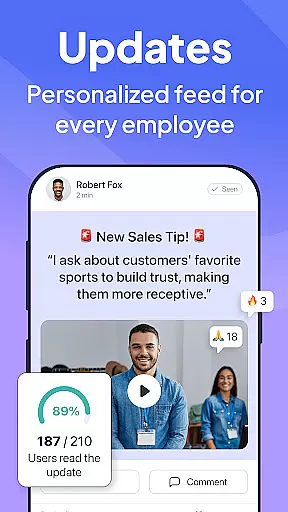
In addition to live chat, Connecteam provides a directory for all work contacts, making it easy for employees to find and connect with each other. The app also supports posts and updates with comments and reactions, mimicking popular social media platforms to encourage engagement and interaction among staff members. These tools help foster a strong company culture and improve overall employee connectivity.
Connecteam goes further by integrating a chat API that connects external data sources to the company chat, enhancing the collaborative experience. Employee feedback surveys are another key feature, allowing management to gather insights and make informed decisions that benefit both the workforce and the organization as a whole.
By leveraging these collaborative work features, businesses can expect improved communication, increased productivity, and a more cohesive work environment. Connecteam's solution is particularly beneficial for managing non-desk employees, providing them with the tools they need to stay engaged and efficient.
Effective task management is crucial for maintaining operational efficiency and ensuring compliance within any business. Connecteamu2019s employee app offers robust task management capabilities designed to replace traditional methods such as pen and paper, spreadsheets, or verbal instructions. With Connecteam, companies can create fully automated processes that are accessible from anywhere, significantly enhancing day-to-day operations.
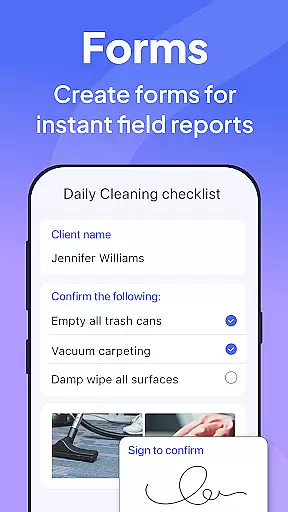
The app includes daily checklists with auto-reminders, ensuring that no task is overlooked. Employees can utilize online forms, tasks, and checklists with read-and-sign options, promoting accountability and adherence to procedures. Additionally, users can upload images and report geolocation, adding an extra layer of detail and verification to task completion.
One of the standout features of Connecteam's task management system is its customizability. Businesses can tailor checklists and forms to fit their specific needs, using the live mobile preview feature to ensure everything works as intended before deployment. This flexibility allows organizations to go paperless and automate routine procedures, saving time and reducing errors.
Overall, Connecteamu2019s task management tools empower businesses to streamline operations, enhance compliance, and boost productivity. By digitizing and automating task management, companies can focus more on strategic growth while ensuring that daily operations run smoothly and efficiently.
User-friendly interface
Affordable pricing
All-in-one solution
Excellent customer support
Highly customizable
Limited advanced analytics
Occasional syncing issues
Basic free version
Learning curve for complex features
Device compatibility limitations

Zoom built for Chrome OS
 3.90
3.90
Formerly Facebook Ads Manager. Manage and create ads on the go.
4.20
The All-in-One File Manager for Phone, TV, Watch, Cars, XR / VR, Chromebook
4.10
Take the stress out of storage with the all-in-one app to manage your space.
3.70
Get instant construction estimates: accurate home repair & material calculator.
4.70
One marketplace. Hundreds of services. Unlimited possibilities. All on Fiverr.
4.40
A secure, all-in-one team collaboration app
4.30
Find part-time earning opportunities near you that pay within days.
3.20
We help people get jobs
4.70
Job search app that finds jobs for you! Takes the work out of looking for a job!
4.90
BuildCalc - the easiest AND the most advanced construction calculator app.
4.80
Find the right fit, faster.
4.70
Paychex Flex - Save Time and Stay Connected
4.60
Find jobs near you and temp work in minutes, from your phone.
4.50
Smarter career moves start here. AI job alerts, insights & the right tools.
4.20
Work happy with AI Companion
4.10
Delivery Track App - Tracking with Fedex, USPS, UPS, DHL. Monitor your Orders.
3.20
We are a dynamic team of creatives people of design, marketing, web & apps
3.00
viewing and sharing PDFs and other files—anytime, anywhere!
4.3


User Reviews