
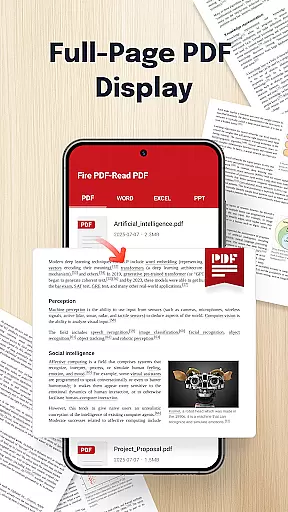
Fire PDF-Read PDF is a powerful document reader designed for business professionals and students who need quick and reliable access to their files. This app allows users to open and read PDFs directly from their device while supporting multiple formats including DOC, PPT, and Excel files.
With its intuitive interface and smooth navigation features, Fire PDF ensures seamless reading experiences. Whether you're reviewing business reports or studying lecture notes, this app provides an efficient solution for managing documents on the go.
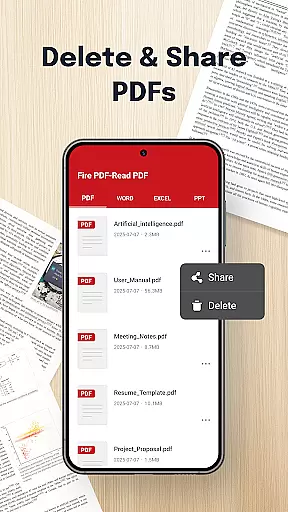
The ability to share files quickly makes it ideal for collaborative environments. Its file management permissions allow users to organize, view, and delete documents effortlessly, making it a versatile tool for both personal and professional use.
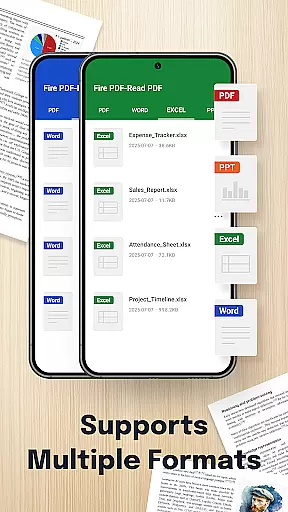
Fire PDF-Read PDF stands out with its multi-format support, accommodating PDF, DOC, PPT, and Excel files. This versatility eliminates the need for separate apps for different file types, streamlining your document management process.
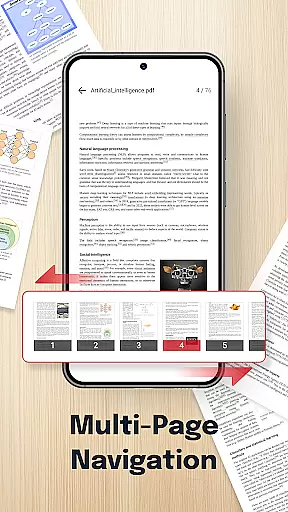
Smooth navigation is another key feature, allowing users to swipe through pages effortlessly. The app's clean design prioritizes usability, ensuring that even those unfamiliar with advanced document readers can operate it with ease.
Additionally, Fire PDF offers quick sharing capabilities, enabling users to send documents to colleagues or friends directly from the app. These practical features make it an essential tool for anyone needing efficient access to various file formats in their daily workflow.
Collaborative work features are essential for modern business applications, enabling teams to work together efficiently regardless of location. Fire PDF - Read PDF offers functionalities that support collaborative efforts by allowing users to share documents quickly and seamlessly.
The app supports multiple file formats including PDF, DOC, PPT, and Excel, making it versatile for different types of projects. With its quick sharing feature, team members can easily distribute documents for review or collaboration, ensuring everyone has access to the latest version of a file.
Moreover, the smooth navigation and intuitive interface enhance the collaborative experience by providing users with effortless page swiping and hassle-free access to files. This ensures that teams can focus on their work without being hindered by complex software operations.
By integrating these collaborative features, Fire PDF - Read PDF not only simplifies document management but also boosts productivity, allowing businesses to operate more effectively in today's fast-paced environment.
Effective task management is crucial for maintaining productivity and ensuring timely completion of projects. Fire PDF - Read PDF contributes to task management by offering tools that streamline document handling and organization.
With the ability to open and read PDFs stored on your device, users can quickly access important information needed for their tasks. The app's multi-format support extends its utility beyond just PDFs, accommodating various document types like DOC, PPT, and Excel, which are commonly used in business settings.
In addition, Fire PDF provides features for managing files within the app, such as deleting or organizing documents. These capabilities help users keep their workspace tidy and focused, reducing clutter and potential distractions during task execution.
By incorporating these task management features, Fire PDF - Read PDF empowers users to handle their documents more efficiently, ultimately leading to improved task performance and project success.
User-friendly interface
Multi-format compatibility
Quick document sharing
Effortless navigation
Reliable performance
Limited editing features
No cloud integration
Basic annotation tools
Occasional lag
Ads in free version

Earn free swag, G-Cards & food • Enter sweepstakes • Find stores • So much more.
 4.70
4.70
Manage Your Shop
4.70
Paychex Flex - Save Time and Stay Connected
4.60
From Gone to Back Again — In Just a Few Taps
4.50
All-in-one Mobile solutions for employees & managers to succeed at work
4.30
Roadie connects people with stuff to send with drivers already going that way.
3.50
The app that lets you deliver with Amazon.
4.50
Earn money with the driver & delivery partner app for Uber, UberEats & Postmates
4.60
No more passwords, easier sign-in, and greater protection for your accounts.
4.60
Employee Management Made Easy
4.80 4.70
4.70
Make invoices, bills, receipts & estimates on the go with Invoice Generator.
4.70
Chat, meet, and collaborate to achieve more together, all in one place on Teams
4.60
All Your Gig Work. One App.
4.30
Simple, Fast & Lightweight
3.90
Take the stress out of storage with the all-in-one app to manage your space.
3.70
viewing and sharing of PDFs
3.60
Access All PDF Files
3.40
We are a dynamic team of creatives people of design, marketing, web & apps
3.00


User Reviews