


LinkedIn is a premier business networking platform designed to help professionals advance their careers. With over 1 billion members, it serves as an essential tool for job seekers, recruiters, and business professionals alike. The app allows users to create detailed online resumes, showcase their skills, and connect with industry experts.
Through LinkedIn, users can search for job opportunities ranging from freelance and remote work to full-time positions. The platform also provides valuable business insights, including salary information and company news, helping users make informed career decisions. Whether you're looking to expand your professional network or stay updated on industry trends, LinkedIn offers the tools necessary to succeed in today's competitive job market.
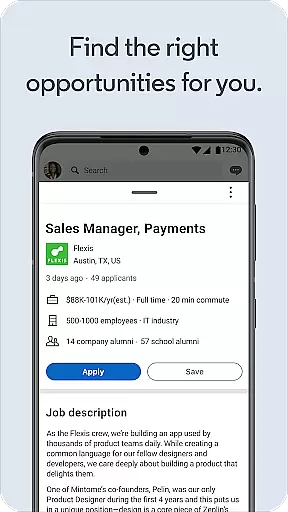
One of LinkedIn's standout features is its robust job search functionality. Users can browse job openings from companies actively hiring in their field of interest. The app allows setting up job alerts for specific roles, ensuring users never miss an opportunity. Additionally, LinkedIn's integration with recruiters makes it easy to submit applications and secure interviews.
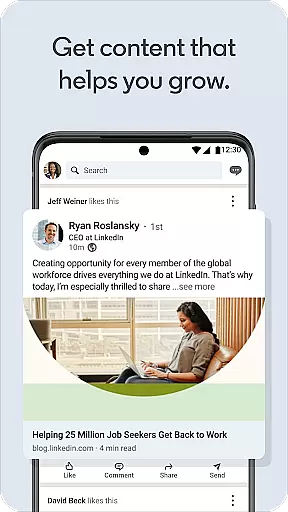
Another key feature is LinkedIn's ability to keep users informed with the latest business news. By following companies and industry leaders, users gain access to collaborative articles and newsworthy discussions within the professional community. This ensures that users are always aware of important developments in their respective industries.
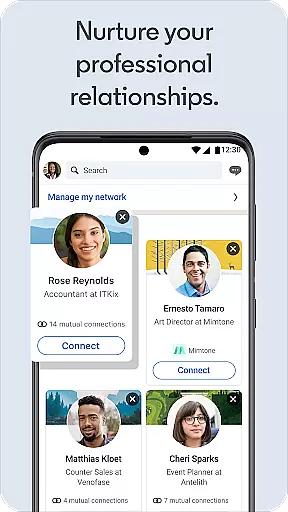
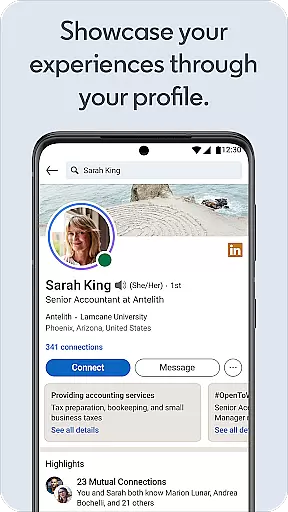
LinkedIn also excels in building professional networks. Its profile-building tools help users grow their connections and engage with like-minded professionals. Users can join groups based on shared interests, follow top voices in their field, and even showcase their own companies or products. These features collectively enhance the user's visibility and credibility in the professional world.
LinkedIn offers a robust platform for collaborative work, enabling professionals to connect and engage with peers across the globe. The app facilitates networking by allowing users to build and expand their professional contacts effortlessly. Through LinkedIn's social networking tools, users can join groups and communities that align with their professional interests, fostering collaboration and knowledge sharing.
The app's design emphasizes ease of use, ensuring that users can quickly find and connect with business contacts. By following companies and industry leaders, users gain access to valuable insights and discussions, enhancing their collaborative potential. This feature is particularly beneficial for those seeking to expand their influence or explore new career opportunities within their network.
One of the standout aspects of LinkedIn's collaborative environment is its ability to keep users informed about the latest trends and news in their respective fields. Users can participate in conversations, share articles, and contribute to discussions, making it an interactive platform for professional growth. These interactions not only help in building meaningful relationships but also in staying relevant in today's fast-paced business world.
Ultimately, LinkedIn transforms traditional networking by offering a dynamic space where professionals can collaborate, learn, and grow together. Whether you're looking to connect with like-minded individuals or seeking new job prospects, LinkedIn's collaborative work features provide the tools necessary to succeed in the modern professional landscape.
Task management on LinkedIn revolves around helping users efficiently navigate their career journey and job search process. The app provides comprehensive tools for creating and managing professional tasks such as job applications, resume building, and skill showcasing. By setting up job alerts, users can streamline their search and ensure they never miss an opportunity that matches their expertise and aspirations.
For those focused on career advancement, LinkedIn offers features that allow users to highlight their skills and experiences effectively. The online resume builder is a prime example, enabling users to craft detailed profiles that stand out to recruiters. This task management aspect ensures that users present their best selves to potential employers, increasing their chances of securing interviews and job offers.
Additionally, LinkedIn aids in organizing and prioritizing professional development tasks. Users can follow companies and industry leaders to stay updated on business news and trends, which is crucial for making informed career decisions. This functionality helps users manage their time and resources better, focusing on activities that contribute to their long-term career goals.
By integrating task management features seamlessly into its platform, LinkedIn empowers users to take control of their professional lives. From finding the right job to expanding one's network and staying informed, LinkedIn equips professionals with the necessary tools to manage their careers effectively and achieve their objectives.
User-friendly interface
Extensive job listings
Professional networking opportunities
Valuable business insights
Resume-building tools
Premium features require subscription
Limited free resources
Occasional irrelevant job recommendations
High competition for popular jobs
Some features locked behind paywall

All Your Gig Work. One App.
 4.30
4.30
Windows App allows you to connect to remote PCs and virtual apps.
3.70
Finance, Investing, Stocks, Trading and Stock news
4.60
Use Generative Summary to understand your rental or insurance docs in seconds.
4.70
Master crypto trading with real-time simulations and exciting challenges!
4.50
From Gone to Back Again — In Just a Few Taps
4.50
Chat, meet, and collaborate to achieve more together, all in one place on Teams
4.60
Work happy with AI Companion
4.10
Make money as a delivery driver with DoorDash and work when you want as a Dasher
4.30
GoTo Mobile is a simple & secure calling, messaging & meetings solution
4.80
Create curriculum vitae, a professional cover letter creator and resume designer
4.80
Start earning fast. Apply Today.
4.80 4.70
4.70
Manage Your Shop
4.70
All your team communication in one place
4.70
Ship, Track, Find a Location or Get a Quote with UPS. Anytime. Anywhere.
4.60
Build a store in minutes with our full suite of AI tools. Start for free!
4.20
Zoom built for Chrome OS
3.90
viewing and sharing PDFs and other files—anytime, anywhere!
4.1


User Reviews