
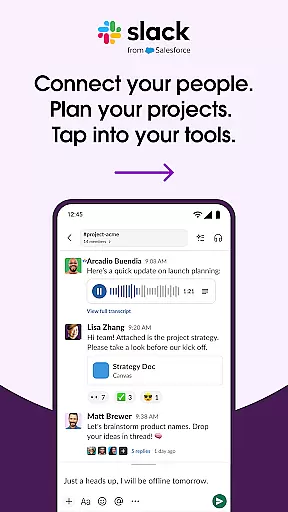





Slack is a comprehensive business communication platform designed to streamline collaboration and enhance productivity. It serves as a centralized hub where teams can conduct meetings, share files, collaborate on documents, and integrate with essential third-party applications. With dedicated channels for every project, Slack ensures that discussions remain organized and accessible. The platform also supports video conferencing and screen sharing, enabling real-time interaction among team members regardless of their physical location.
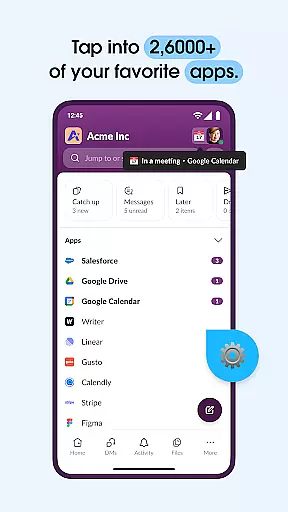
Beyond basic communication, Slack offers advanced features such as AI-powered search and project management tools. These capabilities allow users to efficiently track tasks, set milestones, and manage workflows. By providing templates for common business processes and seamless integration with over 2,600 apps—including Google Drive, Salesforce, and Dropbox—Slack empowers organizations to maintain a cohesive work environment. Its ability to connect internal teams with external partners further amplifies its value as a versatile collaboration tool.
Slack stands out with its robust feature set tailored for modern businesses. One of its core strengths is the channel-based communication system, which allows teams to create dedicated spaces for different projects or topics. This ensures that all relevant discussions, files, and updates are easily accessible in one place. Additionally, Slack's video chat and screen sharing functionalities facilitate dynamic interactions, making remote meetings more engaging and productive.
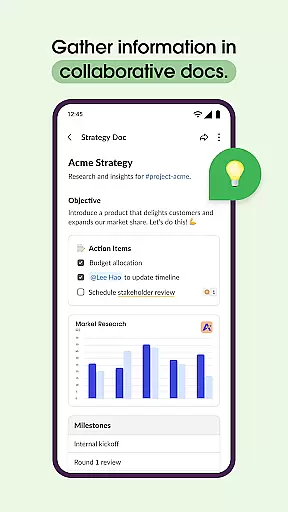
The platform also excels in document collaboration and project management. Users can co-edit shared documents directly within Slack, streamlining workflows and reducing the need for constant context switching. For task tracking, Slack provides tools to assign tasks, set deadlines, and visualize project timelines through customizable templates. Furthermore, its extensive app ecosystem enhances functionality by integrating popular services like Asana, Figma, and Zendesk. With AI-driven search capabilities, finding specific messages or files becomes effortless, ensuring that critical information is always at your fingertips.
Collaborative work features are essential for modern businesses looking to enhance team productivity and communication. Slack excels in this area by providing a unified platform where teams can seamlessly interact and collaborate.
The app offers dedicated channels for every project, ensuring organized communication. Teams can conduct meetings, co-edit documents, share files, and even integrate with over 2,600 third-party apps like Google Drive and Salesforce. This creates an ecosystem where all work-related activities are centralized.
Slack also supports real-time video chats and screen sharing, enabling live discussions and presentations. For more complex ideas, users can record and send audio or video messages. These features ensure that teams can effectively communicate regardless of their physical location.
By using Slack's collaborative tools, businesses can improve efficiency, maintain clear communication, and foster a cohesive work environment. The ability to work alongside external partners further extends its utility, making it indispensable for companies aiming to streamline their workflows.
Effective task management is crucial for keeping projects on track and ensuring timely delivery. Slack addresses this need by integrating comprehensive task management features within its platform.
Users can leverage pre-made and customizable templates to set up projects efficiently. Shared documents allow teams to collaborate on marketing plans and product specifications directly within conversation threads, maintaining context and continuity.
Slack includes tools for tracking to-dos, assigning tasks, and mapping out milestones. These functionalities help teams stay organized and accountable, reducing the risk of missed deadlines or overlooked responsibilities.
For organizations requiring advanced capabilities, upgrading to Slack Pro, Business+, or Enterprise unlocks additional project management tools. With these robust features, Slack empowers businesses to manage their projects effectively, ensuring that all team members are aligned and informed throughout the project lifecycle.
User-friendly interface
Robust integration options
Efficient team collaboration
Advanced search functionality
Comprehensive project tools
Higher-tier features require paid plans
Occasional connectivity issues
Steep learning curve for new users
Limited offline functionality
Premium add-ons can be costly

Scan Business Cards & Conference Badges - Capture Leads at Events & Tradeshows
 4.20
4.20
Windows App allows you to connect to remote PCs and virtual apps.
3.70
Find work, shifts and gigs near you. Jobs lasting a few hours to a few months.
4.30
Grow your business and connect with more people with Meta Business Suite.
4.60
Build a store in minutes with our full suite of AI tools. Start for free!
4.20
Access All PDF Files
3.40
Shop, deliver, and earn with the Spark Driver™ App
4.10
Chat, meet, and collaborate to achieve more together, all in one place on Teams
4.60
Make money as a delivery driver with DoorDash and work when you want as a Dasher
4.30
Create curriculum vitae, a professional cover letter creator and resume designer
4.80 4.70
4.70
The MyWalmart App is available for all associates in stores.
4.70
Recover what matters — quickly and easily.
4.70
USPS Mobile®Access USPS.com’s most popular tools on-the-go.
4.70
Your employer must have UKG Ready software configured for Mobile.
4.60
Master crypto trading with real-time simulations and exciting challenges!
4.50
Measure distances, surfaces and draw plans in seconds with CamToPlan!
4.40
viewing and sharing of PDFs
3.60
Delivery Track App - Tracking with Fedex, USPS, UPS, DHL. Monitor your Orders.
3.20


User Reviews