
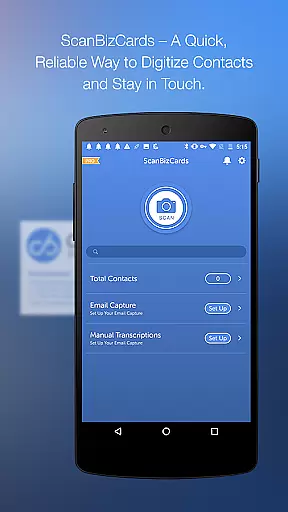
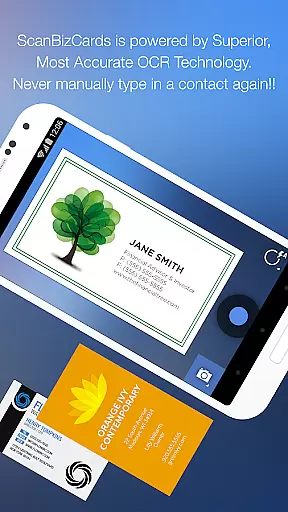
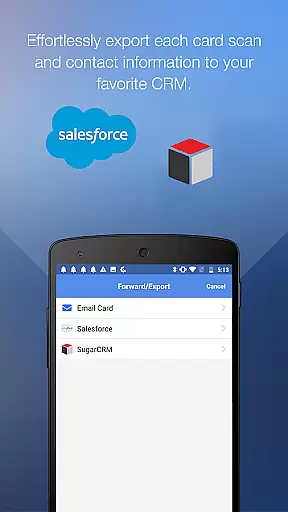
ScanBizCards Premium is a versatile business card management app for Android, designed to streamline contact organization and CRM integration. The app allows users to scan business cards directly using their phone camera or submit them for 100%-accurate human transcription. With advanced features like email signature capture, batch scanning, and direct export to Salesforce and SugarCRM, it caters to sales professionals who rely on customer-relationship management tools.
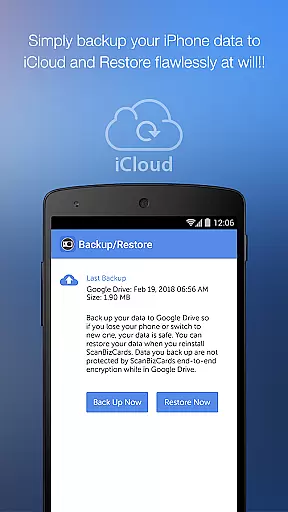
The app also supports scanning conference badges, making it an ideal solution for trade shows and networking events. Users can convert scanned business cards into leads within seconds, ensuring their CRM stays up-to-date. Supporting 22 languages, ScanBizCards Premium offers a comprehensive suite of tools including double-sided card scanning, personal notes, custom folder organization, and backup/restore functionality via Google Drive.
ScanBizCards Premium stands out with its robust feature set tailored for efficient contact management. The app's upgraded OCR engine ensures faster and more accurate scans, while the new batch scanning capability allows users to process multiple cards simultaneously. These features are complemented by email signature capture, which automatically extracts contact details from incoming emails and updates the user's address book.
For CRM users, the app provides seamless integration with platforms like Salesforce and SugarCRM. It enables unlimited exports to Salesforce for users who connect their email accounts, significantly enhancing productivity. Additional features include a 3D gallery view mode, double-sided card scanning, and the ability to create personal notes for each contact. The app also supports exporting contacts in under 30 seconds, streamlining lead generation at conferences and trade shows.
Collaborative work features are essential for modern business applications, enabling teams to work together efficiently regardless of location. ScanBizCards Premium excels in this area by integrating seamlessly with popular CRM platforms like Salesforce and SugarCRM.
The app allows sales professionals to export scanned business cards directly to their preferred CRM system. With the latest update, users can now enjoy unlimited card exports to Salesforce, a significant improvement from the previous limit of seven cards per month. This ensures that your CRM stays up-to-date with minimal effort.
Another standout feature is the ability to connect your email account for automatic signature capture. This functionality helps you find new contacts and updates from incoming emails, which can then be saved directly to your address book or exported to your CRM. By automating these processes, ScanBizCards enhances team productivity and ensures everyone has access to the most current contact information.
Overall, these collaborative features make ScanBizCards Premium an invaluable tool for businesses looking to streamline their contact management processes and improve team collaboration.
Effective task management is crucial for maintaining productivity and ensuring that no important contacts or leads fall through the cracks. ScanBizCards Premium offers robust task management features designed to help users stay organized and efficient.
One of the key aspects of task management in ScanBizCards is its batch scanning capability. Users can scan multiple business cards at once, significantly speeding up the process. This feature is particularly useful at conferences and trade shows, where capturing numerous contacts quickly is essential.
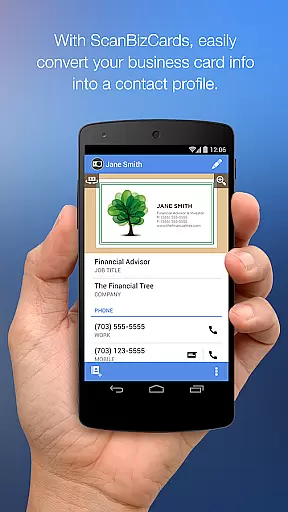
In addition to batch scanning, the app provides tools for editing and organizing captured contact information. Users can review and edit contact details side-by-side with the business card image, create personal notes for each card, and organize cards using custom folder names. These features ensure that all contact information is accurate and easily accessible when needed.
Furthermore, ScanBizCards supports exporting contacts to various CRMs, including Salesforce and SugarCRM, allowing users to convert new business cards into leads within seconds. This comprehensive approach to task management makes ScanBizCards Premium an excellent choice for professionals seeking to optimize their workflow and manage their tasks effectively.
Accurate OCR scanning
Batch processing support
CRM integration
Email signature capture
Multilingual support
Premium pricing
Occasional OCR errors
Limited free exports
Heavy on storage
Learning curve

AI-powered document scanner with auto enhance for perfect PDFs.
 4.60
4.60
Formerly Facebook Ads Manager. Manage and create ads on the go.
4.20
Simple, Fast & Lightweight
3.90
Find work, shifts and gigs near you. Jobs lasting a few hours to a few months.
4.30
enjoy effortless PDF reading anytime, anywhere
3.90
A secure, all-in-one team collaboration app
4.30
Find jobs near you and temp work in minutes, from your phone.
4.50
Access All PDF Files
3.40
On the go? Take FedEx with you.
4.00
TurboScan turns your phone into a full-featured PDF document scanner.
4.80
The MyWalmart App is available for all associates in stores.
4.70
Find the right fit, faster.
4.70
Get instant construction estimates: accurate home repair & material calculator.
4.70
Drive and earn extra money
4.50
Measure distances, surfaces and draw plans in seconds with CamToPlan!
4.40
All Your Gig Work. One App.
4.30
Deliver and earn money
4.30
All-in-one Mobile solutions for employees & managers to succeed at work
4.30
Shop, deliver, and earn with the Spark Driver™ App
4.10


User Reviews