
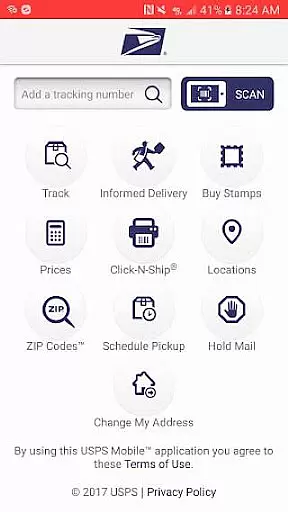
USPS Mobile® is a comprehensive business tool designed to streamline postal services for users on the go. This application provides access to essential USPS.com® features, enabling users to calculate shipping prices, locate Post Office™ locations, look up ZIP Codes™, and schedule pickups. The app also supports mail management services such as requesting mail holds and tracking incoming packages through Informed Delivery®.
A key highlight of USPS Mobile® is its compatibility with newer Android devices and its bug fixes that enhance user experience. With this app, businesses and individuals can efficiently manage shipments, receive delivery status updates, and customize their postal service preferences. Whether you're at home or in the office, USPS Mobile® ensures you stay connected to your postal needs with real-time information and convenient service options.
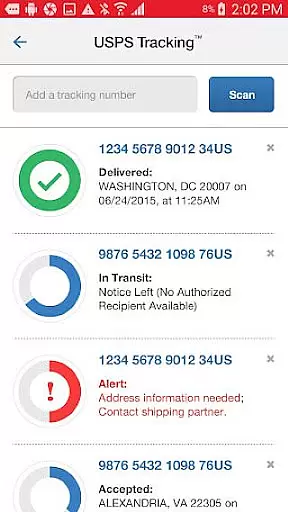
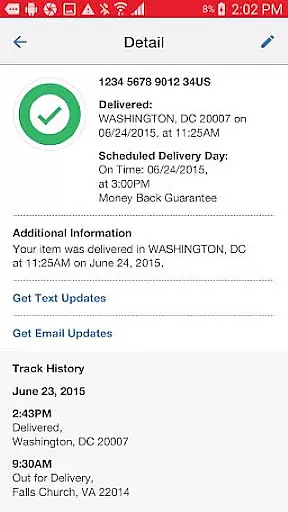
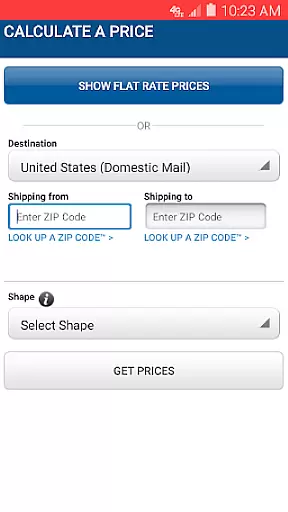
USPS Mobile® offers an array of robust features tailored for both personal and business use. Users can track the status of shipments sent via Priority Mail®, Priority Mail Express®, Certified Mail®, and other services. The app allows nicknaming shipments and setting up text and email alerts for real-time delivery updates. Additionally, it provides Domestic and International price calculations for letters, cards, large envelopes, and packages, ensuring accurate postage estimation.
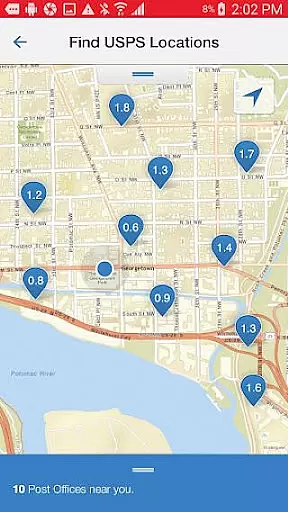
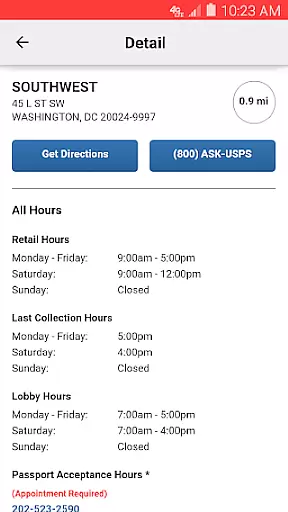
The app's locator functionality uses GPS to find nearby Post Office™ locations, Self-Service Kiosks (APC®), and collection boxes, displaying them on a map with directions. Other notable features include scheduling free next-day pickups, requesting Hold Mail Service, and scanning shipping labels with your device’s camera for easy tracking. Integration with Informed Delivery® allows users to preview incoming mail digitally, enhancing mail management efficiency.
In today's fast-paced business environment, the ability to collaborate effectively is crucial. The USPS Mobileu00ae app facilitates this by providing tools that allow users to manage shipments and postal services with ease. This ensures that teams can coordinate their mailing and shipping activities efficiently without the need for physical presence at a post office.
The app supports collaborative efforts through features like scheduling next-day pickups and requesting Hold Mail Service. These functionalities enable businesses to maintain continuity in their operations even when team members are not physically present. By allowing users to nickname shipments and sign up for text and email alerts, it enhances communication within teams regarding important shipment updates.
Moreover, the USPS Mobileu00ae app offers access to Informed Deliveryu00ae, which allows users to track packages and preview incoming mail digitally. This feature is particularly beneficial for businesses as it provides a centralized platform for managing all postal-related communications. As a result, teams can stay informed about incoming and outgoing mail, thus improving overall productivity and responsiveness.
By integrating essential USPS.comu00ae tools into a mobile format, the app ensures that businesses can perform critical tasks on the go. Whether it's calculating shipping prices or finding the nearest Post Officeu2122, these capabilities support seamless collaboration among distributed teams. Ultimately, the USPS Mobileu00ae app empowers businesses to optimize their workflows and focus on their core objectives without being hindered by logistical challenges.
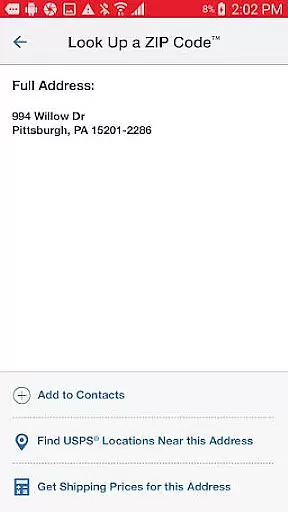
Effective task management is vital for maintaining operational efficiency, and the USPS Mobileu00ae app excels in this area by offering a suite of tools designed to streamline postal-related tasks. With functionalities that include calculating shipping prices, locating Post Officeu2122 locations, and looking up ZIP Codesu2122, the app ensures that users can manage their mailing activities with precision and ease.
One of the standout features of the USPS Mobileu00ae app is its ability to help users schedule a free next-day pickup. This service allows businesses to arrange for their Letter Carrier to pick up shipments from their home or office during regular mail delivery. Such convenience not only saves time but also enables users to focus on more strategic activities, knowing that their shipping logistics are handled efficiently.
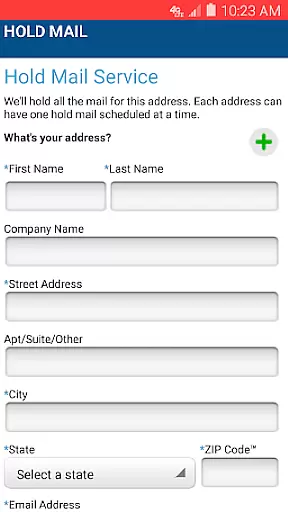
In addition to scheduling pickups, the app provides robust task management capabilities through its Hold Mail Service. Users can request this service while they're away, ensuring that their mail is securely held at the local Post Officeu2122 until their return. This feature is particularly useful for businesses that require uninterrupted mail management and wish to avoid any potential disruptions caused by absences.
Furthermore, the USPS Mobileu00ae app enhances task management by enabling users to scan barcodes on shipping labels using their deviceu2019s camera. The app recognizes the shipment and stores the label number, allowing users to stay updated on delivery statuses effortlessly. By consolidating these essential functions into a single platform, the app significantly improves task organization and execution, empowering businesses to operate more smoothly and efficiently.
User-friendly interface
Comprehensive tracking options
Convenient pickup scheduling
Accurate price calculations
Real-time delivery alerts
Limited to USPS services
Occasional GPS inaccuracies
Requires internet connection
Some features need account linking
Compatibility issues with older devices

Scan Business Cards & Conference Badges - Capture Leads at Events & Tradeshows
 4.20
4.20
VSD Viewer - Visio Drawings Viewer for Android Preview VSD, VDX, VSDX drawings
4.10
All your team communication in one place
4.70
Master crypto trading with real-time simulations and exciting challenges!
4.50
Smarter career moves start here. AI job alerts, insights & the right tools.
4.20
Roadie connects people with stuff to send with drivers already going that way.
3.50
No more passwords, easier sign-in, and greater protection for your accounts.
4.60
We help people get jobs
4.70
Make money as a delivery driver with DoorDash and work when you want as a Dasher
4.30
Job search app that finds jobs for you! Takes the work out of looking for a job!
4.90 4.70
4.70
Manage Your Shop
4.70
Find jobs near you and temp work in minutes, from your phone.
4.50
The app that lets you deliver with Amazon.
4.50
Measure distances, surfaces and draw plans in seconds with CamToPlan!
4.40
One marketplace. Hundreds of services. Unlimited possibilities. All on Fiverr.
4.40
Work happy with AI Companion
4.10
Completed Course Lectures on how to use IBM Maximo in Maintenance issues
4.4
viewing and sharing PDFs and other files—anytime, anywhere!
4.1


User Reviews