




Zoom for Chromebook is a comprehensive business communication tool that combines team chat, video meetings, phone capabilities, and whiteboard functionality into a single web application. Designed specifically for Chromebook users, this app allows professionals to work seamlessly from anywhere. With features like one-tap meeting scheduling, AI-powered meeting summaries, and virtual whiteboards, Zoom ensures productive collaboration across teams.
The app supports both internal and external communication through public or private channels, while also offering phone call and SMS functionalities. Its polished virtual background feature and automatic updates enhance the user experience. Administrators can benefit from remote installation options, ensuring centralized configuration and security. To access premium features like AI Companion, a paid Zoom One subscription may be required.
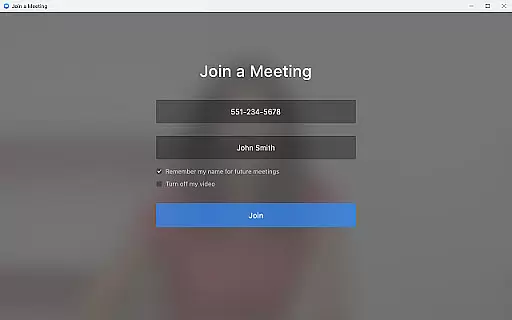
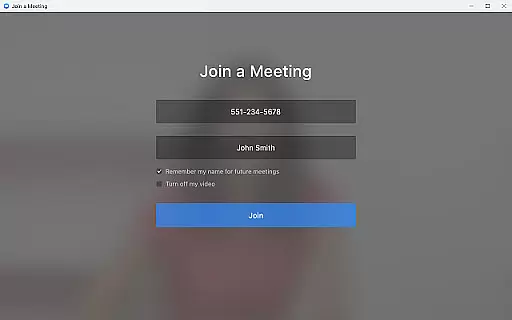
Zoom for Chromebook stands out with its rich feature set tailored for modern business needs. The app enables users to schedule or join video meetings with a single tap, streamlining the meeting process. Its AI Companion feature provides automated meeting summaries, helping users stay organized and informed. The integrated team chat allows seamless communication in both public and private channels, supporting efficient collaboration.
Additional notable features include phone call and SMS capabilities, virtual whiteboards for brainstorming sessions, and customizable virtual backgrounds for a professional appearance. Automatic updates ensure users always have access to the latest version without manual intervention. For IT administrators, remote installation options provide centralized control over app deployment and security settings. These features collectively make Zoom an essential tool for businesses seeking versatile communication solutions.
Collaborative work features are essential for modern business applications, enabling teams to work together efficiently regardless of location. Zoom for Chromebook excels in this area by integrating team chat, video meetings, and virtual whiteboards into a single platform.
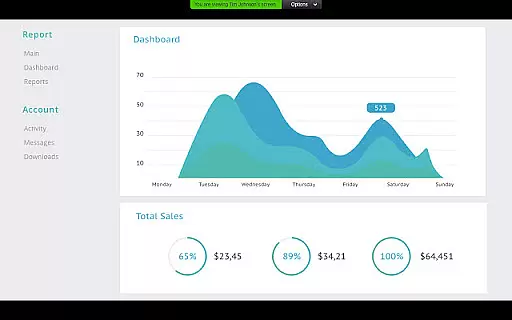
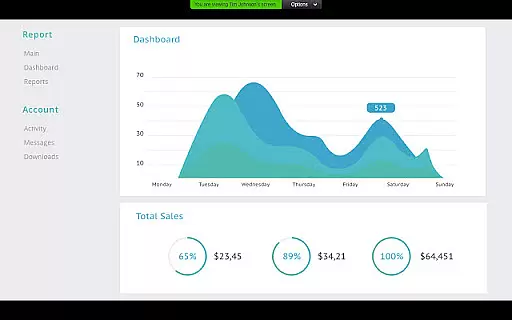
The application allows users to schedule or join video meetings with a single tap, streamlining the process of connecting with colleagues. Its chat functionality supports communication in both public and private channels, catering to different collaboration needs. Additionally, the virtual whiteboard feature provides a space for brainstorming sessions, enhancing creative collaboration.
With automated meeting summaries powered by AI Companion, teams can quickly review key points discussed during meetings. This ensures that all members stay informed and aligned, even if they cannot attend every session. Such features collectively enhance productivity and foster a more connected work environment.
Effective task management is crucial for maintaining productivity and ensuring that projects progress smoothly. Zoom for Chromebook offers several features that contribute to better task management within teams.
Administrators have the option to perform remote installations, allowing for centralized configuration and security management. This feature helps maintain consistency across devices and ensures that all team members have access to the necessary tools and updates automatically.
Moreover, the integration of phone calls and SMS text messaging capabilities means that tasks involving external communication can be managed directly through the app. By consolidating various communication methods into one platform, Zoom simplifies task tracking and execution, ultimately leading to improved efficiency and organization.
User-friendly interface
Seamless integration
Robust security
AI-powered tools
Cross-platform support
Paid features required
Limited free usage
Chrome OS dependency
Occasional bugs
High resource usage

viewing and sharing of PDFs
 3.60
3.60
Quickly open and manage PDF files on your device.
3.80
FX Plus adds media, networking, and cloud capabilities to FX File Explorer.
4.10
The All-in-One File Manager for Phone, TV, Watch, Cars, XR / VR, Chromebook
4.10
Manage work life on the go
4.50
One marketplace. Hundreds of services. Unlimited possibilities. All on Fiverr.
4.40
Start earning fast. Apply Today.
4.80
Master crypto trading with real-time simulations and exciting challenges!
4.50
Make invoices, bills, receipts & estimates on the go with Invoice Generator.
4.70
Access to Paylocity, empowering employees with information they need 24/7.
4.70
We help people get jobs
4.70
Find jobs and make money fast with JobStack.
4.60
Ship, Track, Find a Location or Get a Quote with UPS. Anytime. Anywhere.
4.60
Chat, meet, and collaborate to achieve more together, all in one place on Teams
4.60
Drive and earn extra money
4.50
All Your Gig Work. One App.
4.30
Find work, shifts and gigs near you. Jobs lasting a few hours to a few months.
4.30
VSD Viewer - Visio Drawings Viewer for Android Preview VSD, VDX, VSDX drawings
4.10
On the go? Take FedEx with you.
4.00


User Reviews