
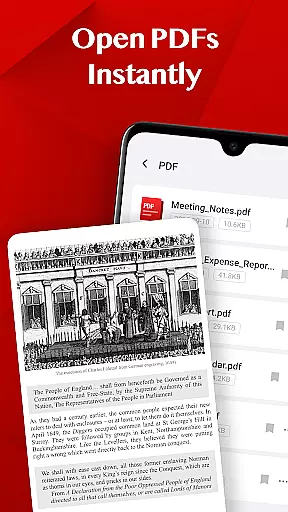
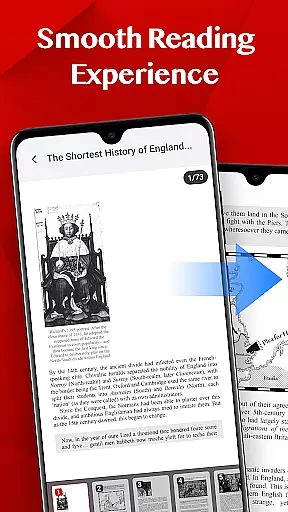
Turbo PDF is a lightweight and practical PDF reader designed for Android devices. It offers an intuitive interface with essential tools that make reading and organizing PDF documents simple and efficient. With features like instant opening, smooth scrolling, zooming, and bookmarking, it ensures a seamless document management experience.
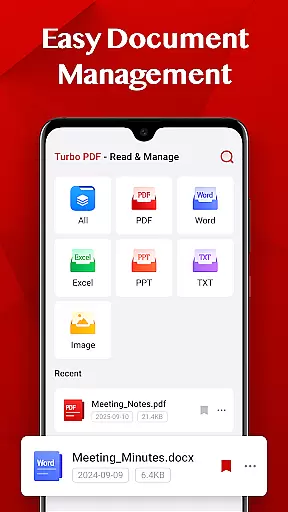
The app is particularly useful for business professionals and students who need quick access to their PDF files on the go. Its easy document management system allows users to share, delete, or bookmark important files, keeping their documents well-organized at all times.
Turbo PDF stands out with its comprehensive set of features tailored for efficient PDF handling. The app opens PDFs instantly, providing a smooth reading experience with fluid scrolling and responsive page navigation. Its clean layout enhances readability, making it ideal for prolonged use.
Document management is made easy with Turbo PDF. Users can effortlessly share files with colleagues, delete unnecessary documents, and bookmark key files for quick access later. These features ensure that managing PDFs remains straightforward and hassle-free.
For devices running Android 11 and above, Turbo PDF requires the MANAGE_EXTERNAL_STORAGE permission to access and manage PDF files. This permission ensures that users can fully utilize the app's capabilities without any restrictions, maintaining a high level of functionality and user satisfaction.
Collaborative work features are essential for modern business applications, enabling teams to work together efficiently regardless of location. Turbo PDF offers practical tools that support collaboration without overcomplicating the process.
The app allows users to easily share PDF documents directly from their device, streamlining communication between team members. This ensures that important files can be distributed quickly and accessed by relevant stakeholders in real-time.
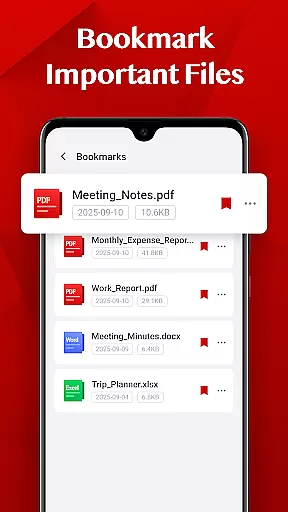
While Turbo PDF focuses on simplicity, its bookmarking feature plays a key role in collaborative environments. Users can mark critical documents, ensuring that teams can consistently refer back to important sections or files during projects.
By combining these features with an intuitive interface, Turbo PDF enhances productivity in collaborative settings, making document sharing and organization straightforward and efficient for all users.
Task management is a cornerstone of productivity in any business application, allowing users to organize their workflows effectively. Turbo PDF provides essential task management features tailored to streamline document handling and improve efficiency.
With Turbo PDF, users can delete unnecessary files and organize their PDF library systematically. This helps maintain a clutter-free workspace, ensuring that only relevant documents are kept for easy access.
The bookmarking feature further enhances task management by allowing users to flag important files. This ensures quick retrieval of critical documents, saving time when working on complex tasks or multitasking across projects.
By focusing on simplicity and functionality, Turbo PDF empowers users to manage their document-related tasks with ease, contributing to a more organized and productive workflow.
User-friendly interface
Fast PDF loading
Smooth navigation
Efficient bookmarking
Easy file sharing
Limited advanced features
No cloud integration
Basic design
Few customization options
Permission required for full access

AI-powered document scanner with auto enhance for perfect PDFs.
 4.60
4.60
Scan Business Cards & Conference Badges - Capture Leads at Events & Tradeshows
4.20
Earn crypto with secure cloud mining. Monitor, track & withdraw easily
4.40
Get instant construction estimates: accurate home repair & material calculator.
4.70
Recover what matters — quickly and easily.
4.70
Start earning fast. Apply Today.
4.80
USPS Mobile®Access USPS.com’s most popular tools on-the-go.
4.70
All-in-one Mobile solutions for employees & managers to succeed at work
4.30
On the go? Take FedEx with you.
4.00
Job search app that finds jobs for you! Takes the work out of looking for a job!
4.90
Earn free swag, G-Cards & food • Enter sweepstakes • Find stores • So much more.
4.70
We help people get jobs
4.70
Find jobs and make money fast with JobStack.
4.60
Your employer must have UKG Ready software configured for Mobile.
4.60
Paychex Flex - Save Time and Stay Connected
4.60
No more passwords, easier sign-in, and greater protection for your accounts.
4.60
Master crypto trading with real-time simulations and exciting challenges!
4.50
From Gone to Back Again — In Just a Few Taps
4.50
view, manage, and share every PDF file you have
3.60


User Reviews