
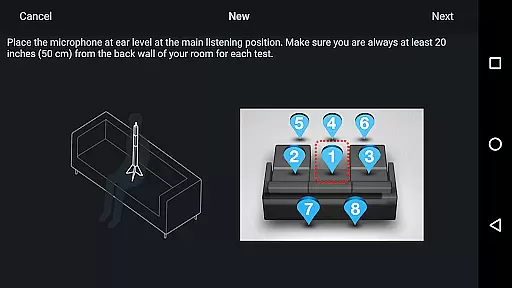
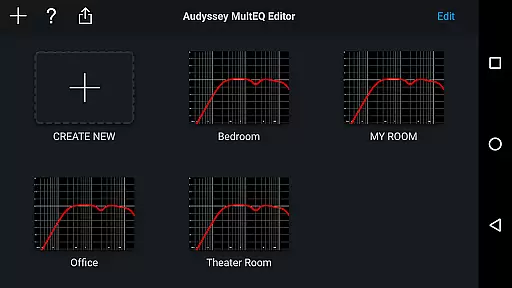
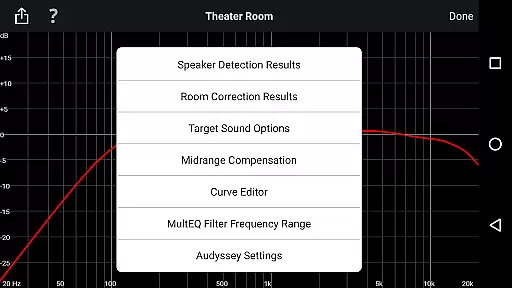
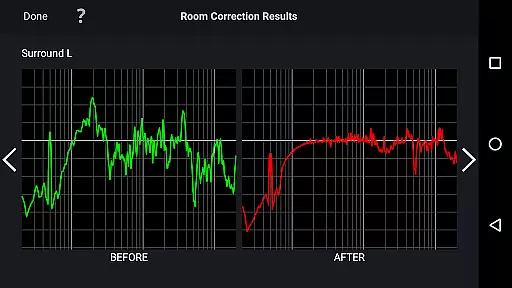
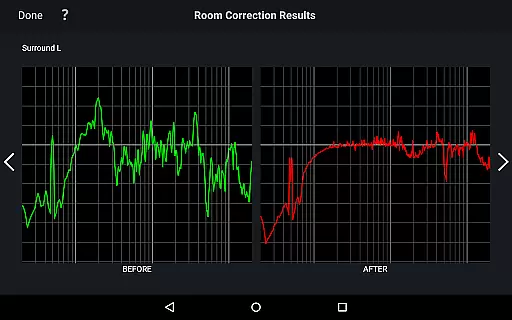
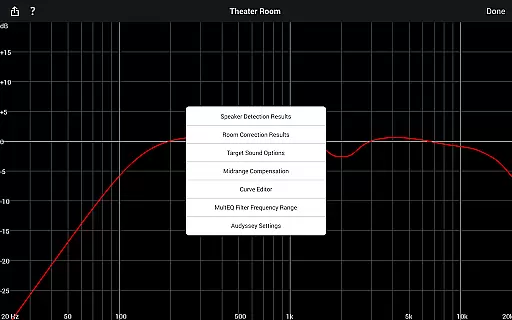
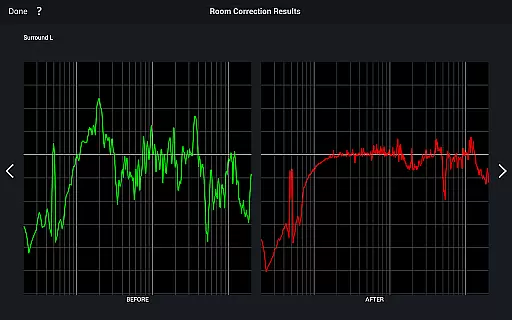
Audyssey MultEQ Editor app is a powerful tool for advanced audio calibration, designed specifically for Denon and Marantz audio video products. It allows users to fine-tune their home cinema sound by accessing detailed settings beyond the standard Audyssey MultEQ calibration.
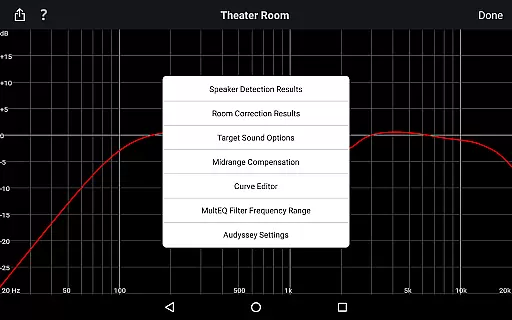
With this app, you can view speaker detection results, compare calibration data, edit target curves, adjust frequency rolloff, and manage midrange compensation. These features enable precise customization of sound based on room acoustics and personal preferences. Compatible with select Denon and Marantz models, it offers professional-grade control for audiophiles seeking optimal audio performance.
The Audyssey MultEQ Editor app provides an array of sophisticated features for audio enthusiasts. The app's core functionality lies in its ability to display detailed speaker information and calibration results, allowing users to verify correct installation and identify room-specific issues.
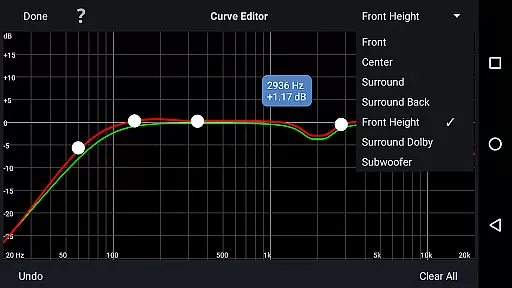
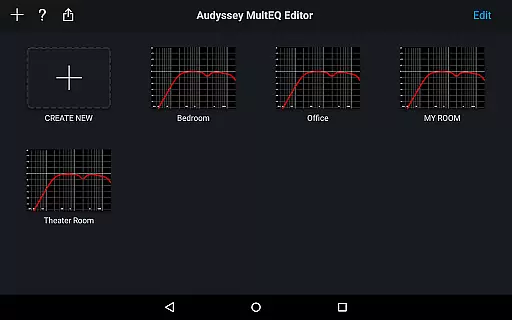
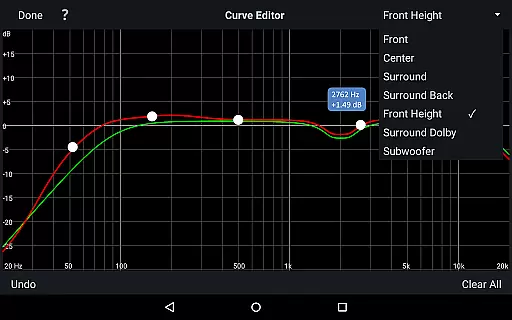
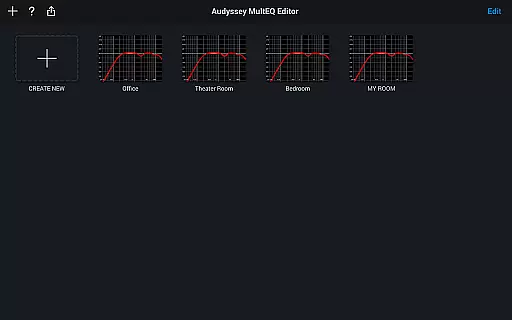
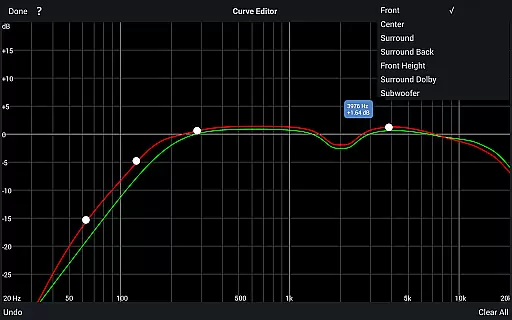
Advanced editing capabilities include modifying Audyssey target curves for each channel pair, adjusting EQ frequency rolloff, and switching between high-frequency rolloff targets. Users can also enable or disable midrange compensation, save and load calibration results, and customize sound profiles. With multi-language support and compatibility with various Android devices, this app delivers comprehensive control over your audio system's performance.
The Audyssey MultEQ Editor app provides a comprehensive solution for advanced audio calibration, though it doesn't directly manage music libraries. Instead, its focus is on enhancing sound quality across various devices. This ensures that any music or audio content played through supported Denon and Marantz AV receivers achieves optimal acoustic performance.
With compatibility across numerous models, users can be confident in the app's ability to handle high-quality audio processing. The app supports an extensive range of AV receivers, allowing users to tailor their listening experience precisely. This broad compatibility underscores the app's dedication to delivering authentic and high-fidelity sound reproduction.
While the app itself does not store or manage music files, it plays a crucial role in ensuring that the audio output from any music library is reproduced faithfully. By allowing detailed adjustments to sound settings, users can ensure that their music is heard exactly as the artists and producers intended, preserving the integrity and authenticity of the original recordings.
One of the standout features of the Audyssey MultEQ Editor app is its robust set of tools for optimizing audio quality. Users have access to precise controls over speaker detection results, calibration settings, and equalization parameters. These features collectively ensure that the audio output is clear, balanced, and free from common room acoustics issues.
The app allows users to edit the Audyssey target curve for each channel pair, adjust EQ frequency rolloffs, and switch between different high-frequency rolloff target curves. These capabilities provide granular control over how sound is processed and delivered, enabling users to achieve studio-quality audio in their home environments.
Additionally, the ability to enable or disable midrange compensation further enhances audio clarity and brightness. This level of customization ensures that users can fine-tune their systems to match their personal preferences and room characteristics. Whether you're a casual listener or an audiophile, the Audyssey MultEQ Editor app offers the tools needed to elevate your listening experience to new heights.
Advanced audio calibration
Customizable target curves
Midrange compensation control
Save and load calibrations
Multi-language support
Limited model compatibility
High device requirements
No iOS version available
Complex for beginners
Additional hardware required

Over 100 million tracks available for high quality streaming and download
 4.60
4.60
Control your MIDI USB or Bluetooth devices in app and avoid some trampling
3.30
Listen to live FM radio stations, sports, music and news on global radios online
4.70
Ultimate Sonos Controller
4.70
Guzheng Master supports many playing techniques as an acoustic Guzheng
4.50
The best music and audio player, with beautiful UI, music search and equalizer.
4.60
Smart piano keyboard, Classical to Pop, Real-time multiplayer connection!
4.20
Offline Music Player&MP3 Player with themes, equalizer, lyrics, music play mode
4.60
Versatile MP3 recorder with auto-backup to Dropbox and Google Drive
4.10
24,000 free audio books and no ads!
4.90
Your song collections with lyrics and chords on Android smartphones and tablets.
4.80 4.70
4.70
A complete sound package for the sound engineer or enthusiast
4.60
DJ Music Mixer - DJ Remix: remix songs, make beat music & record mix of DJ.
4.40
The Music Journey in Your Hands
4.30
Learn and play 2M+ music tabs & chords on guitar, ukulele, bass, and more
4.30
A High-Precision Audio Spectrum Analysis App
4.20
No wifi music app. Mp3 offline. Tuner radio, young radio music. Music downloader
4.20
Remove ads permanently from Music Visualizer
4.5


User Reviews