
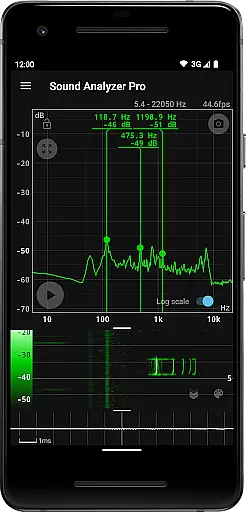
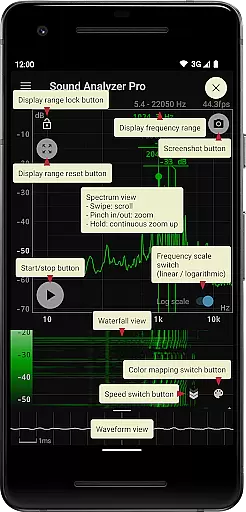
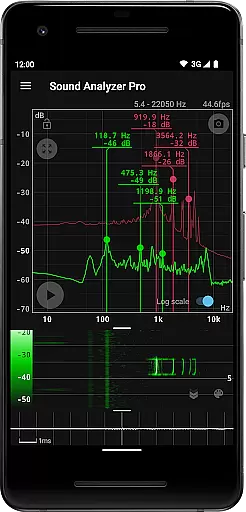
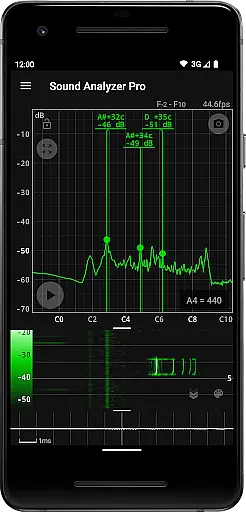
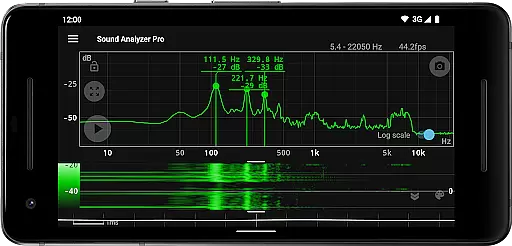
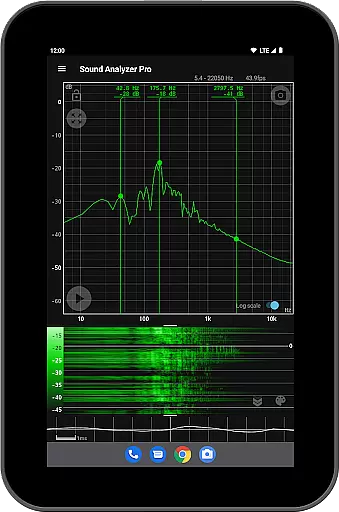
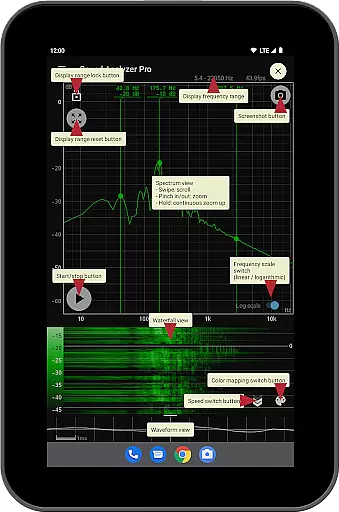
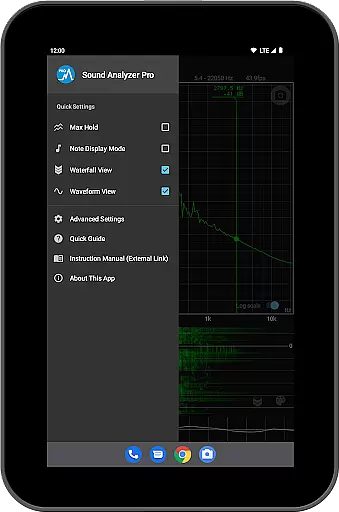
Sound Analyzer is a powerful audio analysis tool designed for both professionals and enthusiasts in the music and audio field. The app's core functionality lies in its ability to display real-time frequency (Hz) and amplitude (dB) spectra directly on your mobile device, eliminating the need for bulky external equipment. Its high measurement accuracy, with errors typically within 0.1 Hz in low-noise environments, makes it an ideal choice for precise audio analysis.
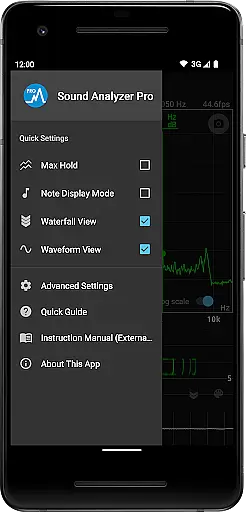
In addition to real-time spectral analysis, Sound Analyzer offers advanced features such as waterfall view for tracking spectral changes over time, waveform view for visualizing sound waveforms, and note display mode that translates frequencies into musical notes. These features make it suitable for various applications including sound engineering, music production, and acoustic research. Whether you're tuning instruments or analyzing complex audio signals, this app provides the tools you need in a portable format.
Sound Analyzer distinguishes itself through a comprehensive suite of audio analysis tools. The app's peak frequency display function provides real-time information about prominent spectral components, while its innovative touch-based interface allows users to easily adjust display ranges and switch between logarithmic and linear frequency scales. The max hold function ensures you can capture and analyze transient audio events effectively.
One of the app's most notable features is its ability to simultaneously display multiple views - including waterfall, waveform, and spectral views - giving users a complete picture of their audio signals. The note display mode offers musicians a practical tool for pitch analysis, showing notes from A to G♯ along with cent error measurements. Additional professional-grade features include a screenshot function with timer and an advertisement-free experience, making it an exceptional value among audio analysis applications.
Sound Analyzer does not focus on providing a vast music library but rather emphasizes real-time audio signal analysis. The app allows users to analyze any audio input, making it versatile for various audio sources.
While the app doesn't directly provide a music library, its ability to analyze audio in real time offers a unique value proposition. Users can input any sound or music, and Sound Analyzer will display detailed frequency and amplitude data, catering to audio professionals and enthusiasts alike.
The application ensures that all analyzed data is presented accurately without infringing on copyright issues. This makes it an ideal tool for those who need precise audio analysis without worrying about legal implications.
By focusing on live audio analysis, Sound Analyzer sidesteps traditional music library constraints, offering a dynamic and legally sound solution for audio analysis needs.
Sound Analyzer excels in delivering high-quality audio analysis features. With the ability to measure frequency with an error margin of within 0.1 Hz in low-noise environments, it provides professional-grade accuracy.
The app supports various audio quality options, including a high-frequency spectrum setting that can be adjusted up to 96 kHz. This feature is particularly beneficial for users with high-performance devices looking for detailed audio scrutiny.
Additionally, the app offers multiple viewing modes such as waterfall and waveform views, enhancing the depth of audio quality analysis. These options allow users to visualize spectral changes over time and observe sound waveforms in detail.
Despite some devices filtering out frequencies above 22 kHz, Sound Analyzer's robust features ensure that users receive comprehensive and precise audio feedback, making it indispensable for meticulous audio examination.
High measurement accuracy
Real-time spectral analysis
Multiple display modes
No advertisements
Comprehensive feature set
Complex for beginners
Requires technical knowledge
Limited high-frequency support
Device compatibility issues
Advanced features may be overwhelming

The best music and audio player, with beautiful UI, music search and equalizer.
 4.60
4.60
Recording studio w/ 10k beats, pro vocal FX and a network of 20M rappers & fans!
4.60
Enjoy singing any song, no matter how high or low it is
4.30
Let your Android device with the sound effects you want
4.50
Simple mp3 and mp4 player with advanced features.
3.40
The Minimalistic Premium Music Player. Handmade with passion for music
2.20
Manage your Sonos system directly from your home-screen!
4.40
Travel To The Music Universe
3.40
Uninterrupted Tunes, Unmatched Vibes
3.90
Voice recorder - Audio recorder. Best recorder for recording
4.90
Responsive piano with great sounds, graphics, and songs
4.80
Gorgeous UI, Powerful music Search and Equalizer, the great choice for you!
4.70
Ultimate Sonos Controller
4.70
A complete sound package for the sound engineer or enthusiast
4.60
Learn the notes on the guitar fretboard fast with this easy and fun app
4.60
Play KORG’s revolutionary touch-based instrument on a variety of devices.
4.40
Time Trainer: accurate metronome w tools to help you develop your internal time!
4.20
Slow music down without changing pitch.
3.70
MilkDrop for Android TV
3.00


User Reviews