
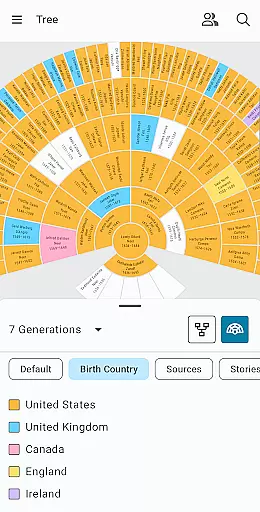
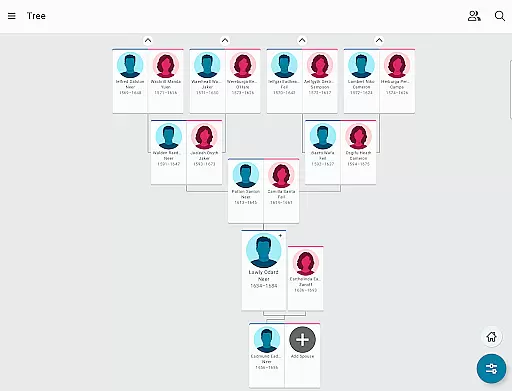
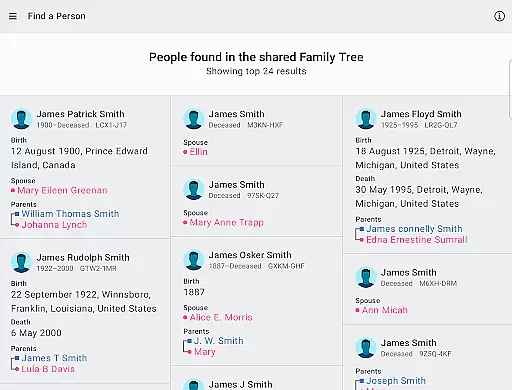
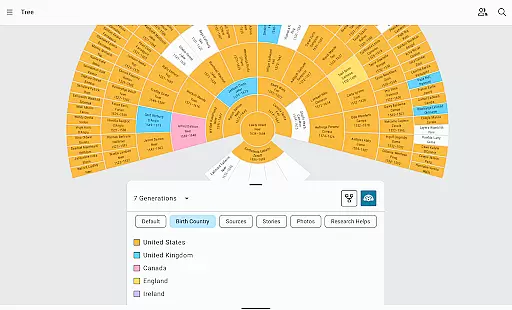
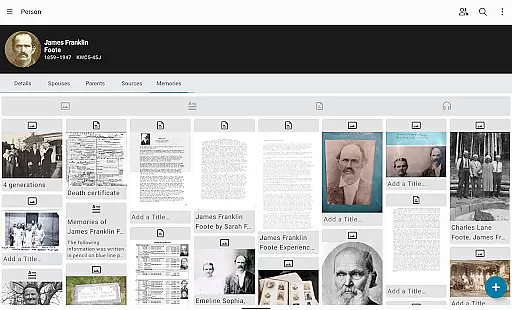
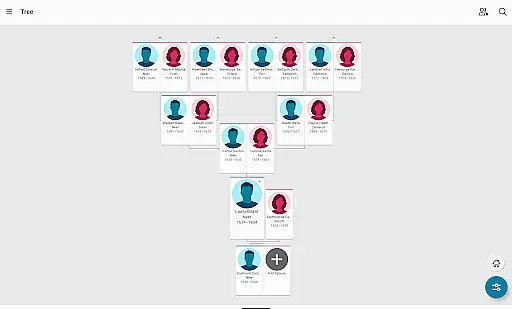
FamilySearch Tree is a comprehensive genealogy application that allows users to explore and document their family history. The app provides access to the world's largest online family tree, enabling users to add branches by discovering ancestors through historical records such as birth and death certificates. It also serves as a repository for family memories, allowing users to store photos, written stories, and audio recordings.
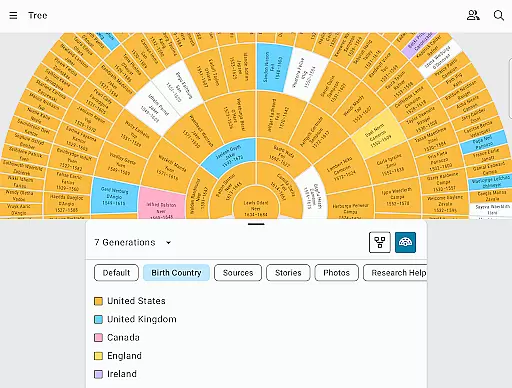
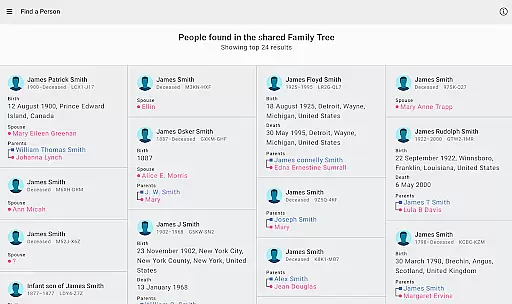
The app harnesses the power of a worldwide, crowd-sourced pedigree to help users uncover their family story. As users input information, FamilySearch begins searching for related family members and offers suggestions based on its database. This collaborative approach ensures accurate and up-to-date information is available to all users interested in their shared ancestry.
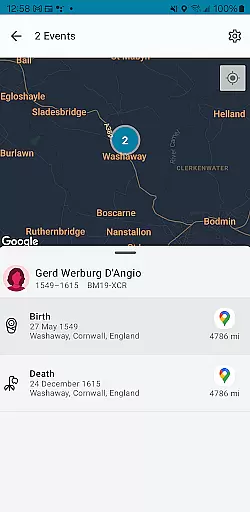
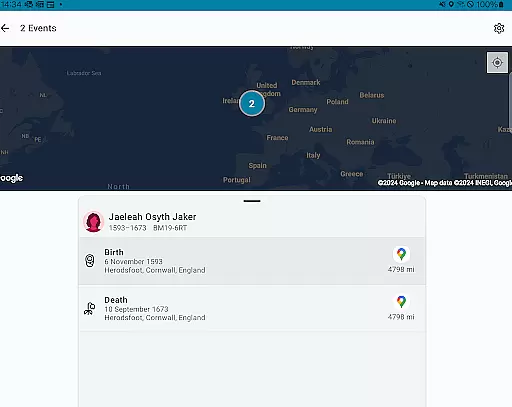
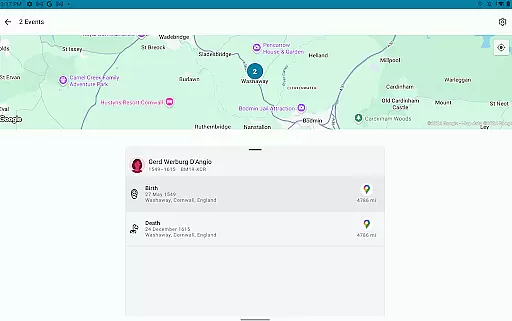
Whether you're looking to build your family tree, discover new relatives, or preserve precious family memories, FamilySearch Tree offers an accessible platform for genealogical research. Its integration with maps showing where ancestors' key life events occurred adds another layer of depth to personal historical exploration.
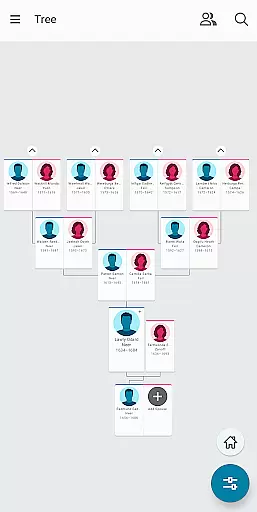
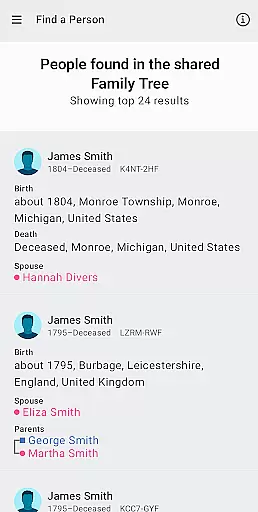
FamilySearch Tree stands out with its unique features tailored for genealogical research. One of its core functionalities is the ability to build your family tree directly within the app by finding or adding family members. Once a deceased relative is added, the app searches its extensive database to provide any available information about that person.
Users can browse through billions of records on FamilySearch.org to enrich their understanding of their family story. The app facilitates the discovery of facts, documents, stories, photos, and recordings about ancestors. Additionally, it suggests next steps based on what has already been found, guiding users through their research journey.
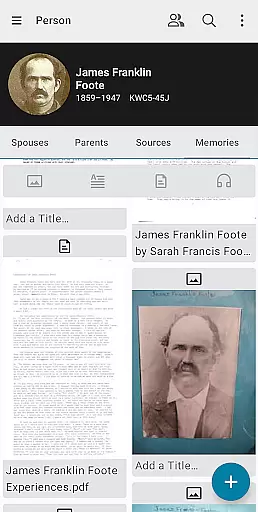
Collaboration is at the heart of FamilySearch Tree. Users can connect with other family members, share unknown information, and enhance their trees with multimedia content. In-app messaging allows communication with other users, fostering a community-driven approach to mapping mankind's family tree.
FamilySearch Tree offers an extensive e-book library that includes billions of records, making it a comprehensive resource for genealogical research. The app provides access to historical documents such as birth and death certificates, which are crucial for authenticating family trees and building credible family histories.
The platform ensures copyright authenticity by sourcing its records from verified and authoritative archives. This means users can trust the integrity of the information they find, whether they are looking up ancestors' stories or adding new details to their family tree.
Users benefit from this vast and verified collection by being able to trace lineage with confidence. The availability of original documents aids in accurate record-keeping and allows users to fill gaps in their family history with reliable data.
By prioritizing copyright authenticity and offering a large e-book library, FamilySearch Tree not only preserves family memories but also fosters a trustworthy environment for sharing and discovering family narratives across generations.
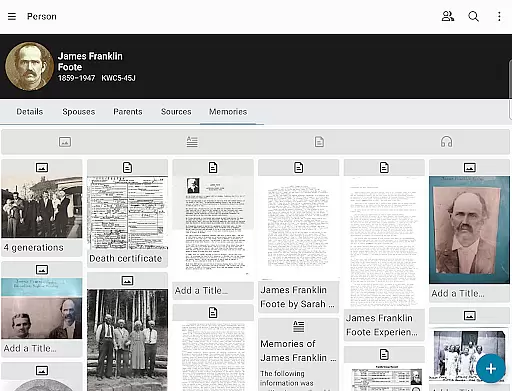
FamilySearch Tree excels in format compatibility, allowing users to upload and view various types of media including photos, written stories, and audio recordings. This flexibility ensures that all forms of family memorabilia can be digitized and preserved within the family tree structure.
The app supports multiple file formats, ensuring that regardless of the source or type of content, users can easily integrate diverse materials into their genealogical projects. Whether it's JPEGs for images, MP3s for audio clips, or PDFs for documents, FamilySearch accommodates them all.
This broad format support enhances user experience by simplifying the process of adding life details to each relativeu2019s profile. Users can enrich their family history with multimedia elements without worrying about conversion issues or loss of quality.
Ultimately, the superior format compatibility of FamilySearch Tree empowers users to create rich, multimedia-enhanced family trees that capture the full spectrum of their heritage in a way that is both engaging and enduring.
User-friendly interface
Extensive record database
Multimedia memory preservation
Community collaboration tools
Interactive ancestral maps
Requires internet connection
Public data for deceased
Limited offline functionality
Potential privacy concerns
Dependent on user contributions

The Bible Audio Guide
 4.80
4.80
Powerful Bible study tools linked to every verse in an easy-to-use Bible reader!
4.60
Mirror Bible - eye-opening paraphrase translation of the NT by Francois du Toit
4.30
This is the pro version King James bible Offline that we have
4.70
7 Languages, Google, Wiki, Vocabulary.com, Cambridge & Urban Dictionary!
4.50
"When tweetle beetles fight, it's called a tweetle beetle battle."
4.90
Holy Bible with verses and audio for studying and prayer
4.30
A lightweight reader for comics and mangas files (.cbr, .cbz, .cbt, .pdf, ...)
4.80
World's most comprehensive dictionary app: 13 languages, all online or offline!
4.80
A KJV Bible with Apocrypha and precept-based study concordance
5.00
Liturgy of the Hours totally off-line
4.80
Read the KJV Bible with Strong’s offline: reading plans, audio Bibles, and more.
4.70
The ultimate military vehicle identification (Equipment ID) guide.
4.40
Improve your vocabulary and grammar with the 15 biggest Oxford Dictionaries.
4.30
Shop over 13 million new and used books at up to 80% off list price
4.20
Knots 360 Pro ( 3D ) shows you animated 192 knots in 3D perspective
4.10
“There was one last piece of cake. My little sister said ‘Me too!’”
4.00
Unlock more features in Lithium and show your support. Expand for details.
4.00
Guide for dōTERRA® Products
3.60


User Reviews