
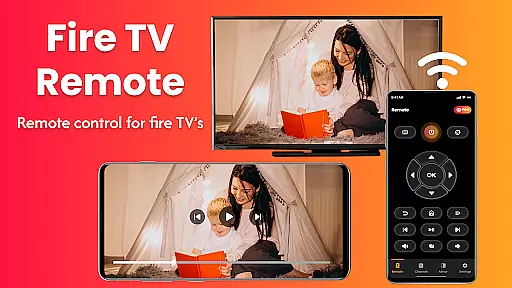
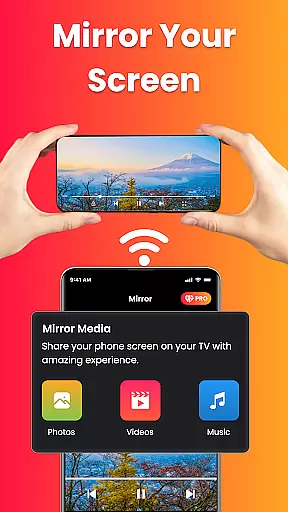
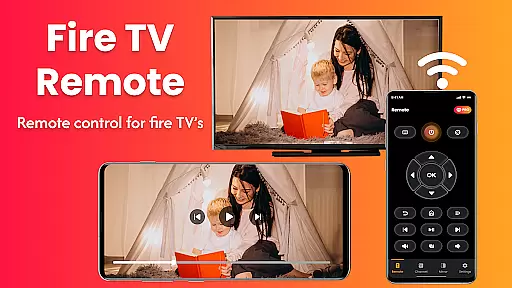
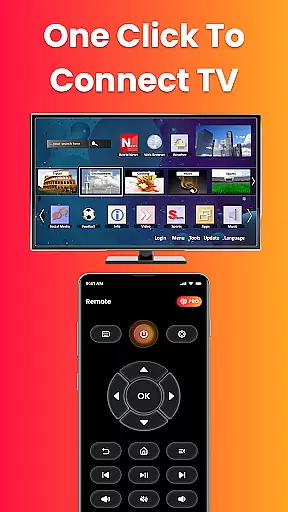
Fire Remote TV Control is a dedicated application that transforms your Android phone into a comprehensive remote control for Fire TV and Fire Stick devices. This app offers full navigation, playback controls, volume management, and screen mirroring capabilities without the need for pairing codes or complex setups.
Designed exclusively for the Fire TV platform, it supports all versions of Fire TV Stick, Fire TV Stick 4K / 4K Max, Fire TV Cube, and Fire TV Edition smart TVs. With its intuitive interface, users can easily navigate menus, control playback, adjust volume, and even mirror their phone's screen to the TV.
Whether you've misplaced your physical remote or simply desire more efficient control over your streaming experience, this app provides a seamless solution. It is perfect for displaying mobile content on a larger screen, making it ideal for presentations, photo slideshows, or enjoying videos from your phone directly on your TV.
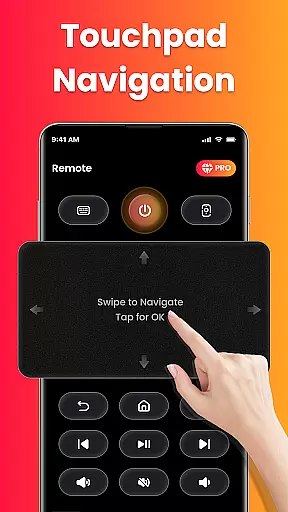
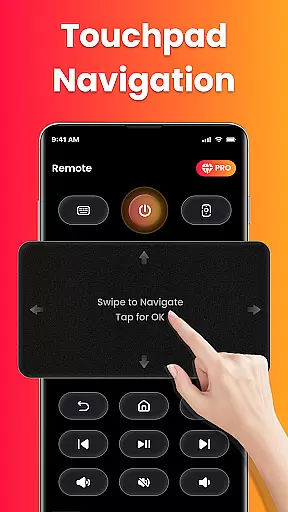
Fire Remote TV Control stands out with its rich feature set tailored specifically for Fire TV users. The app includes a full remote control functionality with directional pad and touch controls, allowing effortless navigation through Fire TV menus. Users can manage playback with options to play, pause, rewind, fast forward, and stop video content.
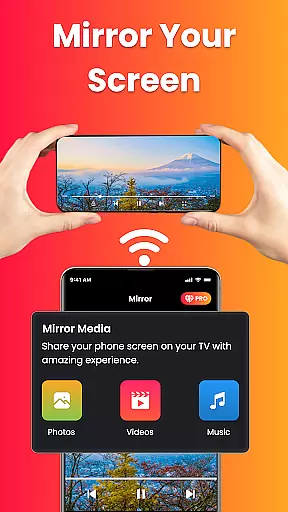
Volume management features enable users to adjust sound levels and mute/unmute directly from their phones. An on-screen keyboard facilitates quick typing and searches, enhancing the overall usability. One of the standout features is the screen mirroring capability, which allows users to cast their phone's screen to the TV effortlessly.
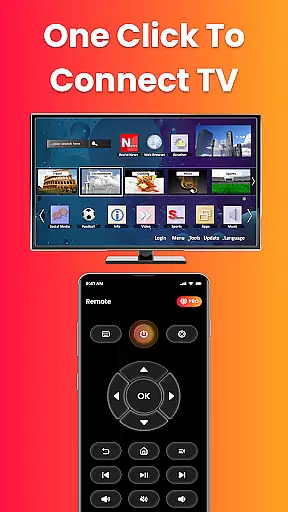
The app connects instantly over Wi-Fi without requiring any pairing codes, ensuring a hassle-free setup process. Its lightweight design ensures fast performance while being battery-efficient. These features collectively deliver an optimized, reliable, and smooth user experience exclusive to the Fire TV ecosystem.
In the context of smart home applications like Fire Remote TV Control, ensuring property listing authenticity is crucial for user trust and seamless device integration. This app guarantees that all supported Fire TV devices listed are verified and compatible with its features.
The application provides a comprehensive list of supported devices including Fire TV Stick versions, Fire TV Cube, and Fire TV Edition smart TVs. Each listing is meticulously checked to ensure it works without glitches, offering users peace of mind when selecting their device.
By exclusively focusing on Amazon Fire TV products, the app eliminates compatibility concerns, allowing users to connect instantly over Wi-Fi without pairing codes or additional setup. This dedication to accuracy ensures that users can confidently use the app knowing their device is fully supported.
Ultimately, this commitment to authentic listings enhances the overall user experience by providing reliable control and screen mirroring capabilities tailored specifically for Fire TV owners.
Fire Remote TV Control offers an array of home management features designed to simplify and enhance the way users interact with their Fire TV devices. By transforming an Android phone into a versatile remote control, it streamlines navigation, playback controls, volume management, and even screen mirroring.
One standout feature is the intuitive on-screen keyboard which facilitates quick typing and searches. This functionality not only saves time but also improves the efficiency of content discovery on your Fire TV. Additionally, the app's directional pad and touch controls provide precise navigation through menus, making it easier than ever to manage your entertainment system.
Screen mirroring is another powerful tool included in this app, enabling users to cast their phoneu2019s screen directly to their Fire TV with a single tap. Whether sharing photos, streaming videos, or presenting work content, this feature bridges mobile and television screens effortlessly.
Overall, these robust home management features make Fire Remote TV Control an indispensable utility for Fire TV users seeking convenience, speed, and advanced control optionsu2014all from their smartphones.
User-friendly interface
Instant Wi-Fi connection
Comprehensive remote functions
Efficient screen mirroring
Battery-efficient operation
Limited to Fire TV devices
No Chromecast support
Third-party application
Wi-Fi dependent
Basic troubleshooting tools

Technology powering many in-home services for residents across the United States
 3.80
3.80
Floor Plan Creator Home Design with 2D interior design and 3d view.
3.90
Night Owl Protect helps you secure, protect, and connect your world!
4.60
Security App with HD Video, 2-way Audio, and event detection for Home monitoring
4.40
Control your Vivint Smart Home with the next generation Vivint App.
4.30
The Merkury Smart app makes it easy to control your smart devices.
4.50
A Smarter Home in Seconds
4.70
Set up your devices, customize settings, and monitor your home—from anywhere
4.40
Houses for Sale & Homes for Rent: Buy Homes, Rent Apartments & Sell Real Estate
4.80
View houses and apartments for rent, updated daily.
4.80
Connect with reliable pros for maintenance services, plumbing, and home design!
4.80
Convert your Phone to HiSense Smart TV Remote Control
4.70
Innovative and budget-friendly housing options
4.60
The only mappable smart lights for custom decoration.
4.50
Samsung remote app helps control all Samsung Smartthings TVs. Fast and Stable!
4.10
Find the perfect paint color with advanced tools to explore and visualize color.
3.80
IP camera view and playback, for your WiFi cam or home security cctv system.
3.70
Find paints using a Color Muse & ColorSnap® Match
3.60
Universal TV Remote for TV, control all Smart TVs with your mobile phone.
4.2


User Reviews