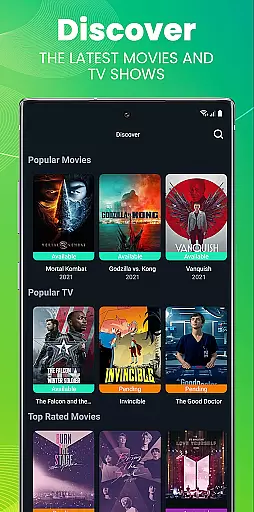
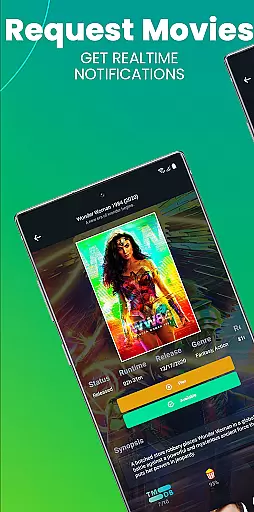
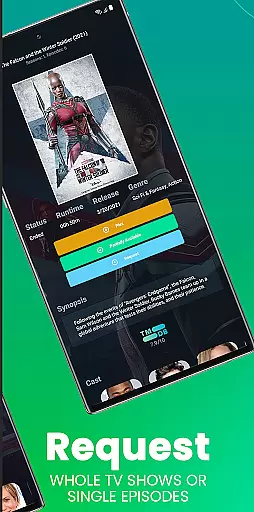
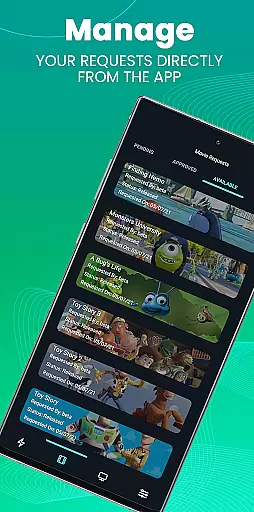
Ombi is a self-hosted entertainment management app that allows users to request content for Plex, Emby, or Jellyfin libraries. Designed for home media enthusiasts, it streamlines the process of requesting movies and TV shows by integrating with DVR tools like Sonarr and Radarr.
The app's mobile interface provides QR code authentication, enabling secure access to your Ombi server. With version v4.0.13XX or later, users can enjoy an optimized experience that will continue to improve through regular updates adding more functionality over time.
Ombi stands out with its ability to connect multiple users to a centralized content request system. It supports various media servers and DVR tools, creating a unified platform for managing entertainment libraries. The app's modular design allows administrators to customize permissions and user roles.
One innovative feature is the Mobile Tab authentication through QR codes, ensuring secure access without complex password management. Additionally, Ombi's API integration capabilities enable advanced automation and workflow customization, making it a versatile solution for home media management.
In the realm of digital entertainment, content diversity and regular updates are crucial for user satisfaction. Ombi excels in this area by providing a platform where users can request TV shows, movies, and other media content directly through their self-hosted server. This ensures that your media library is always up-to-date with the latest releases and caters to the varied tastes of different users.
Ombi's integration with multiple DVR tools such as Plex, Emby, and Jellyfin allows for an automated workflow from request to delivery. This seamless process not only enhances the user experience but also keeps the content fresh and engaging. By enabling users to request content themselves, Ombi fosters a dynamic environment where new content is continuously added based on real user preferences.
The ability to cater to individual requests means that Ombi can support a wide range of genres and titles, ensuring that there is always something new and exciting for everyone. This level of customization and personalization leads to higher user engagement and satisfaction, making Ombi an invaluable tool for any entertainment setup.
User engagement and retention are key metrics for the success of any entertainment application. Ombi addresses these aspects by offering features that encourage prolonged usage and repeat interactions. The self-service nature of content requests means that users are more likely to stay engaged with the platform over time, as they have control over the content being added to their library.
By integrating with popular media servers like Plex, Emby, and Jellyfin, Ombi creates a cohesive ecosystem where users can easily find and request their desired content. This ease of use, combined with the excitement of receiving new content, helps to maintain high levels of user interest and activity. Additionally, the mobile app functionality, including QR code login, ensures that users can access Ombi anytime, anywhere, further boosting engagement.
Ombi's continuous evolution and updates promise ongoing improvements and new features, which help retain users by keeping the experience fresh and relevant. As more functionalities are added, users have even more reasons to remain active on the platform, ensuring long-term retention and satisfaction.
User-friendly interface
Secure QR login
Multi-platform support
Customizable permissions
Regular feature updates
Requires self-hosting
Complex initial setup
Limited offline functionality
Dependent on third-party services
No built-in media player

Create, chat & bond with AI souls who truly listen.
 4.50
4.50
Music visualizer and party effects for your Nanoleaf devices
4.3
Stream Online TV - Watch Live IPTV Playlist & Channel with Built-In Player
4.50
Catalog & tracker of your DVD, Blu-ray & Digital Movie and TV Collection Library
4.80
Come and watch short dramas, reels with diverse genres!
4.40
Binaural Brainwave Doses for Every Imaginable Mood
3.60
Premium version to enjoy your favorite anime
4.60
Bold original series & hit movies that don't hold back.
4.40
Watch TV shows, movies, and stream Live TV channels without a subscription!
3.80
SpiritWave is paranormal ITC application.
5.00
Stream Live TV, News & Documentaries. Watch Full Seasons with PBS Passport.
4.80
Geooh GO is the most feature rich geocaching app available today.
4.50
Heroclix search units with multi filter , team builder, collection manager.
4.40
Create melty bead designs by numbers, photos or your imagination
4.40
With the Steam Mobile App, you can take Steam with you anywhere.
3.00
Simulation of Dashboard / Touch Screen for Tesla. (Works without actual Tesla).
4.4
Disney Stickers: Zootopia 2
4.0
Stream over 80 hours of exclusive mashups and remixes by DJ Rehab.
4.1
Neon Christmas Tree Animated: Festive Wear OS watch face with fitness info
4.3


User Reviews