
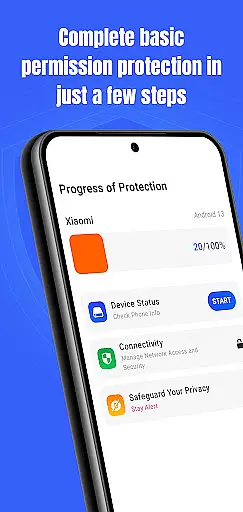
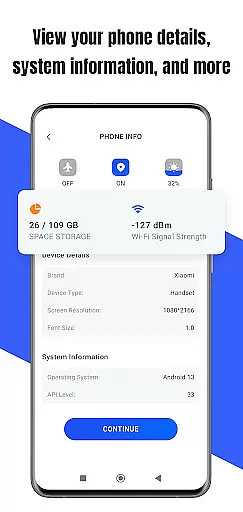
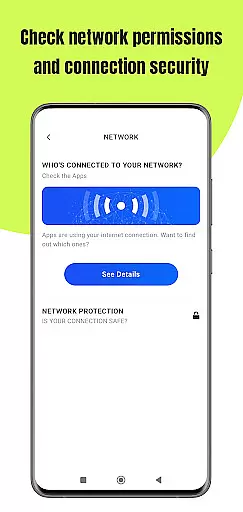
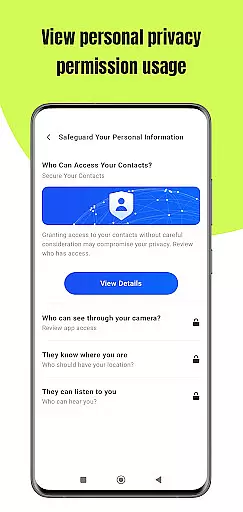
Permission Guard is a specialized security application within the Business category, designed to help users manage app permissions effectively. The core functionality revolves around monitoring and controlling the access rights of other apps on your device.
This app allows business users to maintain strict privacy controls, ensuring that only necessary permissions are granted to each application. Whether you're managing devices for a corporate environment or simply want more control over your personal phone, Permission Guard provides essential tools for permission management.
A typical use case would be an IT administrator who needs to ensure that company devices comply with security policies. By using Permission Guard, administrators can prevent unauthorized data access and maintain proper security protocols across multiple devices.
Permission Guard offers several key features that make it stand out in the Business category. First, it provides real-time monitoring of app permissions, giving users instant alerts when an app requests access to sensitive information.
The app includes a detailed permission analysis tool that breaks down each app's requested permissions and explains why they might be unnecessary or potentially risky. This feature helps business users make informed decisions about which permissions to allow or deny.
Another notable capability is its batch permission management system, allowing users to modify permissions for multiple apps simultaneously. This saves time and ensures consistent security settings across all managed applications, making it particularly valuable for business environments.
Collaborative work features are essential for businesses that rely on teamwork and shared responsibilities. Permission Guard enhances this aspect by ensuring that all collaborative apps on your device operate within their intended scope.
The app meticulously monitors permissions granted to collaborative tools, preventing unauthorized access to sensitive data such as contacts, calendars, and documents. This ensures that team members can focus on their tasks without worrying about privacy breaches.
With Permission Guard, users gain the ability to customize permission settings for each collaborative app. This level of control allows teams to maintain a secure environment while benefiting from the full functionality of their collaborative tools.
By safeguarding your collaborative work features, Permission Guard not only protects your data but also boosts productivity by minimizing distractions caused by unnecessary app permissions.
Effective task management is crucial for maintaining productivity in any business setting. Permission Guard supports this by monitoring and managing app permissions that could potentially disrupt your workflow.
The app provides detailed insights into which apps have access to your task management tools and data. By keeping these permissions in check, you can ensure that only relevant apps interact with your task lists, schedules, and reminders.
Permission Guard empowers users to revoke or grant permissions based on the specific needs of their task management system. This tailored approach helps streamline operations and keeps your focus on priority tasks.
With enhanced control over task-related app permissions, Permission Guard enables businesses to optimize their task management processes while maintaining robust security protocols.
Effective permission control
Real-time monitoring alerts
Detailed permission analysis
Batch management capabilities
User-friendly interface
Limited free features
Occasional false positives
Advanced options require paid version
May conflict with some system apps
Interface could be more intuitive

Formerly Facebook Ads Manager. Manage and create ads on the go.
 4.20
4.20
Create curriculum vitae, a professional cover letter creator and resume designer
4.80
Take the stress out of storage with the all-in-one app to manage your space.
3.70
Amazon A to Z is the place to manage your work-life at Amazon.
4.50
A secure, all-in-one team collaboration app
4.30
Job search app that finds jobs for you! Takes the work out of looking for a job!
4.90
Access All PDF Files
3.40
Smarter career moves start here. AI job alerts, insights & the right tools.
4.20
ADP Mobile Solutions is an employee self service app
4.50 4.70
4.70
Use Generative Summary to understand your rental or insurance docs in seconds.
4.70
AI-powered document scanner with auto enhance for perfect PDFs.
4.60
Paychex Flex - Save Time and Stay Connected
4.60
The app that lets you deliver with Amazon.
4.50
All Your Gig Work. One App.
4.30
Make money as a delivery driver with DoorDash and work when you want as a Dasher
4.30
All document reader, pdf viewer app, read docs & excel files
3.80
Delivery Track App - Tracking with Fedex, USPS, UPS, DHL. Monitor your Orders.
3.20
We are a dynamic team of creatives people of design, marketing, web & apps
3.00


User Reviews