
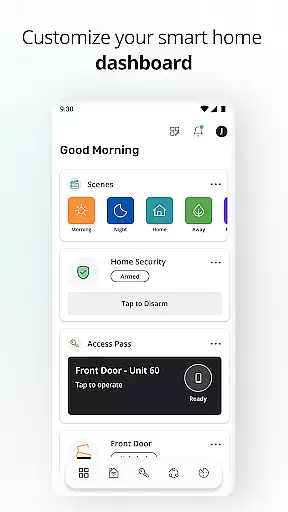
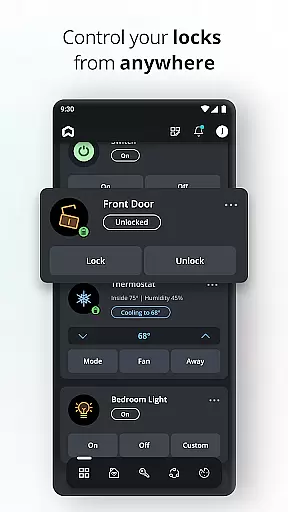
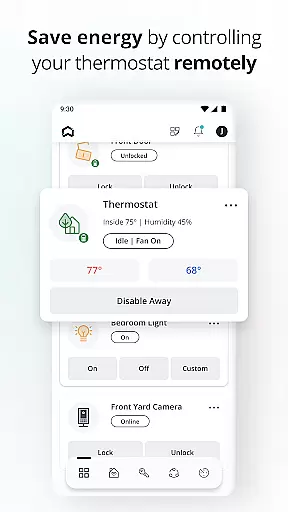
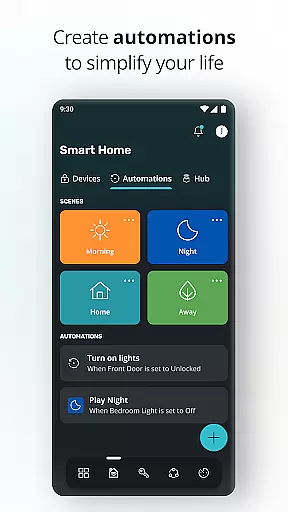
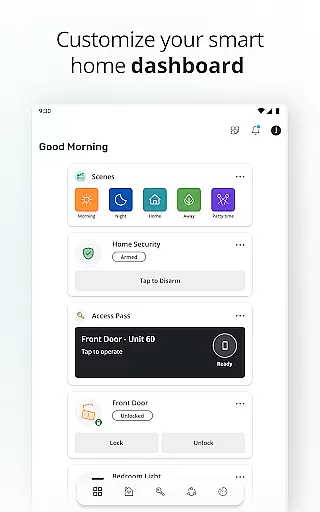
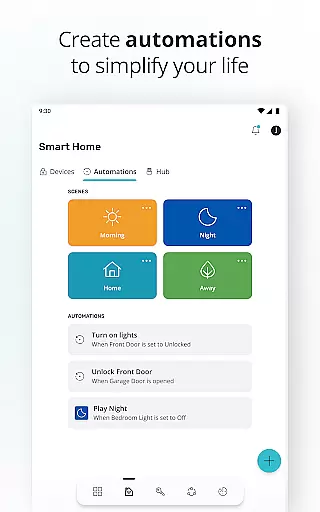
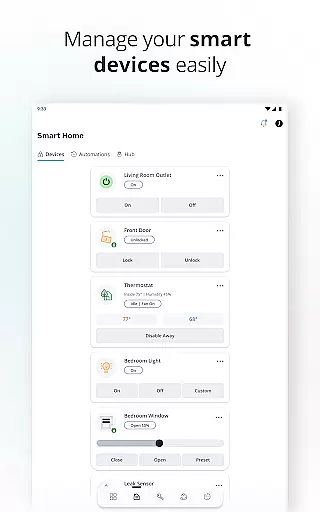
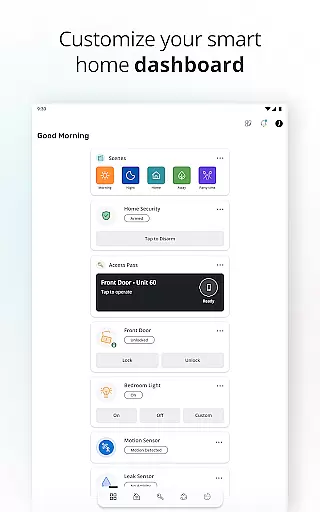
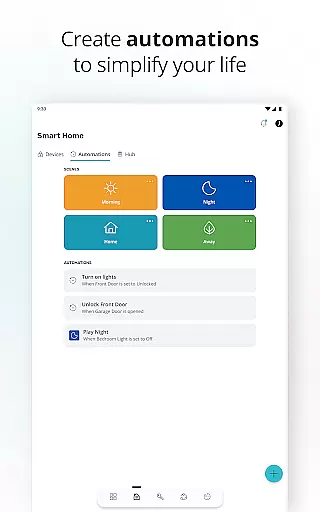
SmartRent is a comprehensive smart home management application designed to provide users with complete control over their home environment. The app allows residents to manage essential home functions such as door locks, thermostats, and access codes remotely. With features like custom scheduling, energy-saving automations, and integration with voice assistants like Amazon Alexa and Google Assistant, SmartRent enhances convenience while promoting energy efficiency.
Beyond basic controls, SmartRent offers advanced functionalities including real-time alerts for potential leaks, detailed lock activity history, and seamless integration with other smart home devices like Ring. This makes it an ideal solution for homeowners who want to simplify daily routines while ensuring the security and efficiency of their living spaces. Whether you're at home or away, SmartRent ensures your house remains comfortable, secure, and energy-efficient.
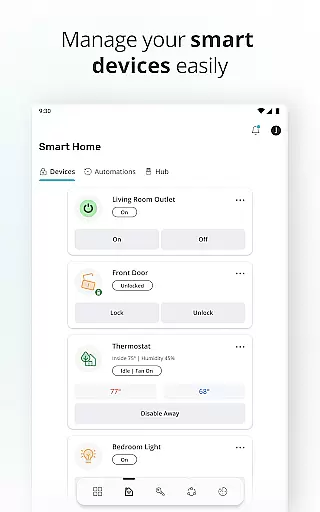
SmartRent stands out with its diverse range of innovative features tailored to modern homeowners. One of its core capabilities is remote home management, allowing users to lock and unlock doors, adjust thermostats, and monitor home activity from anywhere using their mobile device. The app also supports custom schedules for thermostats, enabling users to optimize energy usage based on their daily routines.
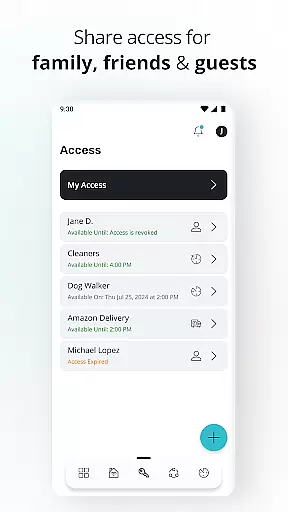
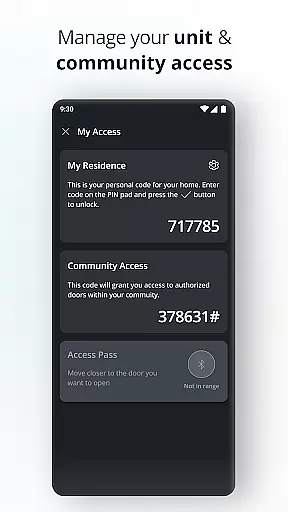
In addition to these practical controls, SmartRent provides advanced security features such as unique, time-bound access codes for guests and service providers. Users can set up automated routines to streamline tasks and integrate with popular voice assistants for hands-free control. Real-time notifications about potential issues, such as water leaks, ensure prompt action to prevent damage. These features collectively create a smarter, safer, and more efficient home environment.
When it comes to managing your home through the SmartRent app, ensuring the authenticity of property listings is paramount. The app provides real-time data about your residence, including security features like lock statuses and thermostat settings.
This real-time information is continuously updated, ensuring that residents have the most accurate details at their fingertips. Whether you're checking if a door is locked or adjusting the temperature from miles away, the app guarantees that these actions reflect the true state of your home.
SmartRent's commitment to accuracy extends to its integration capabilities with other smart devices. By linking with platforms such as Ring and supporting voice commands via Amazon Alexa and Google Assistant, users can trust that all connected features are genuine and reliable.
SmartRent offers an array of home management features designed to simplify daily routines and enhance convenience. One standout feature is the ability to create custom schedules for thermostats, allowing users to optimize energy usage while saving money.
In addition to scheduling, the app enables residents to set up automations that streamline household tasks. For instance, unique access codes can be issued to family members or service providers, offering both security and flexibility without the need for physical keys.
The app also excels in providing immediate alerts for potential issues such as leaks, ensuring prompt action can be taken. With comprehensive lock activity history available, users gain peace of mind knowing exactly when guests or maintenance personnel have accessed their homes.
User-friendly interface
Energy-saving automations
Remote home management
Voice assistant compatibility
Real-time alerts
Limited device compatibility
Requires stable internet
Premium feature costs
Occasional bugs
Steep learning curve

Map-based search app for apartments and homes for rent.
 4.60
4.60
The official app for Home Assistant. Control your home anywhere in the world.
4.30
B-hyve Pro App for landscape irrigation professionals
4.70
Smart AI plant care schedules, Real plant experts, support & Thriving community!
4.20
The only mappable smart lights for custom decoration.
4.50
AI Home Designer & Room Planner: Decorate your interior space with AI
4.40
Fire & Power Safety
4.50
Find your next home, house, apartment, condo, casa, flat, rental, studio, or bed
4.70
MLS-powered real estate app to find homes for sale & apartments for rent
4.70
Download today to join the community to help bring lost pets home faster.
4.70
Convert your Phone to HiSense Smart TV Remote Control
4.70
Looking for the perfect apartment finder app? Find beautiful rental homes here!
4.60
Parcel Pending Resident App
4.50
The Merkury Smart app makes it easy to control your smart devices.
4.50
Make your phone a surveillance camera remote with a home camera app for Android!
4.40
Control your thermostat, comfort, and home monitoring from your phone
4.30
Fully control your Philips TV with this all-in-one remote control app.
4.20
Use Home by ShowingTime to easily manage showings, tours, feedback and more
3.60
Universal TV remote Control for Roku TV brands via WiFi remote
4.5


User Reviews