
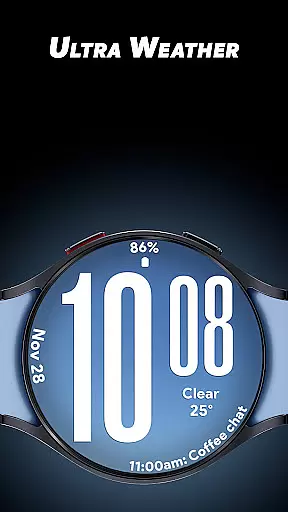
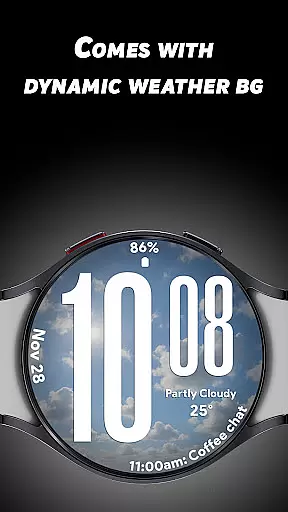
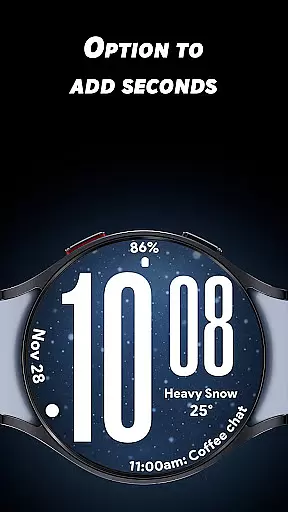
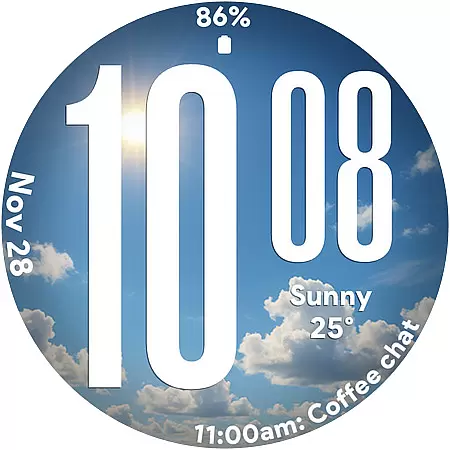
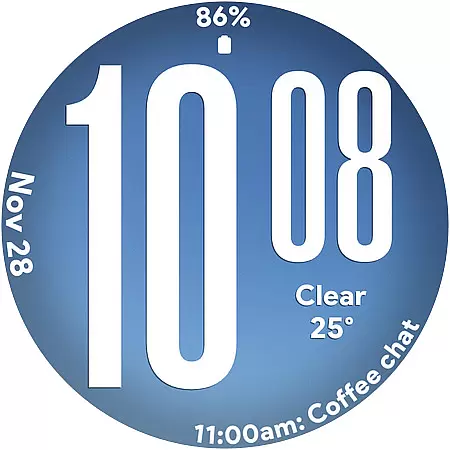
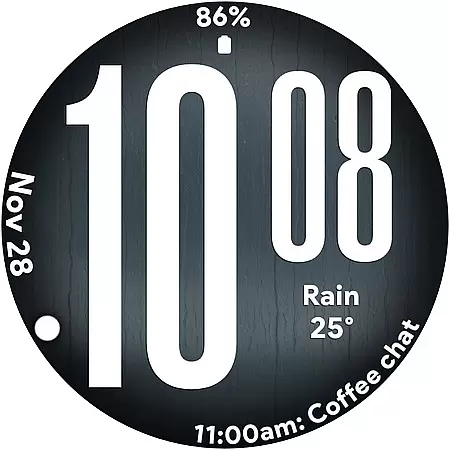
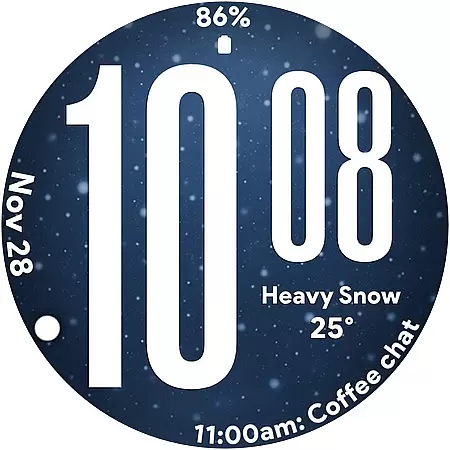
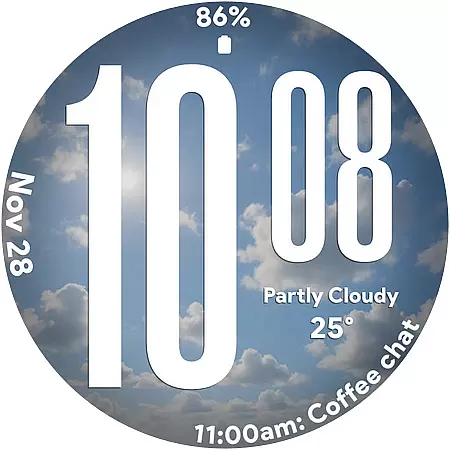
Ultra Weather is a dynamic Wear OS watch face that combines bold design with real-time weather updates. Featuring large, easy-to-read digital time digits and customizable complications, it ensures both style and functionality. The watch face automatically adjusts its visuals based on current weather conditions, offering users an immersive experience.
This app is ideal for smartwatch users who value clear readability and visually appealing designs. Whether you're monitoring your daily steps or checking the weather, Ultra Weather provides a seamless blend of aesthetics and utility, making it perfect for everyday use, fitness tracking, and travel.
Ultra Weather stands out with its innovative features tailored for Wear OS users. Its oversized digital time display ensures instant readability, while dynamic weather backgrounds adapt in real-time to reflect current conditions like sunny, cloudy, or rainy skies. This creates a personalized and atmospheric experience.
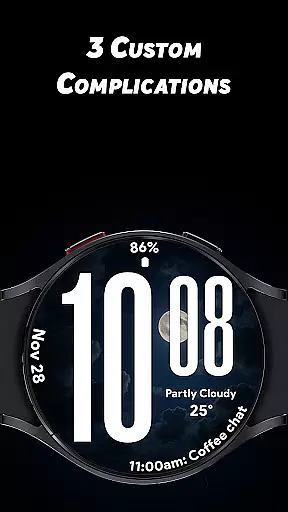
The app supports 12/24-hour time formats and includes three customizable complications, allowing users to display additional details such as weather forecasts, heart rate, battery status, and more. Optimized for efficiency, Ultra Weather also offers a battery-friendly Always-On Display mode, ensuring all-day performance without compromising usability.
Ultra Weather - Watch face offers a comprehensive approach to lifestyle management by integrating real-time weather updates directly into your Wear OS device. This application goes beyond simple timekeeping, providing users with dynamic visuals that change based on current weather conditions. Whether sunny, cloudy, rainy, or foggy, the watch face adapts, offering not just aesthetic appeal but also practical information at a glance.
The app includes oversized time digits and customizable complications which allow for personalization according to user preference. These features ensure that whether you're tracking your fitness, monitoring your schedule, or simply enjoying a walk outside, Ultra Weather keeps you informed and stylish. Its design is perfect for everyday use, travel, and fitness enthusiasts who appreciate both form and function in their wearable technology.
By focusing on delivering an atmospheric experience through its live backgrounds and weather-matched visuals, Ultra Weather enhances the connection between the user's environment and their personal device. This makes it more than just a watch face; it becomes a lifestyle companion that evolves with the useru2019s daily life and activities.
The Ultra Weather - Watch face stands out due to its commitment to content authenticity and expert credibility. The application provides real-time weather visuals that are not only attractive but also accurate and reliable. This ensures that users receive trustworthy information about their environment, enhancing both safety and convenience as they navigate through different weather conditions throughout their day.
Developed with attention to detail, this watch face supports 12/24-hour format time displays and offers three customizable complications. Users can add details such as weather specifics, step counts, battery levels, calendar events, and heart rate data. Such features are designed by experts who understand the importance of having critical information readily accessible on a smartwatch.
Furthermore, Ultra Weather is optimized for efficient all-day performance with a battery-friendly Always-On Display (AOD). This optimization reflects the developers' expertise in creating a product that is both visually appealing and technically sound, ensuring that users enjoy a seamless experience without compromising on device performance or accuracy of displayed data.
Real-time weather updates
Bold and readable design
Customizable complications
Battery-efficient AOD
Dynamic visual effects
Limited to Wear OS
Few customization options
Requires constant connectivity
No analog clock option
Premium feature lock

Duo Watch Face (animated)
 4.4
4.4
Stay connected with your loved ones & vehicles | Share live GPS location updates
4.60
A watch face with transparency and fluid visuals inspired by liquid glass design
4.4
Paranormal EVP, Ghost Box, Spirit box, ITC, Haunted, Spirit communication device
3.70
Unique Dual Colors with 6 Custom Complications for Wear OS watches!
3.40
The go to app for taking unlimited notes!
4.50
Discounts, savings, and rewards
4.20
Falling Fruit is a massive collaborative map of food in our cities.
3.20
Celebrate the holidays with Advent Calendar: daily surprises and festive fun!
4.2
Daily lessons from A Course in Miracles with scheduled reminders
4.80
Simple, stylish & fresh watch face. Customize colors, gradients & complications.
4.70
The all-new Cync app. The simple, connected app for Cync and C by GE.
4.50
Premium floor cleaning robots
4.50
This is a simple and highly functional alarm clock "Smart Alarm" paid version.
4.20
LineLearner, the quick way to learn lines.
2.90
Healthy eating timer app to track meal pace, improve habits, and eat slowly.
4.4
A daily quote for success
4.4
Customize your Wear OS watch with festive Christmas figures and colors!
4.0
Wear your favorite memories, loved ones, pets or travel photos on your watch
4.5


User Reviews