
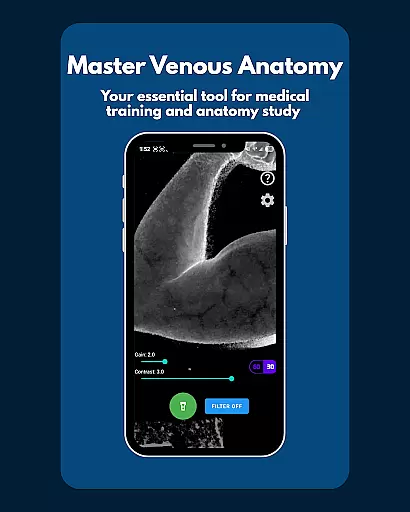
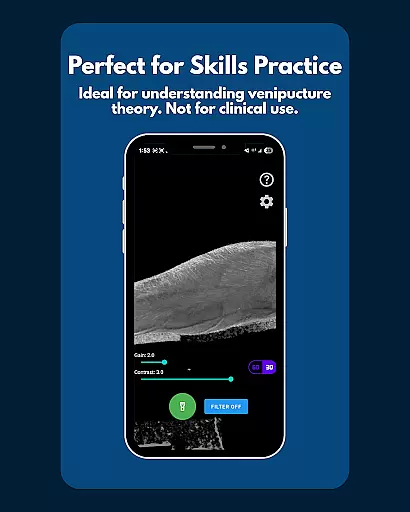
VeinFinder is an innovative educational tool designed to assist students and educators in mastering venous anatomy. This app utilizes advanced GPU-accelerated image processing to enhance vein visibility through your device's camera, eliminating the need for additional hardware. It bridges the gap between theoretical knowledge and practical application by providing clear visualizations of veins, making it invaluable for exam preparation and classroom instruction.
The app offers precise control over image settings such as gain and contrast, ensuring optimal visibility across various skin tones and lighting conditions. With integrated flashlight functionality, VeinFinder performs consistently even in low-light environments. Privacy and security are prioritized, as all image processing occurs directly on the device, safeguarding user data. Whether used for studying anatomy, understanding phlebotomy techniques, or enhancing IV access knowledge, VeinFinder provides a reliable and secure learning experience.
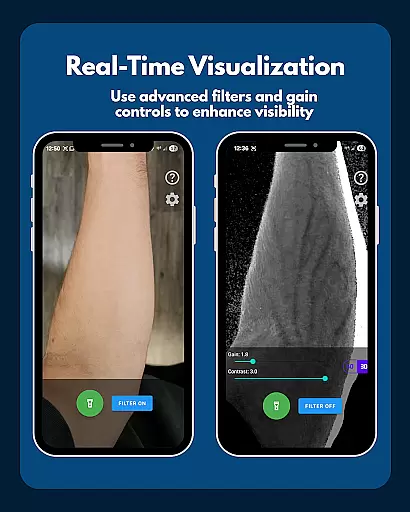
VeinFinder stands out with its array of specialized features tailored for medical education. The Instant Comparison function allows users to toggle the vein-enhancing filter on and off, providing a side-by-side view of the enhanced and raw camera feeds. This feature facilitates a deeper understanding of venous structures by highlighting differences in real-time.
Precision Control is another hallmark of VeinFinder, enabling users to fine-tune gain and contrast settings. This ensures that the app performs effectively across diverse skin tones and lighting scenarios, delivering clear and accurate vein visualizations. Additionally, the Low-Light Consistency feature, complete with integrated flashlight control, guarantees usability in any environment, thus broadening the scope of its educational applications.
All data processing occurs locally on the device, reinforcing VeinFinder's commitment to privacy and security. This approach not only protects sensitive information but also enhances the app's reliability as an educational tool. By focusing on these core functionalities, VeinFinder delivers a robust platform for both students and educators seeking to advance their understanding of venous anatomy.
VeinFinder stands out in the realm of educational tools by providing highly accurate and authoritative content for students and educators focused on anatomy and physiology. The app employs advanced GPU-accelerated image processing to enhance vein visibility, ensuring that the visual information presented is both precise and reliable.
This level of accuracy is crucial for those studying venipuncture and phlebotomy site mapping, as it allows users to gain a practical understanding of complex venous anatomy. By offering an instant comparison feature between enhanced and raw camera views, VeinFinder enables learners to verify the authenticity of the processed images against real-world visuals.
Furthermore, the app's optimization for various skin tones and lighting conditions through precision control of gain and contrast ensures that its educational content is inclusive and adaptable. This adaptability enhances the learning experience across diverse user groups, making it an invaluable tool for both individual study and classroom instruction.
While VeinFinder does not offer traditional personalized learning paths like adaptive quizzes or tailored lesson plans, it provides a unique form of personalization through its adjustable features that cater to individual learning needs. Users can fine-tune gain and contrast settings to optimize vein visibility according to their specific requirements and preferences.
The app's ability to work under various lighting conditions, coupled with its integrated flashlight control, allows learners to create their own optimal study environments. This flexibility effectively serves as a personalized approach to mastering venous anatomy, accommodating different study habits and environmental constraints.
Moreover, VeinFinder's focus on privacy and security enhances the personal learning experience by ensuring all image processing occurs locally on the device. This approach not only protects user data but also allows students to learn at their own pace without concerns about data collection or transmission, creating a safe and personalized educational space.
User-friendly interface
Advanced image processing
Real-time vein visualization
Privacy-focused design
Educational versatility
Performance varies by device
Dependent on lighting conditions
Not for clinical use
Limited refund window
Skin tone sensitivity

An easy to use yet powerful and full-featured flashcard study app.
 4.50
4.50
Monkey Preschool Lunchbox: 7 exciting educational games for your preschooler.
4.30
Skelly is a fully poseable, anatomically correct reference skeleton for artists.
4.10
The Fighter Verses Bible memory system helps you memorize God's Word.
4.50
Quiz App to help case managers studying for CCMC Certification, 200+ Questions
3.40
Listen, request and record pronunciations in more than 450 languages. Everywhere
3.90
A collection of favorite stories from Daniel Tiger's Neighborhood
2.00
Visit Daniel's house & make believe. Play doctor, make music, & feed fish.
3.20
The FE Clock is a way to track sun & moon around the circle of the earth.
4.30
Hebrew Vocab
4.90
AI Language tutor: Speak fluently with Lucy’s personalized coaching
4.70
Engage in learning science and math with the award-winning PhET simulations!
4.70
Astronomy Guide to the Night Sky
4.40
Professional Award-Winning Astronomy Star Map App With Telescope Control
4.40
THE ESTABLISHED "GO TO" ARMY BOARD PREPARATION APP!
4.30
Astronomy Guide To Night Sky
4.30
Explore the City of the Sun in Augmented Reality
3.70
Hasbro's Classic Board Game - Make Cavity Sam better or get the buzzer!
3.50
Bebefinn and Baby Shark educational, animated videos & games for kids
3.40


User Reviews