




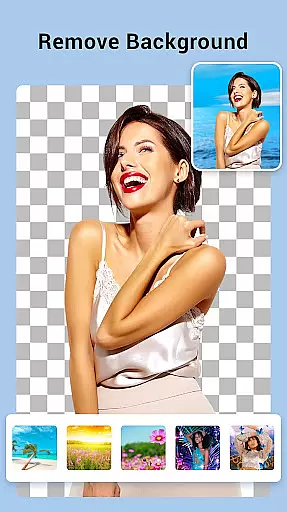
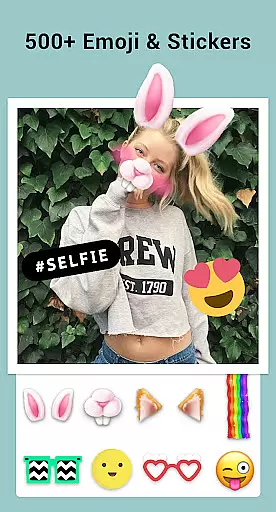

Collage Maker is a versatile photo collage and editing application designed for creative enthusiasts. The app allows users to instantly combine multiple photos into stunning collages using over 100 layouts, backgrounds, stickers, fonts, and other customization tools. With its AI Photo Enhancer feature, users can also transform low-quality or damaged images into high-definition masterpieces with just one tap.
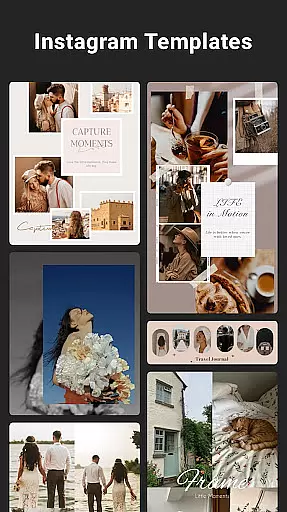
In addition to creating collages, the app supports advanced photo editing features such as cropping, applying filters, adding text, doodles, and frames. It offers specialized templates for Instagram posts, YouTube thumbnails, and side-by-side comparisons, making it ideal for social media content creators. Whether you're designing scrapbooks, story templates, or multi-fit Instagram posts, Collage Maker provides all the tools needed to produce professional-quality visuals.
This app is particularly useful for photographers, influencers, and casual users who want to enhance their photos and create visually appealing content for platforms like Instagram, Snapchat, and YouTube.
Collage Maker stands out with its extensive range of features tailored for both casual and professional use. One of its core functionalities is the ability to combine up to 100 photos into a single collage, offering users unparalleled flexibility in design. With over 100 layout options, customizable borders, and various background choices, users can create unique designs that suit their personal style or project requirements.
The app includes an all-in-one photo editor equipped with essential tools such as cropping, filtering, text overlays, and doodle drawing. Its Freestyle mode lets users design scrapbook-style collages by selecting full-screen backgrounds and decorating them with stickers, texts, and doodles. Additionally, the Story Template feature provides 100+ stylized templates inspired by film, magazines, and ripped paper aesthetics, perfect for crafting memorable Instagram stories.
For social media optimization, Collage Maker offers Multi-fit functionality, enabling users to adjust aspect ratios (1:1, 4:5, 9:16) and apply blur or white backgrounds to fit Instagram's format without cropping. This ensures seamless posting while maintaining image quality. Overall, these features make Collage Maker a comprehensive tool for anyone looking to elevate their photo editing and collage-making experience.
Real-time capture and preview functionality is essential for photography applications as it allows users to see exactly what the camera is capturing before taking a shot. This ensures that the framing, lighting, and composition are all perfect before the shutter is pressed.
Collage Maker offers an intuitive real-time capture experience by providing users with immediate feedback on their photo selections. The app's interface enables users to select multiple photos from their gallery and instantly see them remixed into stunning collages.
The benefit of this feature is that users can make instant adjustments to their collage layouts, ensuring that the final product meets their expectations without any surprises. With Collage Maker, you can experiment with different arrangements and styles until you find the perfect combination.
This real-time interaction not only enhances user satisfaction but also saves time by reducing the need for post-capture editing. Users can create professional-looking collages quickly and efficiently, making the most out of their photo collections.
AI beauty and enhancement features have become increasingly popular in photography apps, offering users the ability to enhance their photos with natural-looking effects. These tools leverage advanced algorithms to improve image quality while maintaining authenticity.
With the launch of AI Photo Enhancer, Collage Maker now provides users with the capability to transform low-quality images into stunning HD masterpieces with just one tap. This feature intelligently enhances blurry or damaged photos, restoring them to their original glory without over-processing.
Users benefit from this technology by being able to salvage old memories or improve current shots without losing the genuine essence of the moment captured. The AI-driven enhancements ensure that every photo looks its best, whether it's for personal keepsakes or social media sharing.
By integrating AI beauty and enhancement features, Collage Maker sets itself apart as a comprehensive photo editing solution that prioritizes both quality and natural aesthetics, empowering users to present their best selves and moments effortlessly.
User-friendly interface
Extensive customization options
AI-powered photo enhancement
Versatile layout choices
Social media optimization
Ads may disrupt workflow
Premium features require payment
Occasional bugs reported
Limited free templates
Storage permissions mandatory

1M influencer's special filter
 4.60
4.60
Android Native system HD camera app. Never been so simple and faster.
4.70
Pet Camera
3.70
Be your best in every shot! Fix, edit and retouch your face in selfies & photos.
3.70
The #1 app for B&W film developing featuring an advanced darkroom timer.
4.10
Automatically backup your photos and videos to computer, NAS and Cloud services
4.60
Easily create custom gifts, cards, photo books & more on the Shutterfly app!
4.60
Hair color changer, AI haircut app, fun hair editor and buzz cut filter for all!
3.80
The original Rarevision VHS look seen everywhere!
4.70
AI Photo Editor with 100+ Filters, Effects! Remove BG, Retouch & Photo Enhancer.
4.80
See your baby AI baby face generator AI baby maker Face generator babymaker fun!
4.70
Photo Exif Editor allows to view, add and modify EXIF data of multiple photos
4.50
Create AI photos & videos with Enhancer; restore, fix, beautify, enhance photos
4.50
Effortlessly organize, view and share your photos & videos with Gallery app!
4.40
Easily stitch panoramas from multiple photos or video.
4.40
Transform Photos: Edit, Beautify and Craft Memories & Make Collages!
4.10
live datamoshing
4.00
Gallery Slideshow is slideshow maker app for slideshow from your gallery photos.
3.90
Raw Image Viewer. Gallery with support of raw images (.cr3, .cr2, .nef, .raf).
2.00


User Reviews