
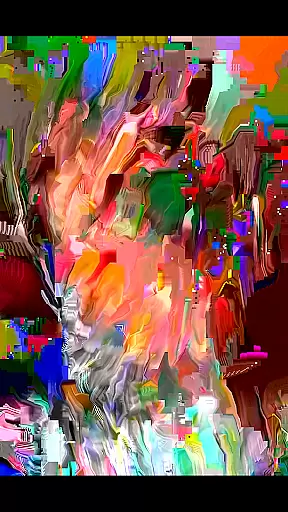
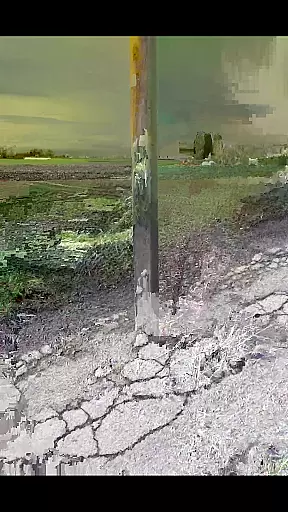
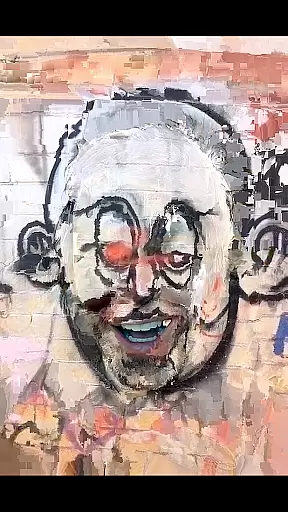
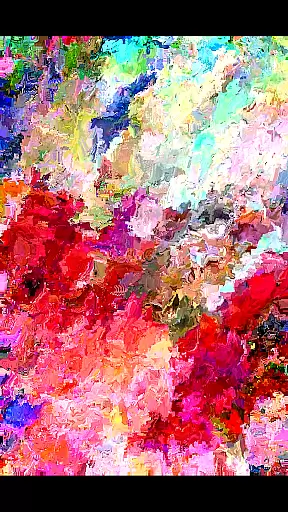
MoshUp is a creative photography app that allows users to perform live datamoshing on their mobile devices. The core feature of the app is its ability to transform the first video recording using the motion data from a second recording, creating unique mapping effects.
The app also supports frame repetition by holding the screen and allows importing videos from the gallery. This functionality makes it especially suitable for creative professionals and photography enthusiasts looking to experiment with visual effects directly on their smartphones.
While still in development, MoshUp offers an innovative way to manipulate video content, making it a valuable tool for those interested in exploring new forms of visual expression through mobile photography.
MoshUp stands out with its innovative live datamoshing capabilities. Users can film two different subjects consecutively, where the motion data from the second recording transforms the first video, creating visually striking effects.
A key feature is the ability to repeat the last frame by simply holding the screen, giving users more control over their creations. Additionally, the latest version enables importing videos from the device's gallery, expanding creative possibilities.
These features collectively provide a powerful yet accessible toolset for experimenting with video manipulation, appealing particularly to artists and photographers seeking fresh ways to express their creativity through mobile technology.
Real-time capture and preview functionality is essential for photography apps like MoshUp. This feature allows users to see the effects of their actions immediately as they film or edit.
MoshUp enables live datamoshing on your phone, transforming your first recording based on the motion detected in a second recording. The app provides instant feedback by altering visuals according to movement, which is displayed in real time on your screen.
With this capability, creators can experiment with different visual styles and immediately observe the mapping effects produced by their motions. This immediate visualization helps in making creative decisions swiftly.
The benefit to users is the ability to refine their content on-the-fly without waiting for processing, ensuring that the desired artistic outcome is achieved efficiently and effectively.
AI beauty and enhancement features are becoming increasingly popular in photo editing applications. These tools aim to improve image quality while maintaining a natural look.
Although MoshUp focuses primarily on live datamoshing, it indirectly enhances videos through its unique transformation process. By using motion data from subsequent recordings, it creates visually intriguing effects that add an artistic flair rather than traditional beautification.
This method offers a fresh approach to video enhancement where creativity trumps conventional aesthetics. Users get to explore new dimensions of visual storytelling without artificial over-processing.
While not a classic AI beauty tool, MoshUp's innovative technique ensures that enhancements feel organic and true to the original footage, offering a distinct way to elevate visual media naturally.
User-friendly interface
Unique datamoshing effect
Live video transformation
Supports video import
Creative frame repetition
Limited device compatibility
Still in development phase
Performance may vary
Requires technical understanding
Occasional stability issues

An interval timer to automate photo taking process for timelapse
 2.90
2.90
What celebrity do you look like? Celebs will find your celebrity match!
4.10
All-in-One Editor & AI Photo Enhancer, Collage, Cartoonify, Funny Stickers & BGS
4.10
Over 800 film simulation recipes for Fujifilm. Black Friday Offer!
4.4
Amazing Photo Effects - The most fun you can have with your photos!
4.70
Future baby face generator: AI kids generator, kid face! What my baby look like?
4.40
A light meter for true photographers.
4.20
Welcome to ProShot, the most powerful camera app on Android.
4.20
Try an anime version, cartoon yourself, and generate AI hug or aging videos!
3.70
Gallery show photo, video, slideshow, is perfect 3D effect private photo albums.
4.80
Unblur, enhance & restore photos with powerful AI photo enhancer tools.
4.60
Cut and paste photo editor & eraser to customize photos easy and swap faces fun
4.50
Transform photos into videos! Create realistic or anime-style images easily!
4.50
HD Camera Pro with HD Video shooting, Panorama, Photo editor , Beauty Camera.
4.50
Create AI photos & videos with Enhancer; restore, fix, beautify, enhance photos
4.50
Effortlessly organize, view and share your photos & videos with Gallery app!
4.40
Virtual makeup, hair filters & body tuner—edit from face to full body!
4.20
Create & Edit with AI: AI Remove, Enhance, Retouch, Filter
4.10
HD Photo gallery and photo manager to edit, hide private photos, videos & albums
4.5


User Reviews