
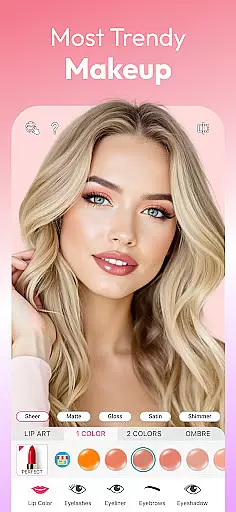
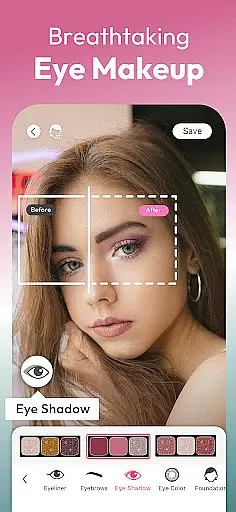
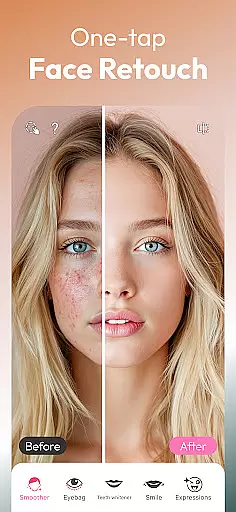
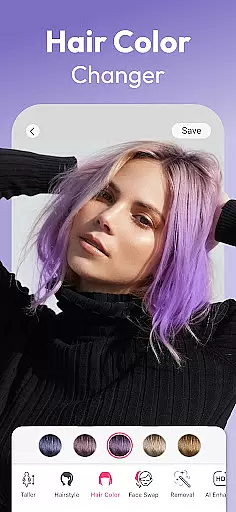
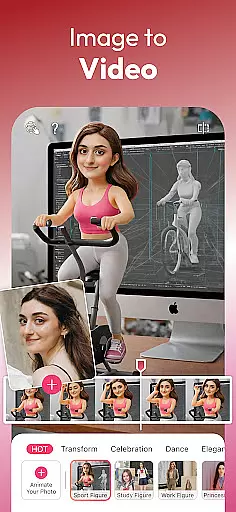
YouCam Makeup is the world's leading AR makeup and beauty camera app that utilizes advanced AI technology to transform your selfies into flawless works of art. The app offers a comprehensive suite of virtual makeup tools, face retouch filters, and beauty enhancement features.
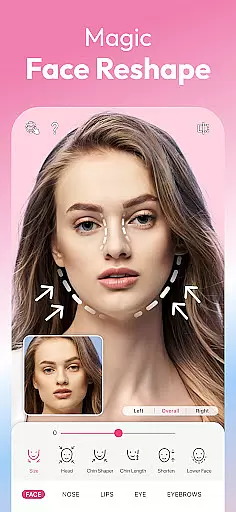
With hundreds of virtual makeup styles, users can experiment with lipstick, eyeshadow, foundation, and more. The intuitive interface allows for detailed customization, from reshaping facial features to trying on new hairstyles and colors. Whether you're aiming for a natural look or a complete makeover, YouCam Makeup provides all the tools needed to enhance your beauty digitally.
This app is perfect for anyone who loves expressing themselves through makeup and wants to preview different looks before applying them in real life. From professional makeup artists to everyday users, YouCam Makeup caters to all skill levels, making it an essential tool for beauty enthusiasts.
YouCam Makeup stands out with its extensive range of innovative features designed to enhance every aspect of your digital appearance. The app includes powerful face retouch tools such as skin smoothing, teeth whitening, and blemish removal, allowing users to achieve picture-perfect results.
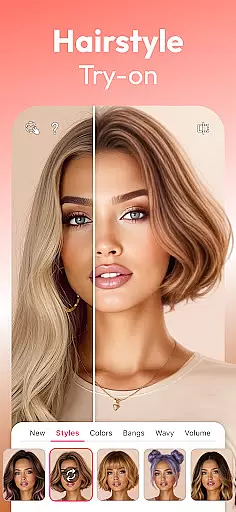
One of the most impressive aspects is the AI-powered photo tools. These include AI Retake for fixing closed eyes, AI Enhance for improving photo quality, and AI Expand for extending image backgrounds creatively. Additionally, the AI hairstyle filters let you try over 60 different hairstyles and colors virtually.
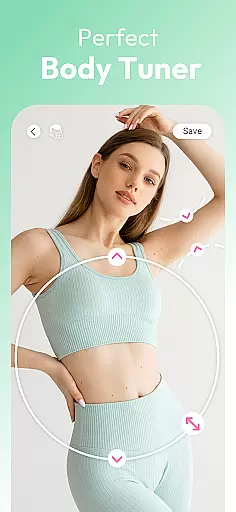
The Body Tuner feature enables users to sculpt their figures by slimming waists, lengthening legs, and enhancing curves. For those interested in eye and brow makeup, there are hundreds of options available. With premium access, users unlock exclusive makeup palettes and advanced retouching options, providing unlimited creative possibilities.
Real-time capture and preview functionality is essential for any photography app, allowing users to see exactly what their final image will look like before taking the shot. YouCam Makeup excels in this area by providing an advanced AR Beauty Camera that lets users experiment with hundreds of virtual makeup styles and instant face retouch filters live on their camera feed.
The app's real-time capabilities enable users to apply lipstick, foundation, blush, and more with precision, ensuring that the virtual makeup looks natural and fits perfectly with their facial features. This feature empowers users to create flawless looks tailored to their preferences without needing to take a photo first, streamlining the editing process.
With real-time previews, users can adjust various aspects such as eyeshadow colors, contouring, and highlighting with pro-level makeup tools. The instant feedback provided by the app ensures that users can fine-tune their appearance down to the smallest detail, resulting in stunning selfies that reflect their desired style.
Ultimately, YouCam Makeup's real-time capture and preview function enhances user experience by offering intuitive controls and immediate visual feedback. This allows users to confidently explore different beauty looks, knowing precisely how each adjustment will appear in the final image, thus saving time and boosting creativity.
AI Beauty and Enhancement Naturalness is a critical aspect of modern photo editing apps, focusing on making enhancements that look realistic and preserve the user's unique features. YouCam Makeup stands out by offering advanced AI-powered tools that smooth skin, refine facial features, whiten teeth, reshape lips and nose, enlarge eyes, and enhance overall style while maintaining a natural appearance.
The app employs sophisticated algorithms to ensure that all modifications, from blemish removal to contouring, blend seamlessly with the original photo. This approach avoids the over-processed look that can occur with less advanced editors, giving users confidence that their edited photos will appear authentic and true to life.
YouCam Makeup also provides personalized face makeup options, allowing users to combine different elements like eyeliner, lashes, and blush to achieve complete beauty makeovers. These AI-driven enhancements adapt to individual facial structures, ensuring that every user receives bespoke edits that enhance their natural beauty without appearing artificial.
By prioritizing naturalness in its AI beauty enhancements, YouCam Makeup delivers professional-quality results that empower users to express their unique style. Whether aiming for subtle touch-ups or dramatic transformations, users can trust that their final images will retain a lifelike quality, enhancing their social media presence and personal satisfaction.
User-friendly interface
Extensive makeup options
Advanced AI features
Realistic virtual try-ons
Regular updates
Premium features locked
Occasional ads
High system requirements
Limited free content
Subscription cost

Search, tag and rate your way to an organized image gallery
 4.40
4.40
Professional video recording application with manual controls for filmmakers!
2.80
Cut and paste photo editor & eraser to customize photos easy and swap faces fun
4.50
Be your best in every shot! Fix, edit and retouch your face in selfies & photos.
3.70
Over 800 film simulation recipes for Fujifilm. Black Friday Offer!
4.3
Cartoon and artistic effects for your photos and videos
4.70
AI photo enhancer with Sora 2! Enhance, descratch, and colorize your old photos.
4.50
Use AI Video Generator to turn your words to ai generated videos.
4.50
Snap photos remotely using your Garmin watch as the camera trigger
4.4
See your baby AI baby face generator AI baby maker Face generator babymaker fun!
4.70
Light-weight Media Gallery app for Android made with Jetpack Compose
4.60
Automatically backup your photos and videos to computer, NAS and Cloud services
4.60
Fit multiple photos on one post. Create carousels & scroll layouts for Instagram
4.50
Edit like a pro with Hypic. Apply filters, AI effects, & magic touch.
4.40
Professional photography on your mobile phone
4.20
Photobooth mini FULL app will allow you to add more fun to your parties
4.00
Pet Camera
3.70
GCamera allows all GCam features on all phone models! Better photos with GCamera
3.30
Raw Image Viewer. Gallery with support of raw images (.cr3, .cr2, .nef, .raf).
2.00


User Reviews