
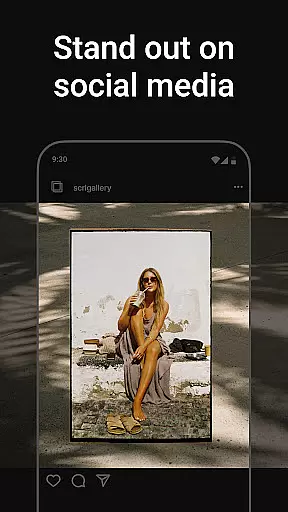
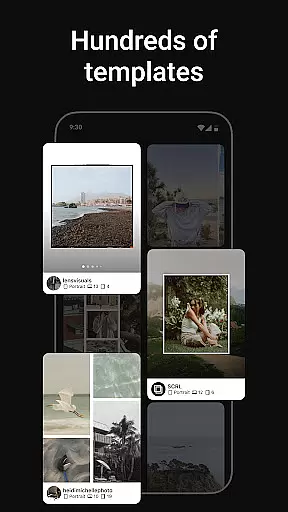
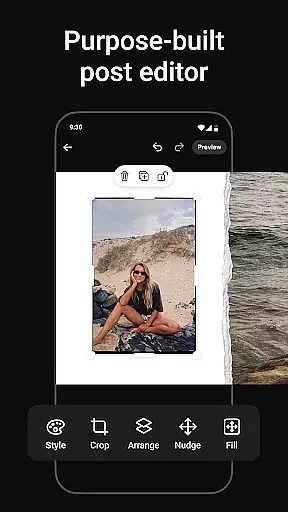
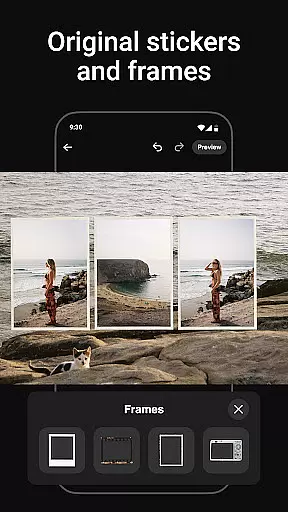
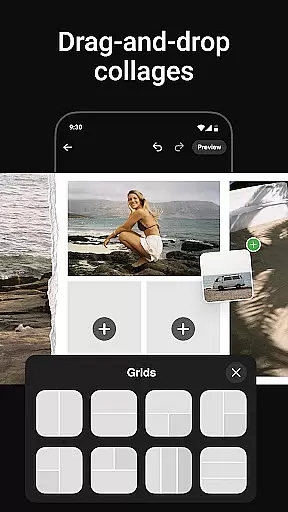
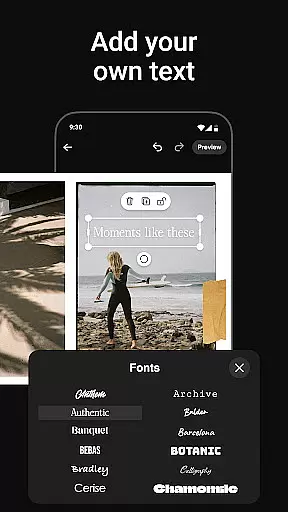
Photo Collage Maker by SCRL is the leading app for creating stunning photo collages and seamless Instagram carousel posts. Designed for influencers, artists, and photography enthusiasts, this app offers a complete suite of tools to make your social media posts stand out. With hundreds of hand-picked templates, a freeform canvas, and advanced design features, users can express their creativity without limits.
The app provides unique capabilities such as swipe-through carousel posts, support for over 10 photos in a single post, and instant posting to Instagram. Whether you're designing for personal use or professional branding, Photo Collage Maker ensures high-quality results with intuitive controls and versatile options. Trusted by Grammy winners and industry leaders, it's the ultimate tool for impactful visual storytelling.
Photo Collage Maker stands out with its robust set of features tailored for creative professionals. The app includes an extensive library of collage templates curated by design experts, ensuring variety and quality for every project type. From travel memories to wedding albums, these templates cater to diverse themes and styles while offering fresh updates regularly.
One of the standout functionalities is the freeform canvas, which allows users to zoom in and out, adjust layouts, and combine images, stickers, overlays, and text seamlessly. Additionally, the app supports adding more than 10 photos into a single Instagram post, breaking traditional layout barriers. With premium features like gradient backgrounds and video integration, SCRL Premium enhances your designs further, making it indispensable for professional-grade visuals.
Real-time capture and preview functionality is essential for any photography app as it allows users to see exactly what their final output will look like before they commit to taking a photo. This feature ensures that users can make necessary adjustments on the fly, thus improving the overall quality of their images.
Photo Collage Maker offers an intuitive real-time capture experience where users can experiment with different collage templates and instantly see how their photos will appear within those layouts. The app's live preview function provides immediate feedback, allowing users to tweak their designs until they achieve the desired effect.
The benefit of this real-time functionality is significant for users who want to produce high-quality collages without wasting time on trial and error. With Photo Collage Maker, creators can visualize their ideas and refine them in real-time, leading to more polished and professional-looking results.
This instant visualization capability not only enhances user satisfaction but also streamlines the creative process, making it easier than ever to create captivating Instagram carousels and photo collages that stand out.
AI beauty and enhancement features have become increasingly popular in photography apps, offering users the ability to enhance their images with natural-looking effects. The importance of maintaining authenticity while beautifying images cannot be overstated, as overly processed photos often detract from the original intent and charm.
Photo Collage Maker leverages advanced AI technology to provide subtle yet effective enhancements. Users can apply filters, stickers, and overlays that intelligently adapt to the content of their photos, ensuring that edits look organic and true to life. This approach preserves the integrity of the original image while elevating its aesthetic appeal.
By using Photo Collage Maker, users gain access to hundreds of professionally designed assets that enhance their collages without compromising on realism. These tools empower creators to produce visually stunning posts that resonate with their audience and reflect their unique style.
Ultimately, the AI-driven enhancements in Photo Collage Maker strike a balance between beautification and authenticity, enabling users to craft engaging social media content that feels both polished and genuine.
User-friendly interface
Extensive template library
Freeform canvas flexibility
Premium design upgrades
Trusted by professionals
Premium subscription required
Advanced tools may overwhelm beginners
Limited offline functionality
Instagram-focused only
Occasional bugs reported

Long exposure camera with computational photography
 2.60
2.60
How would you look like with a differently shaped nose, chin or lips?
3.90
HD Photo gallery and photo manager to edit, hide private photos, videos & albums
4.2
Photobooth mini FULL app will allow you to add more fun to your parties
4.00
Virtual makeup, hair filters & body tuner—edit from face to full body!
4.20
Add a dreamy vibe to your selfies and videos with soft style filters
4.0
Pro version: AR sun/moon tracker for any date. Tool for photographers & planners
4.90
Professional camera app that brings DSLR manual photography controls to Android.
4.20
Edit photos with the picture generator: PS2 & AI Clay filters, cartoon effects.
4.50
See your baby AI baby face generator AI baby maker Face generator babymaker fun!
4.70
Enhance, upscale, and transform your images — on your device, without limits
4.70
1M influencer's special filter
4.60
A must-have app for landscape photographers
4.60
A light meter for true photographers.
4.20
All-in-One Editor & AI Photo Enhancer, Collage, Cartoonify, Funny Stickers & BGS
4.10
How old age camera Gender Swap App Face Shape Hairstyle App Hair Styler App fun!
4.00
Professional quality photo edits with the new Snapseed.
4.00
Perfect photos with body shaping, BG changer and object remover.
3.70
Be your best in every shot! Fix, edit and retouch your face in selfies & photos.
3.70


User Reviews