
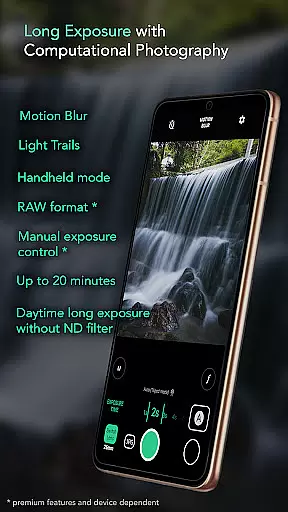
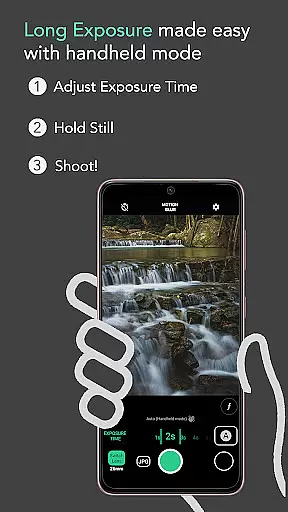
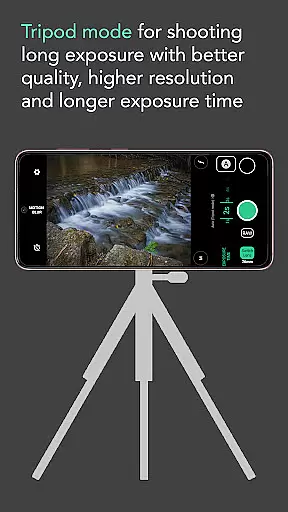
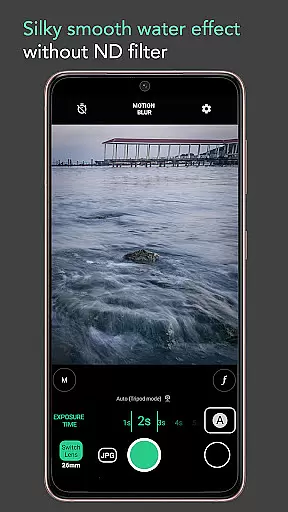
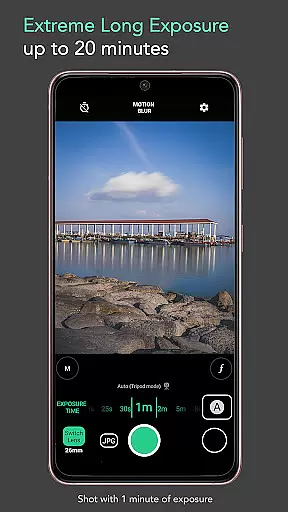
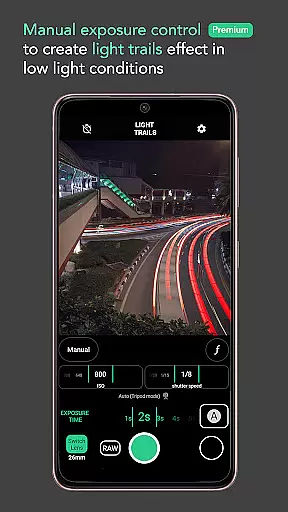
Motion ProCam is a specialized camera application designed to simplify the process of capturing long exposure photographs. This app allows users to effortlessly create stunning motion blur and light trails by intelligently aligning multiple images into one final photo, without the need for an ND filter even in bright daylight conditions.
With its advanced computational photography techniques, Motion ProCam combines dozens or even hundreds of shots to produce professional-quality long exposure effects. The app offers both automatic stabilization for handheld shooting and manual controls for enthusiasts who demand precise settings. Whether you're capturing waterfalls, seascapes, or urban nightscapes, this app provides the tools needed to create visually striking images.
Ideal for both amateur photographers looking to experiment with creative effects and professionals seeking greater control over their long exposure photography, Motion ProCam delivers exceptional results across various shooting scenarios.
Motion ProCam stands out with its innovative approach to long exposure photography. The app's core feature is its ability to automatically stabilize images captured in handheld mode for up to five seconds, eliminating the need for tripods in many situations. Its sophisticated algorithm can handle daytime long exposures without requiring neutral density filters, making it more accessible for casual users.
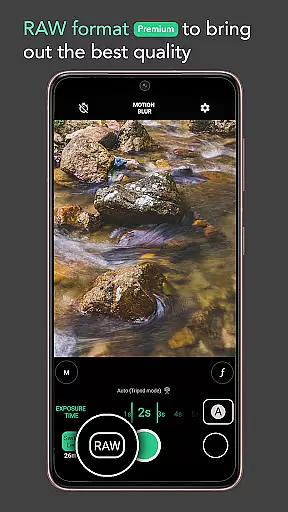
The premium version offers advanced capabilities including RAW format support and manual exposure control, giving photography enthusiasts complete creative freedom. Users can select between different effects such as motion blur or light trails, with exposure times ranging up to twenty minutes. Additional practical features include volume button shutter triggers and various artistic applications like crowd removal and smooth water effects.
These features collectively enable photographers to capture professional-grade images of moving clouds, flowing water, and urban light displays. The combination of automated processing and manual control options makes Motion ProCam suitable for both beginners and experienced photographers seeking to expand their creative possibilities.
Real-time capture and preview functionality is essential for ensuring that users can accurately frame and adjust their shots before capturing the final image. In Long Exposure - Motion ProCam, this feature allows photographers to visualize the potential outcome of their long exposure photography.
The app provides an intuitive interface where users can see changes in exposure settings reflected immediately on the screen. This real-time feedback enables users to fine-tune parameters such as exposure time without needing to take test shots, thus saving time and effort.
By offering a seamless transition from preview to capture mode, the application ensures that even slight movements or adjustments are accounted for, resulting in more precise and visually appealing long exposure photographs.
Ultimately, the real-time capture and preview feature empowers both amateur and professional photographers by giving them greater control over their creative process while using computational photography techniques to achieve stunning motion blur and light trail effects.
While primarily focused on long exposure photography, AI beauty and enhancement features play a crucial role in refining the final output of Motion ProCam. These enhancements ensure that the natural beauty of landscapes and seascapes is preserved while still delivering high-quality images.
The app employs advanced algorithms to automatically align multiple frames taken during the exposure period, reducing noise and enhancing clarity. This process results in silky smooth water effects, creamy lakes, and moving clouds without introducing artificial elements into the scene.
For enthusiasts seeking premium quality, options like RAW format and manual exposure control further enhance the natural look of photos. By allowing users to capture images in their purest form, these features enable post-processing flexibility without compromising on authenticity.
In summary, Motion ProCam's AI-driven enhancements maintain the natural essence of subjects while elevating the overall aesthetic appeal through sophisticated computational methods tailored specifically for long exposure photography.
Easy-to-use interface
Advanced stabilization
Daylight compatibility
Premium RAW support
Versatile effects
Premium features locked
Processing time
Device compatibility
Learning curve
Battery consumption

Photo Album Watch Face shows your favorite pictures as a Watchface.
 1.90
1.90
All-in-One Editor & AI Photo Enhancer, Beautify & Retouch, Collage, Cartoonify
4.20
Add Watermark - Sign your pictures with a text or logo. Effective, quick, easy!
4.50
Natural Beauty, Selfie Retouch
4.30
Take videos and pictures with the popular TikTok TIME WARP SCAN filter.
4.60
HD Camera Pro with HD Video shooting, Panorama, Photo editor , Beauty Camera.
4.50
Movie camera, supports pro recording settings for filming. Try it and be amazed!
4.50
Your personal guide to the sun and moon. Plan ahead, visualize and predict!
4.70
A light meter for true photographers.
4.20
Collage your moments in one tap: 1000+ layouts, filters, stickers, and texts.
4.90
Photo prints, cards, & gifts at Walgreens. Easy ordering & fast local pickup !
4.80
Android Native system HD camera app. Never been so simple and faster.
4.70
The original Rarevision VHS look seen everywhere!
4.70
PhotoSync Bundle Add-On License. Enables all features and services in PhotoSync.
4.60
AI photo editor with hair editor, retouch tools, hair color changer & filters!
4.50
Photo editor & gallery. Crop pictures & edit photos offline, no wifi!
4.50
Create & Edit with AI: AI Remove, Enhance, Retouch, Filter
4.10
Gallery Slideshow is slideshow maker app for slideshow from your gallery photos.
3.90
Create amazing frames with up to five photos. Rounded corners, effects and more!
3.60


User Reviews