
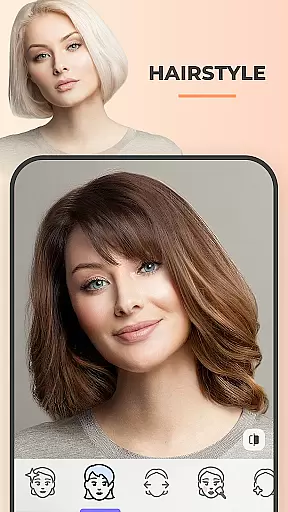
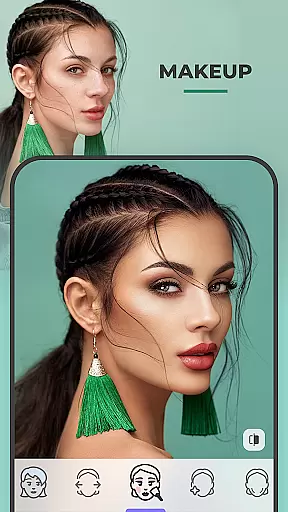
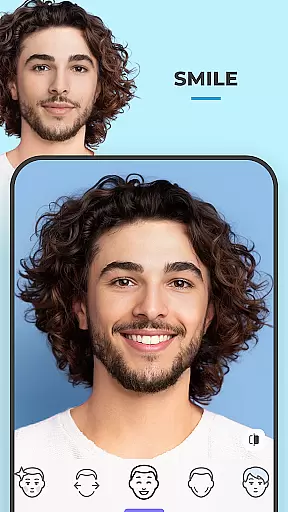
FaceApp is a leading mobile application in the Photography category, specializing in photorealistic photo editing. The app has gained immense popularity with over a billion downloads, offering users the ability to transform their selfies into professional-grade portraits effortlessly. With its advanced AI technology, FaceApp provides an extensive suite of editing tools that cater to both aesthetic enhancement and creative exploration.
The app's core functionality lies in its powerful one-tap filters and effects, which allow users to perfect their photos without requiring extensive editing skills. Whether it's adjusting facial features, experimenting with gender swap or aging filters, or applying trendy makeup styles, FaceApp ensures every edit looks natural and polished. Its intuitive interface makes it accessible for casual users while delivering results that appeal to social media enthusiasts and content creators alike.
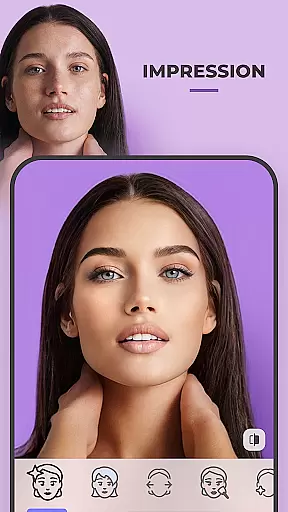
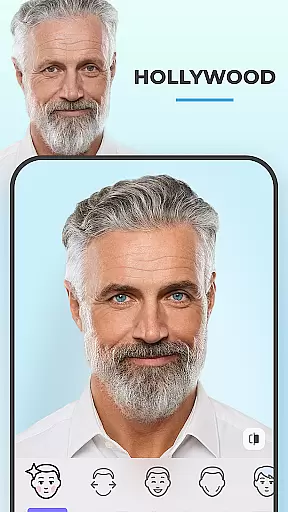
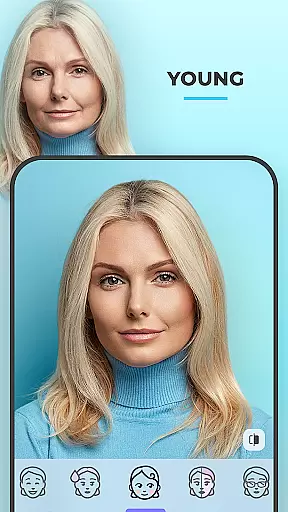
FaceApp distinguishes itself through its rich feature set tailored for photorealistic editing. One of its standout capabilities is the wide variety of highly realistic filters, including options to modify hair color, style beards, or even simulate aging effects. These filters are powered by sophisticated AI algorithms that ensure seamless integration with the original image, maintaining authenticity in every edit.
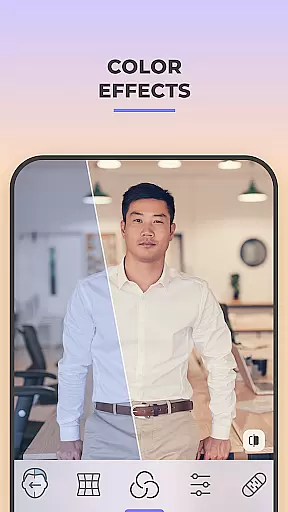
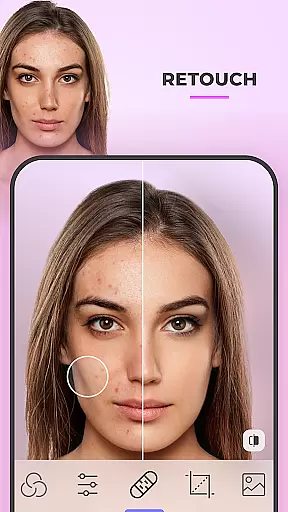
Beyond basic edits, FaceApp offers creative tools such as Gender Swap, background changes, and weight adjustment filters, enabling users to explore imaginative transformations. Additionally, the app includes practical utilities like acne removal, wrinkle smoothing, and precise control over photo parameters such as saturation and temperature. Each tool is designed to save time while delivering professional-quality results, making it ideal for users seeking quick yet impactful edits.
Another notable aspect is its direct sharing functionality, allowing users to publish their enhanced photos on social media platforms instantly. This positions FaceApp not just as an editor but also as a hub for creating engaging content optimized for platforms like Instagram and TikTok.
Real-time capture and preview functionality is essential for any photography app as it allows users to see the effects applied to their photos instantly. This feature ensures that users can make necessary adjustments on the fly, enhancing their overall editing experience.
FaceApp excels in this area by providing a seamless real-time preview of its highly photorealistic filters. With over 60 filters available, users can experiment with different looks, such as adding a beard or mustache, changing hair color, or trying out trendy makeup styles, all while seeing the results immediately on their screen.
The benefit of real-time capture and preview in FaceApp is the ability to perfect selfies without the need for extensive post-processing. Users can easily compare before and after images at every step, ensuring that the final result meets their expectations. This saves time and effort, making photo editing accessible even to those without professional skills.
Ultimately, the real-time capture and preview feature in FaceApp empowers users to create Instagram-worthy edits effortlessly. By offering total control over various aspects like temperature and saturation, users can fine-tune their photos to achieve the desired look, enhancing their social media presence with high-quality, visually appealing content.
AI beauty and enhancement features are crucial in modern photography apps, allowing users to improve their photos' aesthetic appeal while maintaining a natural look. These tools leverage advanced algorithms to enhance facial features subtly, avoiding the artificial appearance often associated with heavy editing.
FaceApp stands out with its AI-driven beauty enhancements that focus on naturalness. The app provides tools to remove acne and blemishes, smooth wrinkles, and adjust facial features with precision. Whether enlarging eyes or refining jawlines, these enhancements are applied delicately to preserve the authenticity of the original image.
Users benefit from FaceApp's AI capabilities by achieving polished yet genuine-looking edits. The appu2019s intuitive interface ensures that even novice editors can produce professional-grade results. Features like the easy Compare tool allow users to assess changes accurately, ensuring satisfaction with the final output.
In summary, FaceApp's AI beauty and enhancement features offer a sophisticated approach to photo editing. By prioritizing naturalness, the app helps users stay ahead of beauty trends while maintaining the integrity of their portraits. This makes FaceApp an invaluable tool for anyone looking to elevate their social media content with flawless, lifelike edits.
User-friendly interface
AI-powered realistic effects
One-tap editing solutions
Versatile filter options
Direct social media sharing
Some features require payment
Privacy concerns with facial data
Occasional processing delays
Limited offline functionality
Subscription model may deter some

AI portrait generator and polaroid AI selfie, fun AI generated AI photo creator!
 4.30
4.30
Pet Camera
3.70
AI photo editor with hair editor, retouch tools, hair color changer & filters!
4.50
Transform photos into videos! Create realistic or anime-style images easily!
4.50
Automatically backup your photos and videos to computer, NAS and Cloud services
4.60
A must-have app for landscape photographers
4.60
RAW video capture with advanced controls
4.40
A unique animation app. Powerful, easy to use, and lots of fun.
4.30
Try an anime version, cartoon yourself, and generate AI hug or aging videos!
3.70
Collage your moments in one tap: 1000+ layouts, filters, stickers, and texts.
4.90
AI Photo Editor with 100+ Filters, Effects! Remove BG, Retouch & Photo Enhancer.
4.80
Enhance, upscale, and transform your images — on your device, without limits
4.70
Discover & download millions of art for The Frame TV or Hisense CanvasTV
4.60
Cut and paste photo editor & eraser to customize photos easy and swap faces fun
4.50
Turn your phone into a professional camera - full DSLR manual photography
4.30
All-in-One Editor & AI Photo Enhancer, Collage, Cartoonify, Funny Stickers & BGS
4.10
How would you look like with a differently shaped nose, chin or lips?
3.90
Hair color changer, AI haircut app, fun hair editor and buzz cut filter for all!
3.80
Long exposure camera with computational photography
2.60


User Reviews