

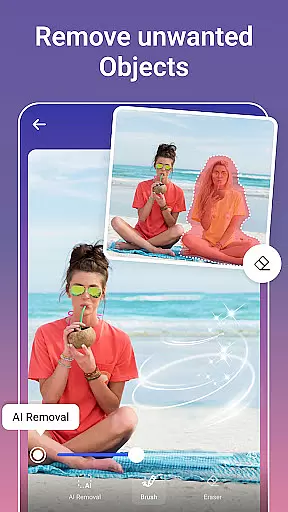
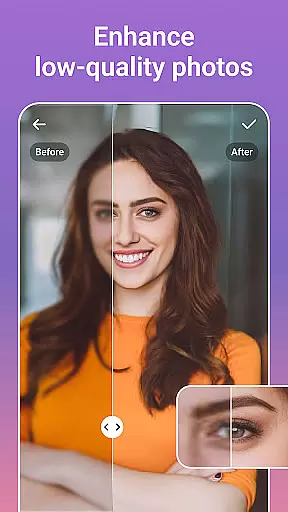



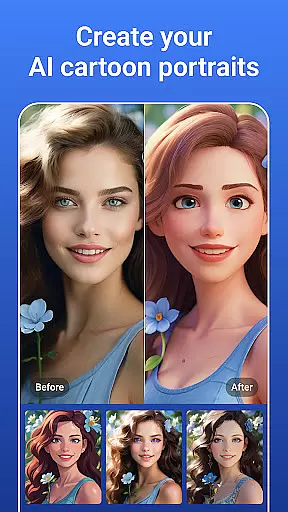

PicsLeap is an advanced AI-powered photo editing application that offers a comprehensive suite of tools for enhancing, transforming, and personalizing your images. With features ranging from one-tap enhancements to complex double exposure effects, PicsLeap caters to both amateur photographers and seasoned professionals. The app's intuitive interface allows users to effortlessly apply over 100 filters and effects, restore old photos, remove unwanted objects, and even create cartoon versions of their images.
Whether you're looking to boost photo resolution, swap faces, or design eye-catching collages, PicsLeap provides the necessary tools to bring your creative visions to life. Its powerful AI algorithms ensure that tasks such as background removal and photo restoration are completed with precision and ease. Available on multiple platforms, PicsLeap enables users to share their edited masterpieces directly to social media, making it an essential tool for anyone passionate about photography.
PicsLeap stands out with its extensive range of innovative features designed to cater to diverse photo editing needs. One of its core functionalities is the Magic Eraser, which allows users to remove unwanted elements from photos intelligently, filling the gaps seamlessly. The AI Face Swap feature lets you exchange faces between images while maintaining natural looks, and the AI Cartoon Filters transform your photos into artistic renditions reminiscent of vintage comics or manga styles.
In addition to these, PicsLeap offers professional-grade tools like HSL, Curve adjustments, and Double Exposure effects, enabling detailed color corrections and experimental image overlays. Users can also explore creative possibilities with the Sticker Maker and Background Changer, which support personalized image customization. The app's Collage Maker further extends creative freedom by allowing users to merge multiple photos into visually appealing layouts, complete with customizable borders and backgrounds.
Real-time capture and preview functionality is essential for any photography app as it allows users to see exactly what the camera sees before taking a shot. This ensures that the framing, lighting, and composition are all perfect before capturing the moment.
PicsLeap offers an intuitive real-time capture experience with its advanced AI-powered features. The app provides live previews of effects and filters, enabling users to visualize their creative ideas instantly. Whether you're adjusting colors or applying double exposure effects, PicsLeap's real-time preview ensures your vision comes to life accurately.
The benefit of this feature is significant for both amateur and professional photographers. It eliminates guesswork from photo editing, allowing users to make informed decisions about their edits. With PicsLeap, every adjustment can be seen in real time, making the editing process more efficient and enjoyable.
This real-time functionality not only enhances user satisfaction but also streamlines the workflow by reducing the need for post-processing adjustments. Users can trust that what they see on their screen during capture will reflect the final output, saving time and effort while producing high-quality images.
AI beauty and enhancement features have become a staple in modern photo editing applications. These tools aim to enhance natural beauty without making the edits appear artificial or over-processed. For users, achieving a balance between enhancement and authenticity is crucial.
PicsLeap excels in providing AI-driven enhancements that maintain the natural essence of photos. With one-tap enhancements, intelligent background removal, and skin retouching options, the app ensures that every edit looks genuine. Its sophisticated algorithms intelligently fill voids after object removal and adjust facial features subtly, preserving the original character of the image.
Users benefit greatly from these natural-looking enhancements. PicsLeap's AI technology helps in boosting photo resolution, restoring old photos, and removing unwanted elements seamlessly. This results in crisp, clear images that retain their original charm while looking professionally edited.
Ultimately, PicsLeapu2019s commitment to natural enhancement empowers users to create stunning visuals effortlessly. By leveraging cutting-edge AI, the app delivers polished yet authentic results, ensuring that every edited photo reflects true-to-life beauty without compromising on quality or realism.
User-friendly interface
Advanced AI features
Variety of filters and effects
High-quality photo enhancement
Comprehensive editing tools
Occasional processing delays
Limited free features
Subscription required for full access
Some tools may overwhelm beginners
Resource-intensive on older devices

A collection of tools and reference tables for DPs, ACs, DITs and Operators.
 4.70
4.70
What celebrity do you look like? Celebs will find your celebrity match!
4.10
Virtual makeup, hair filters & body tuner—edit from face to full body!
4.20
Be your best in every shot! Fix, edit and retouch your face in selfies & photos.
3.70
Turn your phone into a professional camera - full DSLR manual photography
4.30
Photo editor & gallery. Crop pictures & edit photos offline, no wifi!
4.50
See your baby AI baby face generator AI baby maker Face generator babymaker fun!
4.70
Luminar: Photo Editor - easy picture editing with AI
4.20
Snap photos remotely using your Garmin watch as the camera trigger
4.5
Find time and duration of different sunlight phases at any location
4.90
Photo editor: AI filters, photo enhancer, pic collage maker, AI art generator.
4.80
Easily view, share, delete photos with Gallery.
4.70
The original Rarevision VHS look seen everywhere!
4.70
Cut and paste photo editor & eraser to customize photos easy and swap faces fun
4.50
HD Camera Pro with HD Video shooting, Panorama, Photo editor , Beauty Camera.
4.50
Use AI Video Generator to turn your words to ai generated videos.
4.50
[3DSteroid Pro] is a stereoscopic application for Android.
4.30
AI-powered video creator by MiniMax - Where ideas meet cinema
4.20
Raw Image Viewer. Gallery with support of raw images (.cr3, .cr2, .nef, .raf).
2.00


User Reviews