
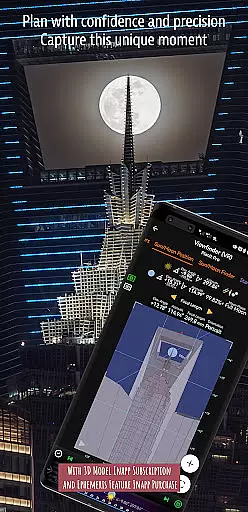
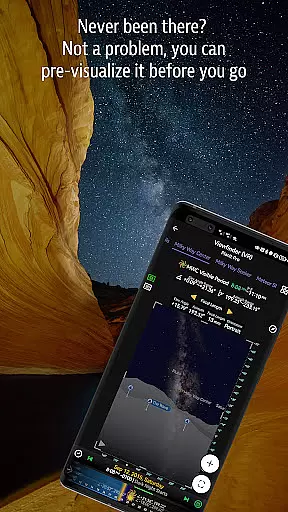
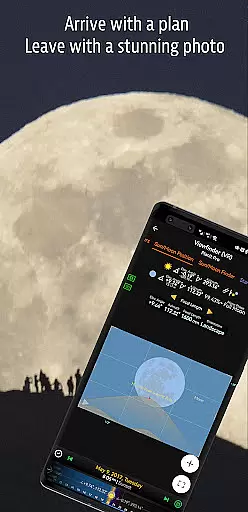
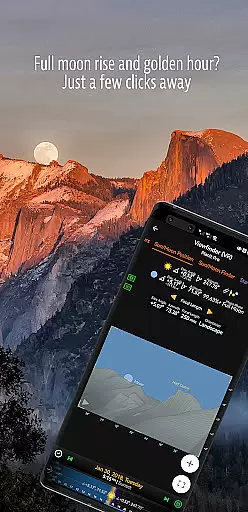
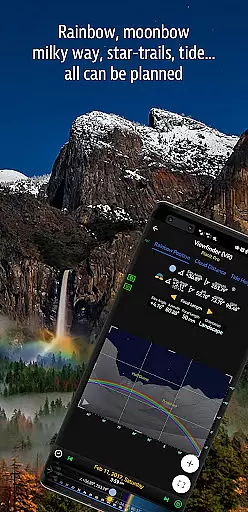

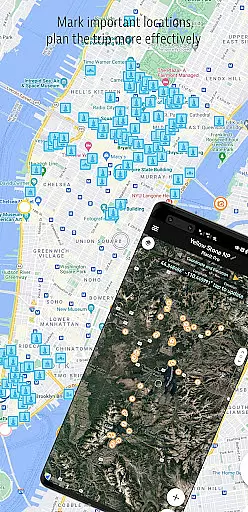
Planit Pro is an advanced photography planning tool designed specifically for landscape, travel, and nature photographers. The app combines mapping technology with a simulated viewfinder to help users pre-visualize their shots before arriving at a location. This includes detailed information about celestial objects like the Sun, Moon, stars, and Milky Way, as well as ground-based elements such as elevation, distance, and focal length.
The app offers a comprehensive suite of features including sun/moon rise/set times, star trail planning, time-lapse simulations, exposure calculations, and even tide predictions. These tools are presented either as map overlays or through simulated viewfinders that mimic the experience of looking through your camera. With offline functionality available through preloaded maps and elevation files, Planit Pro ensures usability even in remote areas without network connectivity.
For photographers seeking efficiency and precision in their work, Planit Pro provides significant value by saving both time and resources while enhancing the overall enjoyment of landscape photography.
Planit Pro stands out with its extensive range of specialized features tailored for professional photographers. One of its core functionalities is the ability to display critical photographic data directly on interactive maps or through augmented reality (AR) viewfinders. Users can access detailed ephemeris information, including sunrise, sunset, moonrise, and moonset times, along with directions for optimal positioning.
In addition to celestial tracking, the app supports advanced calculations for depth of field (DoF), hyperfocal distance, panorama setups, and aerial photography planning. It also includes unique tools such as light metering, ND filter calculators, and rainbow position prediction. Each feature is designed not only to enhance creative control but also to streamline workflow by providing accurate, real-time insights into environmental conditions.
Another notable aspect is its offline capability, allowing users to preload maps and elevation files for use in areas without internet access. This makes Planit Pro particularly valuable for outdoor enthusiasts who frequently venture into remote locations where connectivity may be limited.
Real-time capture and preview functionality is essential for photographers who need to visualize their shots before taking them. Planit Pro offers a comprehensive set of tools that allow users to pre-visualize scenes by combining ground subjects with celestial objects such as the Sun, Moon, stars, star-trails, and the Milky Way.
The app leverages advanced map and simulated viewfinder technologies to provide photographers with necessary information for planning their shots. This includes GPS coordinates, elevations, distances, elevation gains, clear views, focal lengths, depth of field (DoF), hyperfocal distance, panorama, and aerial photography details.
Users benefit from real-time data overlays on maps and visually represented simulated viewfinders, which mimic looking through a camera's viewfinder. This feature ensures that photographers can prepare for their shoots without being caught off guard, thus increasing their chances of capturing better images.
By using Planit Pro's real-time capture and preview features, photographers can enjoy landscape photography even more, knowing they have all the necessary information at their fingertips to create stunning compositions.
While primarily focused on landscape and astro-photography, Planit Pro also incorporates AI beauty and enhancement features that ensure natural-looking results. The app provides exposure/ND filter calculators, light meters, and rainbow position predictions, which contribute to enhancing the natural beauty of photographs without over-processing.
Planit Prou2019s AI-driven tools assist in various aspects of photography, including tide height predictions, solar and lunar eclipse tracking, and star trail planning. These features help photographers capture scenes with authenticity and precision, maintaining the natural essence of the environment.
The app's ability to function offline is particularly beneficial for photographers exploring remote areas without network connections. By preloading offline elevation files and maps, users can fully utilize AI enhancements to improve image quality while ensuring naturalness.
Overall, Planit Pro's AI beauty and enhancement features offer photographers the tools needed to elevate their craft while preserving the natural integrity of their subjects, making it an indispensable tool for both amateur and professional photographers alike.
User-friendly interface
Comprehensive feature set
Offline functionality
Accurate celestial tracking
Augmented reality viewfinder
Steep learning curve
Premium price point
Requires setup for offline use
Occasional bugs reported
Heavy storage usage

Long exposure camera with computational photography
 2.60
2.60
Professional video recording application with manual controls for filmmakers!
2.80
Virtual makeup, hair filters & body tuner—edit from face to full body!
4.20
Pet Camera
3.70
Perfect body tune & face app - photo retouch, makeup, slim body & beautify face.
4.80
Photo editor & gallery. Crop pictures & edit photos offline, no wifi!
4.50
Astrophotography with your smartphone, photo live stacking and much more!
3.90
Your personal guide to the sun and moon. Plan ahead, visualize and predict!
4.70
Photo & Video Gallery app to manage albums and save WA Status easily.
4.70
Pro version: AR sun/moon tracker for any date. Tool for photographers & planners
4.90
Photo editor: AI filters, photo enhancer, pic collage maker, AI art generator.
4.80
1M influencer's special filter
4.60
Add Watermark - Sign your pictures with a text or logo. Effective, quick, easy!
4.50
Catch sunlight, sunrise sunset times and sun phases with the AR sun tracker.
4.10
Photo editor: face & body editor, beauty cam, filters and quality enhancer.
4.00
Professional quality photo edits with the new Snapseed.
4.00
Turn photos into cartoons & avatars! - Photo Editor, Cartoon Face!
3.90
Over 800 film simulation recipes for Fujifilm. Black Friday Offer!
4.5
Add a dreamy vibe to your selfies and videos with soft style filters
4.1


User Reviews