
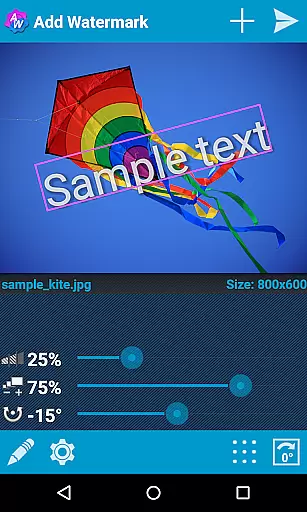

Add Watermark is a powerful photography tool designed to help users protect their digital content by adding customizable watermarks to images. The app allows you to embed text or logo watermarks, with options to adjust size, transparency, rotation, and alignment.
With features like batch processing, auto-processing through sharing, and support for transparent PNG images, this app has become an essential utility for professional photographers and bloggers. It also offers extensive settings including 72 built-in fonts, custom font imports, and EXIF metadata support, making it highly versatile for various use cases.
Whether you're looking to brand your photos for social media or secure your professional work with identifying marks, Add Watermark provides the tools necessary to efficiently watermark images while maintaining high-quality output.
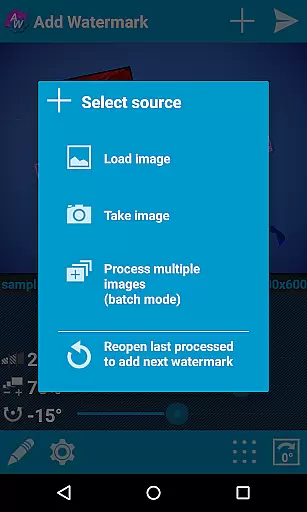
Add Watermark stands out with its comprehensive feature set tailored for both amateur and professional users. One of its key strengths is the batch mode, which allows users to process multiple images simultaneously, saving significant time during large projects.
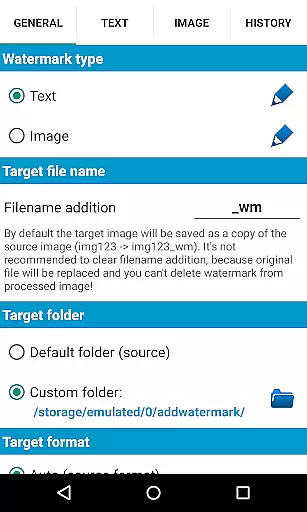
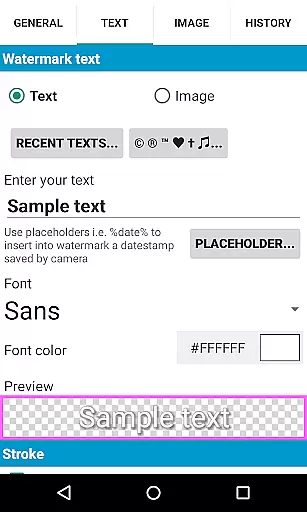
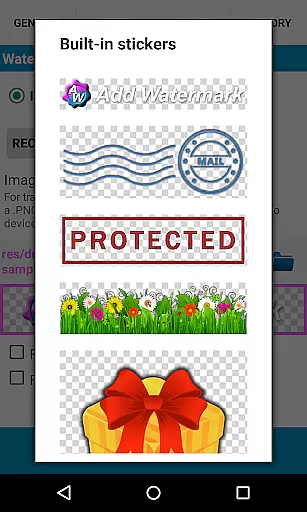
The app supports advanced text formatting options, including 72 built-in fonts and the ability to import up to 20 custom fonts. Users can also apply various effects to text watermarks and utilize the built-in sticker collection for more creative freedom. Additionally, the app supports transparent PNG images as watermarks, ensuring high compatibility with different design needs.
Other notable features include automatic processing via image sharing from other apps, quick sharing to platforms like Instagram and Facebook, and full EXIF/XMP metadata support. These capabilities make Add Watermark not just a protective tool but also a creative asset in daily photo management routines.
Real-time capture and preview functionality is essential for ensuring that the watermark appears exactly where you want it on your images. Add Watermark provides a seamless experience by allowing users to see changes instantly as they adjust the watermark's size, transparency, rotation, and alignment.
The application supports various customization options such as fonts, colors, and effects in text mode, giving photographers and bloggers the tools they need to create professional-looking watermarks. With 72 built-in fonts and the ability to import up to 20 custom fonts, users can tailor their watermark text to match their brand identity.
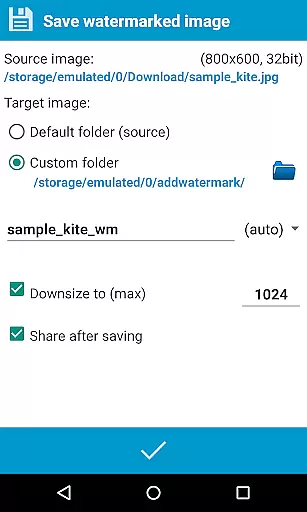
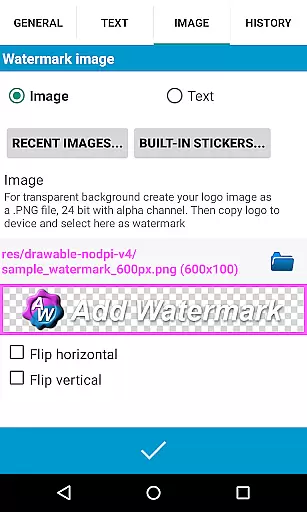
For those who prefer image-based watermarks, the app supports transparent PNG images, enabling the use of logos or other graphical elements as watermarks. This feature ensures that your property text or logo is perfectly integrated into the picture before saving and sharing it.
Overall, real-time capture and preview not only streamline the watermarking process but also enhance the quality of the final product, making it an indispensable tool for professionals who require precision and efficiency in their workflow.
While Add Watermark does not focus on AI beauty enhancements, it excels in providing natural and authentic watermark integration that preserves the original quality of the image. The app offers advanced settings and features that allow users to adjust watermark properties with precision, ensuring that the watermark complements the photo without overpowering it.
One of the key aspects of maintaining naturalness is the ability to control the transparency and size of the watermark. Users can fine-tune these settings to ensure that the watermark is visible yet unobtrusive, preserving the aesthetic appeal of the photograph. Additionally, the app's support for EXIF and XMP metadata ensures that important information is retained, contributing to the overall authenticity of the image.
Moreover, the app includes a batch mode for processing multiple images at once, which is particularly useful for professionals who need to apply consistent watermarks across a series of photos. This feature saves time while maintaining the natural appearance of each image, thanks to the app's robust processing capabilities.
In summary, although Add Watermark does not incorporate AI-driven beauty enhancements, its sophisticated watermarking tools offer a natural and effective way to protect and enhance your digital assets, ensuring they remain both secure and visually appealing.
User-friendly interface
Batch processing available
Extensive customization options
Supports transparent PNGs
Quick sharing to social media
Free version has limitations
Auto mode requires Full version
Image resizing in Free version
No custom image-watermarks in Free
Learning curve for new users

Photo editor: face & body editor, beauty cam, filters and quality enhancer.
 4.00
4.00
Long exposure camera with computational photography
2.60
Create funny photos and videos with the popular Time Warp Scan filter.
4.90
Create collages easily! Nice pic collage maker & background eraser for Instagram
4.50
The #1 app for B&W film developing featuring an advanced darkroom timer.
4.10
GCamera allows all GCam features on all phone models! Better photos with GCamera
3.30
Professional camera app that brings DSLR manual photography controls to Android.
4.20
Discover & download millions of art for The Frame TV or Hisense CanvasTV
4.60
Welcome to ProShot, the most powerful camera app on Android.
4.20
Pro version: AR sun/moon tracker for any date. Tool for photographers & planners
4.90
Gallery show photo, video, slideshow, is perfect 3D effect private photo albums.
4.80
AI Photo Editor with 100+ Filters, Effects! Remove BG, Retouch & Photo Enhancer.
4.80
Your personal guide to the sun and moon. Plan ahead, visualize and predict!
4.70
Unblur, enhance & restore photos with powerful AI photo enhancer tools.
4.60
Cut and paste photo editor & eraser to customize photos easy and swap faces fun
4.50
RAW video capture with advanced controls
4.40
All-in-One Editor & AI Photo Enhancer, Beautify & Retouch, Collage, Cartoonify
4.20
Professional quality photo edits with the new Snapseed.
4.00
Create amazing frames with up to five photos. Rounded corners, effects and more!
3.60


User Reviews