


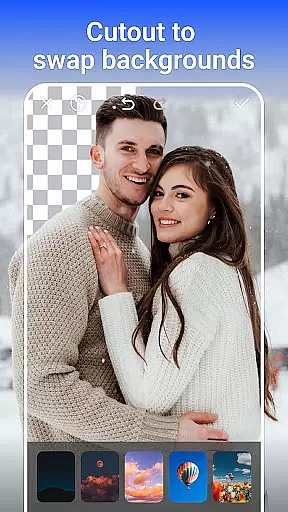
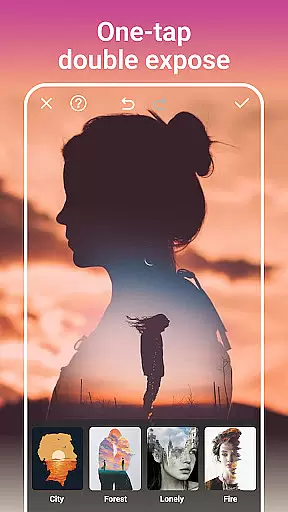
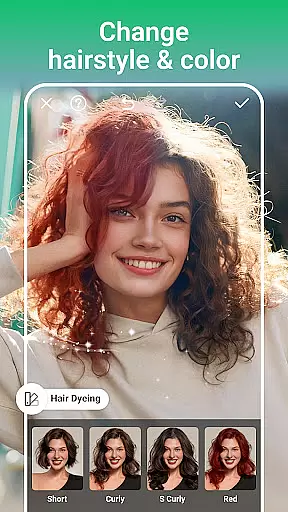
PhotoArt is an advanced AI-powered photo editing application that caters to a wide range of users, from beginners to professionals. The app offers an extensive suite of tools including One-Tap Enhance, Magic Eraser, AI Face Swap, and creative effects like Double Exposure. With over 100 filters and effects, it allows users to embrace their signature style while providing professional-grade features such as HSL, Curves, and AI Background Removal.
The app's intuitive interface makes complex edits accessible to everyone. Whether you're looking to restore old photos, create stunning collages, or experiment with artistic portrait enhancements, PhotoArt delivers the tools needed to produce high-quality, watermark-free content ready for sharing on social media platforms like Instagram and Facebook.
PhotoArt is particularly useful for photographers and social media enthusiasts who need to quickly edit and enhance images while maintaining professional standards. Its powerful AI capabilities ensure that even the most detailed editing tasks can be completed efficiently, making it an essential tool for anyone serious about photography.
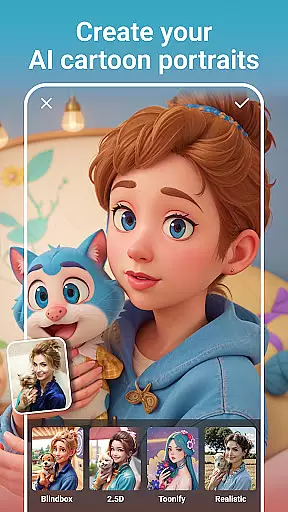
PhotoArt stands out with its comprehensive collection of AI-driven photo editing features. The app includes innovative tools like AI Face Swap, which allows users to seamlessly exchange faces in photos, and AI Cartoon Filters that transform images into whimsical art pieces. Advanced retouching options such as skin smoothing, makeup adjustments, and body reshaping provide users with everything needed for perfect portraits.
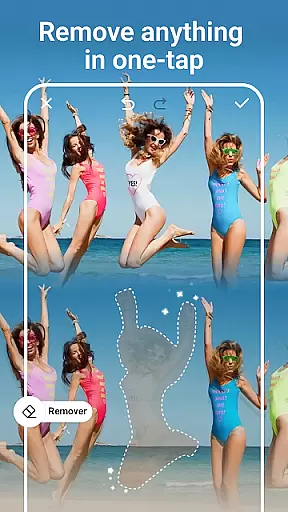
One of the key highlights is the Magic Eraser tool, which intelligently removes unwanted objects while filling gaps naturally. The app also offers creative collage-making features, enabling users to weave together multiple photos with adjustable layouts and custom backgrounds. Additionally, professional-grade tools like HSL, Highlight, and Split Tone allow precise color control, while the Curve tool helps achieve balanced and vibrant images.
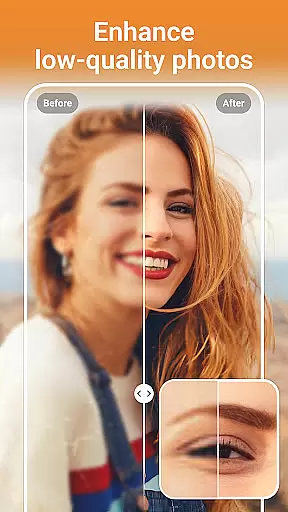
These features collectively empower users to create unique, high-quality visuals. Whether you're enhancing resolution, applying artistic effects, or experimenting with revolutionary AI tools like Age Changer and Sky Replacement, PhotoArt provides the resources to bring your creative vision to life.
Real-time capture and preview functionality is essential for any photography app as it allows users to see exactly what the camera sees before taking a shot. This ensures that the framing, lighting, and composition are all perfect before capturing the moment.
PhotoArt offers an intuitive real-time capture experience with its advanced AI-driven features. Users can leverage live filters, effects, and adjustments while composing their shots. The app's one-tap enhance feature works in real time, providing instant improvements to the image quality directly within the viewfinder.
With PhotoArt, users benefit from precise control over their photos even before they take them. The ability to preview changes such as background blur, light effects, or double exposure in real time empowers photographers to unleash their creativity without any guesswork.
This seamless integration of editing tools into the capture process not only saves time but also enhances the overall photography experience by allowing users to focus on their artistic vision.
AI beauty and enhancement features have become a staple in modern photo editing, allowing users to refine and beautify their images with minimal effort. The key to these features is maintaining naturalness so that edited photos still look authentic and true to life.
PhotoArt excels in this area by offering sophisticated AI face retouching and body reshaping tools. These features intelligently smooth skin, remove blemishes, and enhance facial features while preserving the subject's natural appearance. Users can experiment with stylish makeup options tailored specifically to suit individual preferences.
In addition to facial enhancements, PhotoArt provides tools for full-body edits, including height-increasing and figure-reshaping functionalities. These adjustments are designed to deliver realistic results, ensuring that portraits remain lifelike and believable.
By focusing on natural enhancement, PhotoArt enables users to create stunning portraits that highlight their best features without appearing overly processed or artificial.
User-friendly interface
Extensive filter selection
Powerful AI tools
Professional editing features
Social media integration
Occasional lag on older devices
Some features require premium access
In-app purchases can add up
Learning curve for advanced tools
Limited offline functionality

How would you look like with a differently shaped nose, chin or lips?
 3.90
3.90
Trendy TikTok time warp scan funny filter app brings you unique photos & videos.
4.40
Edit like a pro with Hypic. Apply filters, AI effects, & magic touch.
4.40
Be your best in every shot! Fix, edit and retouch your face in selfies & photos.
3.70
Superimpose one photo on top of another using the original Superimpose app!
3.20
Light-weight Media Gallery app for Android made with Jetpack Compose
4.60
Movie camera, supports pro recording settings for filming. Try it and be amazed!
4.50
The original Rarevision VHS look seen everywhere!
4.70
Try an anime version, cartoon yourself, and generate AI hug or aging videos!
3.70
Easily create custom gifts, cards, photo books & more on the Shutterfly app!
4.60
1M influencer's special filter
4.60
Safe & smart flight with Go Fly drone controller for 40+ drone camera, zone map
4.50
Search, tag and rate your way to an organized image gallery
4.40
Turn your phone into a professional camera - full DSLR manual photography
4.30
Photobooth mini FULL app will allow you to add more fun to your parties
4.00
How old age camera Gender Swap App Face Shape Hairstyle App Hair Styler App fun!
4.00
Gallery Slideshow is slideshow maker app for slideshow from your gallery photos.
3.90
Hair color changer, AI haircut app, fun hair editor and buzz cut filter for all!
3.80
An interval timer to automate photo taking process for timelapse
2.90


User Reviews