
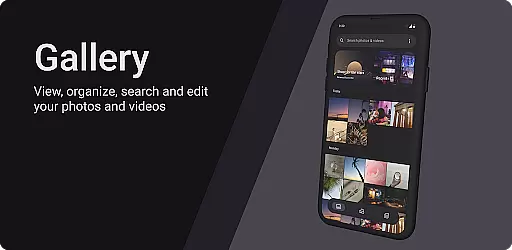
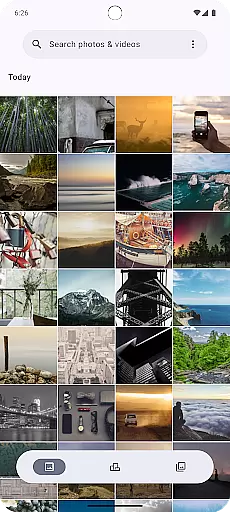
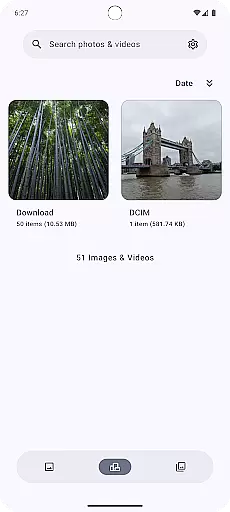
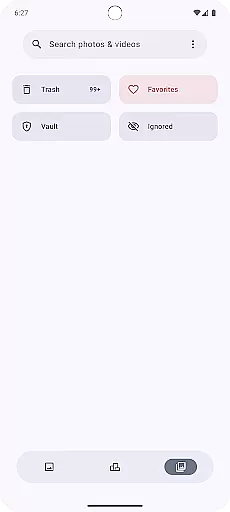
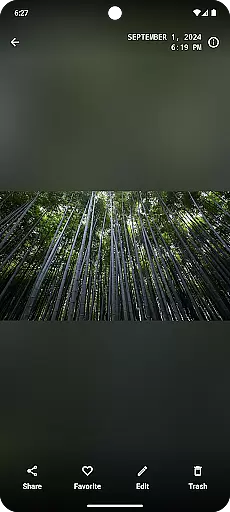
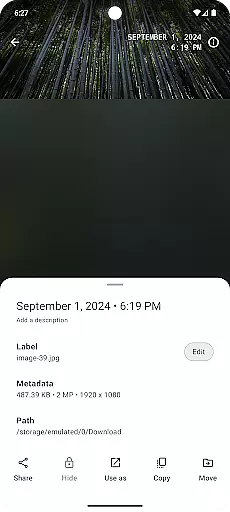
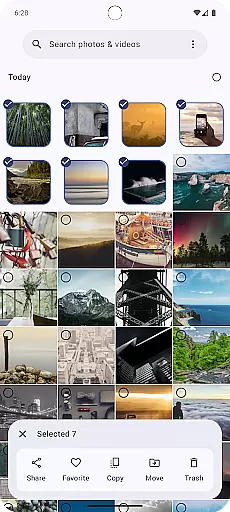
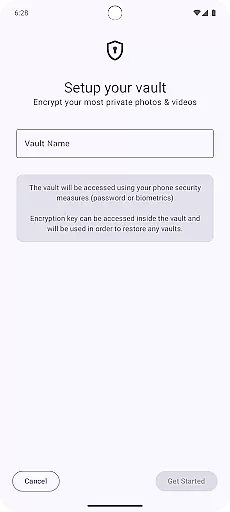
Gallery is a photography app designed for Android users who want to manage and organize their photos with ease. Built using Jetpack Compose, this app offers a modern and intuitive interface that makes photo management simple and enjoyable.
The core functionality of Gallery revolves around organizing your photos efficiently. It allows you to categorize images, create albums, and search through your collection effortlessly. Additionally, the app supports high-resolution image viewing, ensuring that every detail of your photos is preserved.
Whether you're an amateur photographer or someone who simply wants to keep their memories in order, Gallery provides a seamless experience across multiple Android devices. Its value lies in simplifying photo management while maintaining a sleek design that's both functional and visually appealing.
Gallery stands out with its powerful features tailored for photo enthusiasts. The app uses advanced algorithms to automatically sort and tag photos based on content, making it easier to find specific images later.
One notable feature is the smart album creation tool, which intelligently groups similar photos together. Users can also customize these albums, add captions, and edit metadata directly within the app. Furthermore, Gallery ensures privacy by offering secure cloud backup options and password protection for sensitive albums.
Another key aspect is its compatibility with various Android devices, providing consistent performance regardless of screen size or resolution. These features collectively enhance user experience by combining convenience with cutting-edge technology.
Real-time capture and preview functionality is essential for any photography app as it allows users to see exactly what the camera is capturing. This ensures that users can make necessary adjustments before taking a shot, resulting in better quality photos.
Gallery app leverages Jetpack Compose to provide an intuitive and responsive real-time capture experience. The app processes images quickly, ensuring minimal lag between the action being captured and displayed on the screen.
Users benefit from this feature by having greater control over their photography. They can adjust settings such as exposure, focus, and composition instantly, which enhances the overall photo-taking experience.
The value of real-time capture and preview lies in its ability to improve photo quality and user satisfaction. By offering precise control and immediate feedback, Gallery app empowers users to take the best possible pictures with their mobile devices.
AI beauty and enhancement features are increasingly popular in photography apps, allowing users to refine and beautify their images effortlessly. The naturalness of these enhancements is crucial to maintaining the authenticity of the original photo.
With Gallery app, AI-driven enhancements are seamlessly integrated into the editing process. The app intelligently identifies facial features and applies enhancements that look natural, avoiding the over-processed appearance common in some photo editing tools.
This results in photos that retain their genuine essence while benefiting from subtle improvements. Users appreciate the balance between enhancement and authenticity, leading to more satisfying and realistic outcomes.
The true innovation of Gallery app lies in its sophisticated AI algorithms that understand the nuances of human aesthetics. By prioritizing natural beauty, the app delivers a superior user experience that respects the integrity of the original image while offering valuable enhancement options.
User-friendly interface
Efficient photo organization
High-resolution support
Smart tagging system
Secure cloud backups
Limited editing tools
No iOS version available
Occasional bugs reported
Basic sharing options
Ads in free version

Remote control of the phone camera from your Wear OS smartwatch
 3.70
3.70
Add Watermark - Sign your pictures with a text or logo. Effective, quick, easy!
4.50
Easily stitch panoramas from multiple photos or video.
4.40
Create funny photos and videos with the popular Time Warp Scan filter.
4.90
Photo Exif Editor allows to view, add and modify EXIF data of multiple photos
4.50
GCamera allows all GCam features on all phone models! Better photos with GCamera
3.30
AI Photo Editor with 100+ Filters, Effects! Remove BG, Retouch & Photo Enhancer.
4.80
AI photo enhancer with Sora 2! Enhance, descratch, and colorize your old photos.
4.50
PhotoSync Bundle Add-On License. Enables all features and services in PhotoSync.
4.60
Pro version: AR sun/moon tracker for any date. Tool for photographers & planners
4.90
Android Native system HD camera app. Never been so simple and faster.
4.70
Viewfinder, Light meter, Reciprocity failure time, DOF & Bellows Extension
4.60
AI photo editor with hair editor, retouch tools, hair color changer & filters!
4.50
Search, tag and rate your way to an organized image gallery
4.40
Future baby face generator: AI kids generator, kid face! What my baby look like?
4.40
AI portrait generator and polaroid AI selfie, fun AI generated AI photo creator!
4.30
Shooting photos and records video easily and efficient with professional Camera
4.30
Application for remote controlling DSLR
3.00
An interval timer to automate photo taking process for timelapse
2.90


User Reviews