
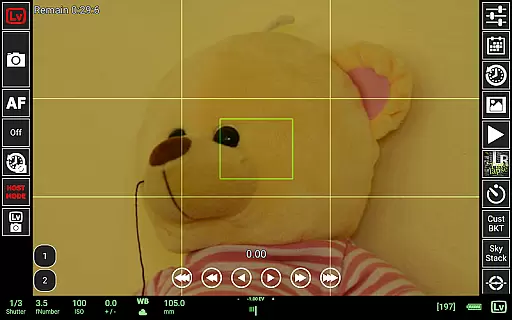
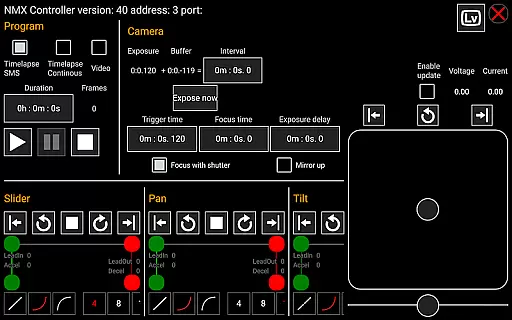
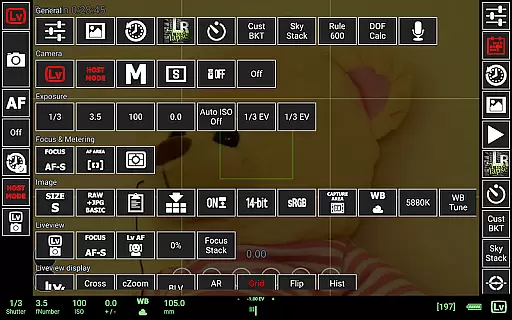
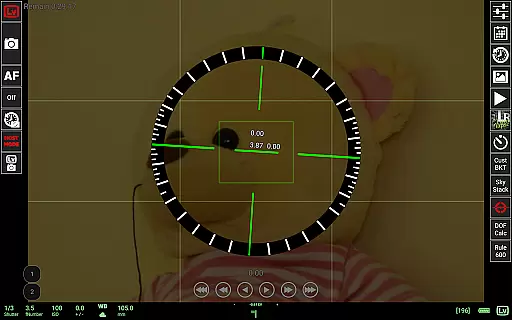
qDslrDashboard is a powerful photography application designed for DSLR and mirrorless camera enthusiasts. This app allows users to control their Nikon, Canon, or Sony cameras remotely using an Android device. With support for USB OTG adapters and wireless connectivity options, it provides seamless integration between your camera and smartphone or tablet.
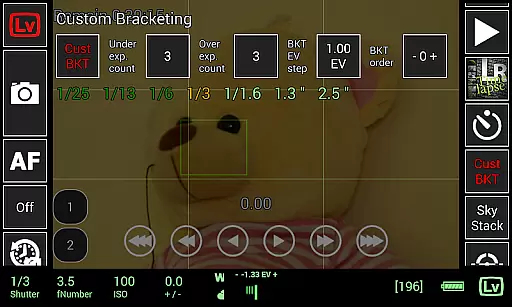
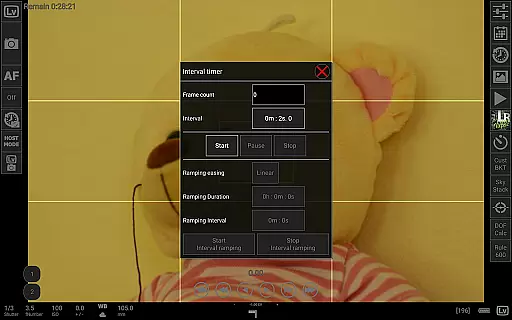
The app offers advanced features such as remote capture, synchronized shooting, live view with histogram analysis, and manual focus adjustments during live view. It also supports time-lapse photography, custom bracketing, and focus stacking, making it ideal for both professional photographers and hobbyists looking to enhance their workflow.
Whether you're capturing images in a studio or outdoors, qDslrDashboard ensures precise control over your camera settings while providing tools like DoF calculator, Rule600 calculator, and sky stacking helper. Its compatibility with portable wireless routers and motion controllers adds versatility to your photography projects.
qDslrDashboard stands out with its extensive feature set tailored for photographers. One of the key highlights is its ability to connect multiple cameras simultaneously, enabling synchronized captures that are perfect for complex shoots. The app supports various connection methods including USB OTG adapters, wireless routers (ddserver), and even WU-1a/1b adapters for PTP/IP communication.
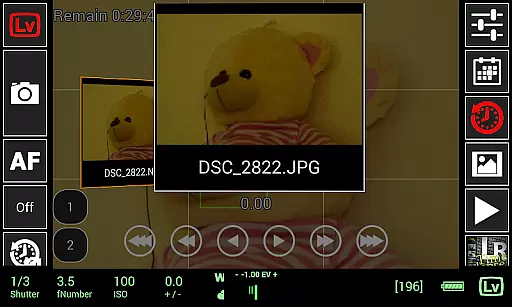
For creative flexibility, qDslrDashboard includes advanced functionalities such as time-lapse modes with customizable control files, sound-initiated capture with spectral display, and movie recording on supported models. Additionally, users can browse, transfer, and preview images directly from their cameras, including RAW files. The live view mode offers real-time monitoring with histogram overlays and manual focus adjustments.
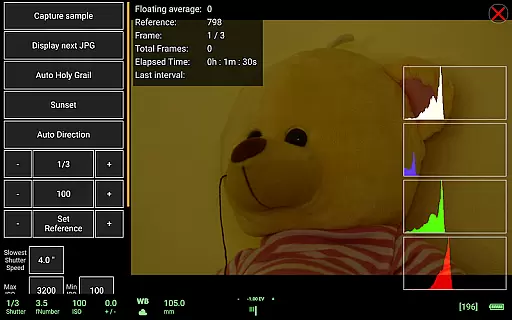
Other notable features include dynamic motion controller support via Bluetooth LE, LRTimelapse integration for holy grail timelapses, and remote control capabilities over a wireless network. These tools empower photographers to execute intricate projects with precision and ease.
Real-time capture and preview functionality is essential for photographers who need to control their cameras remotely while maintaining a live view of the scene. qDslrDashboard excels in this area by providing users with a responsive live view directly on their Android devices.
The application supports live view histogram display, allowing photographers to accurately assess exposure levels in real-time. This feature is particularly useful when shooting in challenging lighting conditions where precise exposure control is critical.
In addition to basic live view capabilities, qDslrDashboard enables manual focus adjustments while in live view mode. This ensures that users can achieve perfect focus without having to physically touch their cameras, which is especially beneficial for macro photography or when using long telephoto lenses.
With support for both DSLR and mirrorless cameras from major brands like Nikon, Canon, and Sony, qDslrDashboard offers a versatile solution for professional and amateur photographers alike who demand reliable real-time capture and preview functionality.
While primarily focused on camera control, qDslrDashboard also provides features that enhance image quality through advanced functionalities rather than traditional AI beauty enhancements. The application's ability to preview images, including both JPG and RAW formats, allows users to make informed decisions about their photography.
The inclusion of a depth of field (DoF) calculator and Rule600 calculator demonstrates the app's commitment to helping photographers achieve natural-looking results without artificial enhancement. These tools enable users to calculate optimal settings for various shooting scenarios, ensuring images maintain their authentic qualities.
qDslrDashboard's focus stacking feature contributes to enhanced image clarity and detail, particularly useful in macro photography. By automating the process of capturing multiple images at different focus points, the application helps create final images with exceptional depth of field, all while maintaining natural aesthetics.
Although not featuring conventional AI-powered beauty enhancements, qDslrDashboard's comprehensive suite of professional-grade tools empowers photographers to produce high-quality, natural-looking images through precise control and advanced camera features.
User-friendly interface
Wide camera compatibility
Advanced time-lapse options
Live view with histogram
Wireless control support
Requires USB OTG adapter
Limited free version
Complex setup process
High learning curve
Device compatibility issues

Remote control of the phone camera from your Wear OS smartwatch
 3.70
3.70
Photo editor: face & body editor, beauty cam, filters and quality enhancer.
4.00
Android Native system HD camera app. Never been so simple and faster.
4.70
Add a dreamy vibe to your selfies and videos with soft style filters
4.3
AI Photo Editor with 100+ Filters, Effects! Remove BG, Retouch & Photo Enhancer.
4.80
AI photo enhancer with Sora 2! Enhance, descratch, and colorize your old photos.
4.50
Astrophotography with your smartphone, photo live stacking and much more!
3.90
Snap photos remotely using your Garmin watch as the camera trigger
4.2
Your Family Calendar + Photos. Manage your Skylight Calendar and Skylight Frame.
4.40
Your personal guide to the sun and moon. Plan ahead, visualize and predict!
4.70
Light-weight Media Gallery app for Android made with Jetpack Compose
4.60
Automatically backup your photos and videos to computer, NAS and Cloud services
4.60
AI photo editor with hair editor, retouch tools, hair color changer & filters!
4.50
RAW video capture with advanced controls
4.40
Turn your phone into a professional camera - full DSLR manual photography
4.30
Create & Edit with AI: AI Remove, Enhance, Retouch, Filter
4.10
Hair color changer, AI haircut app, fun hair editor and buzz cut filter for all!
3.80
Perfect photos with body shaping, BG changer and object remover.
3.70
GCamera allows all GCam features on all phone models! Better photos with GCamera
3.30


User Reviews