
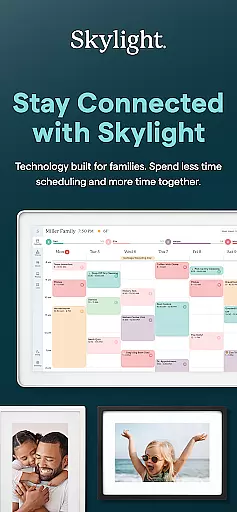
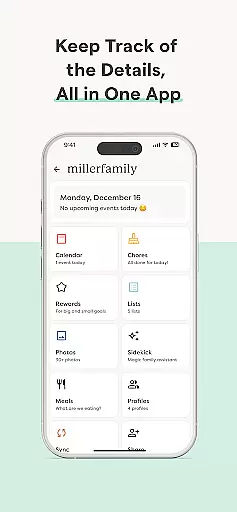
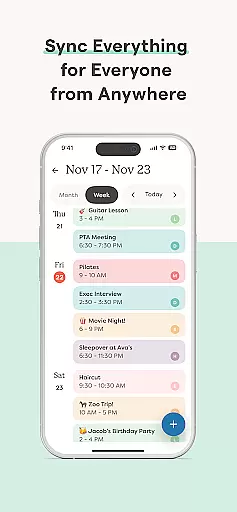
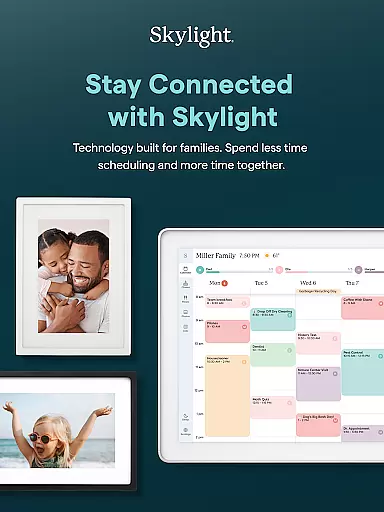

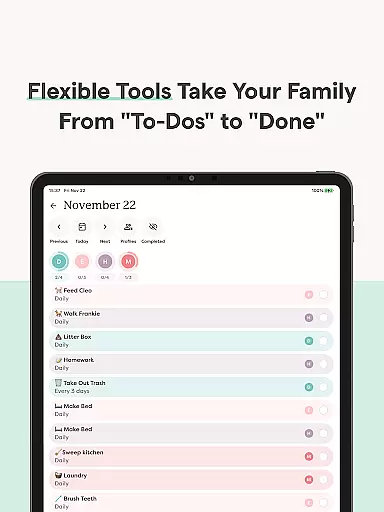
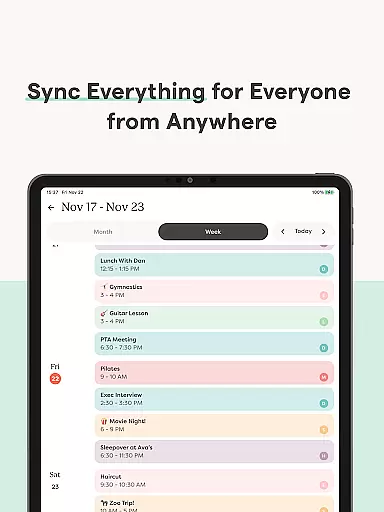
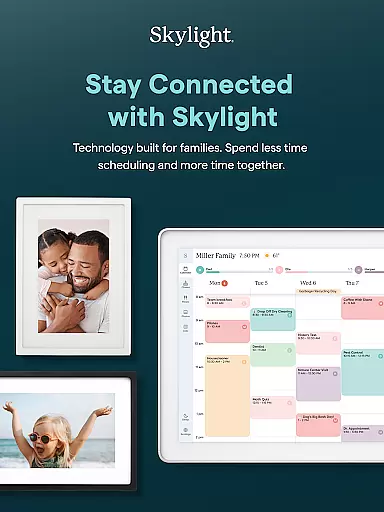

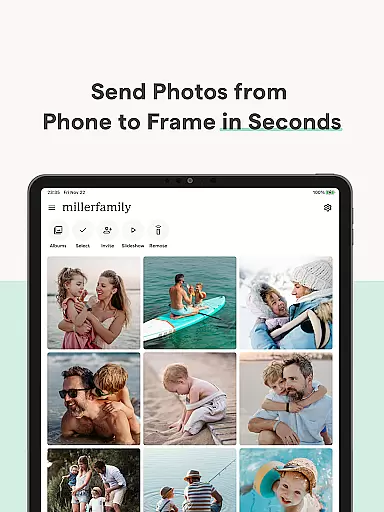
Skylight is a comprehensive family management app designed to centralize your household's essential activities. It combines calendar management, task organization, and media sharing into one intuitive platform. The app serves as the control center for both Skylight Calendar and Skylight Frame devices, enabling families to maintain synchronized schedules and preserve precious memories.
With features ranging from unlimited calendar syncing to customizable photo displays, Skylight creates a connected home experience. Its PLUS tier offers advanced capabilities like task-based rewards systems and automated content imports. Whether you're managing daily chores or curating family moments, Skylight provides practical tools that adapt to your family's needs while fostering better communication and organization.
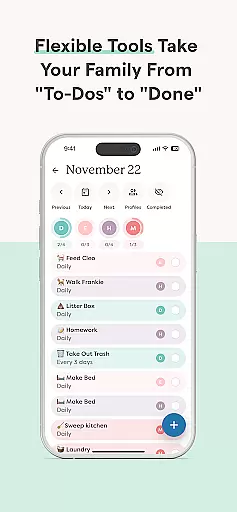
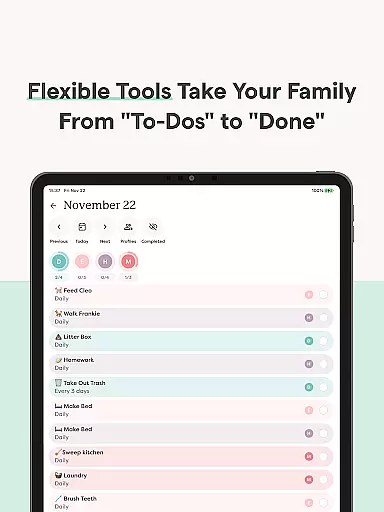
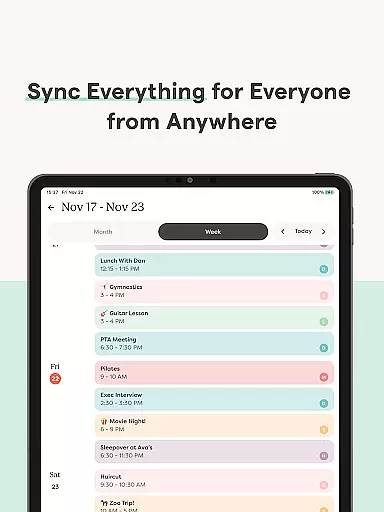
Skylight distinguishes itself through its robust integration of family-oriented features. The app's calendar functionality supports unlimited calendar syncing and allows direct event creation, while its chore management system helps establish consistent household routines. Grocery and to-do lists become collaborative tools that keep all family members informed and engaged.
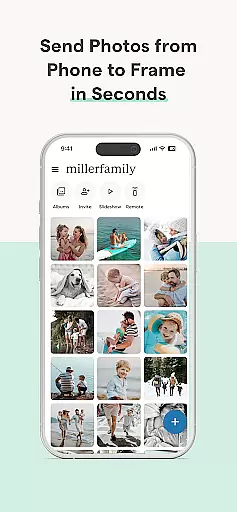
The app's media management capabilities are equally impressive. Users can build extensive digital libraries through unlimited album creation and captioning options. Video uploads and display customization add dynamic elements to family storytelling. Additionally, the recipe book and meal planning features provide practical value beyond traditional photo frame applications, making Skylight a versatile solution for modern families seeking both organization and memory preservation.
Real-time capture and preview functionality is essential for photography applications as it allows users to see exactly what the camera sees before taking a shot. This ensures that the framing, lighting, and composition are all perfect before capturing an image.
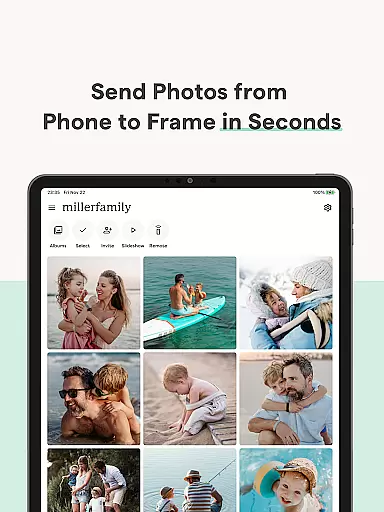
Skylight offers seamless real-time capture and preview features through its Skylight Frame functionality. Users can add photos anytime, anywhere via the app or email, ensuring they never miss a moment. The application's easy setup and connection to WiFi make it simple to start capturing and previewing images instantly.
The benefit of using Skylight's real-time capture and preview feature is the ability to create unlimited albums with captions, upload videos, and customize displays effortlessly. This provides users with a dynamic way to manage their family memories while ensuring high-quality captures every time.
By integrating these capabilities, Skylight enhances user experience by offering precise control over how and when images are captured and displayed, making it an invaluable tool for preserving precious moments.
AI beauty and enhancement features have become increasingly popular in photography apps, allowing users to enhance their photos naturally without making them look overly edited. This balance between enhancement and authenticity is crucial for maintaining the original essence of the image.
Skylight incorporates AI beauty and enhancement naturalness through its PLUS features, such as uploading photos and videos to use as screensavers. These enhancements ensure that family memories are preserved in the best light possible while retaining their genuine feel.
Users benefit from this feature by being able to build a family recipe book, meal plans, and more, all enhanced with AI technology that keeps the content looking natural and appealing. This makes sharing and viewing memories a delightful experience.
Overall, Skylight's AI beauty and enhancement features provide users with the tools needed to elevate their photo quality naturally, ensuring that every captured moment looks its best while staying true to its original form.
User-friendly interface
Comprehensive family tools
Seamless device integration
Flexible subscription options
Robust media management
Premium features locked behind paywall
Limited free-tier functionality
Device-specific compatibility
Subscription cost may add up
Some features require multiple devices

How old age camera Gender Swap App Face Shape Hairstyle App Hair Styler App fun!
 4.00
4.00
Virtual makeup, hair filters & body tuner—edit from face to full body!
4.20
Photo editor: AI filters, photo enhancer, pic collage maker, AI art generator.
4.80
Create Business Headshots, Polaroid Filter, Retake Photos,Profile Pics,AI Photos
4.50
Fit multiple photos on one post. Create carousels & scroll layouts for Instagram
4.50
Use AI Video Generator to turn your words to ai generated videos.
4.50
Unblur, enhance & restore photos with powerful AI photo enhancer tools.
4.60
Remote control the phone camera shutter from your smartwatch and take a picture
1.60
Effortlessly make high-quality GIFs from images & videos without any watermarks.
4.70
Your personal guide to the sun and moon. Plan ahead, visualize and predict!
4.70
Automatically backup your photos and videos to computer, NAS and Cloud services
4.60
Easily create custom gifts, cards, photo books & more on the Shutterfly app!
4.60
Add Watermark - Sign your pictures with a text or logo. Effective, quick, easy!
4.50
Create AI photos & videos with Enhancer; restore, fix, beautify, enhance photos
4.50
Smart, light, and fast photo and video gallery
4.30
All-in-One Editor & AI Photo Enhancer, Beautify & Retouch, Collage, Cartoonify
4.20
AI-powered video creator by MiniMax - Where ideas meet cinema
4.20
live datamoshing
4.00
Astrophotography with your smartphone, photo live stacking and much more!
3.90


User Reviews