


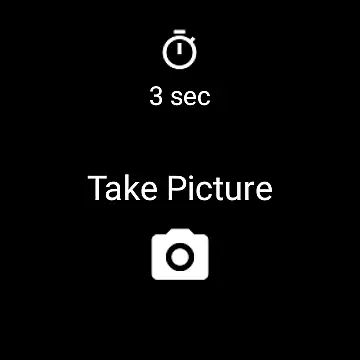
Camera Remote Watch is a smart photography tool that allows users to remotely control their phone's camera shutter directly from a smartwatch. This app eliminates the need to physically touch the phone to capture photos, making it ideal for situations where stability or distance is required. By simply tapping the Camera button on the watch app, users can trigger the phone's camera and save images directly to their phone gallery.
The app also provides a unique feature of displaying a copy of the captured photo on the smartwatch itself, enabling instant review without needing to check the phone. Compatible with both Wear OS and Android devices, Camera Remote Watch ensures seamless integration across platforms. Whether you're taking group photos, selfies, or long-exposure shots, this app enhances convenience while maintaining professional-quality results.
One of the standout features of Camera Remote Watch is its ability to sync seamlessly between your phone and smartwatch. Once connected, users can adjust the camera settings on their phone and then rely on the watch interface to trigger the camera. The app supports various camera modes, ensuring flexibility in capturing different types of photos.
Another notable feature is the instant feedback mechanism. After taking a photo, a copy is sent to the smartwatch, allowing users to quickly verify if the shot meets their expectations. If not, they can retake the photo immediately. Additionally, the app works efficiently with Wear OS devices, expanding its compatibility beyond traditional Android phones. With clear instructions available on the FAQ page, users can troubleshoot common issues and optimize their experience.
For those using unsupported Android devices, the app provides guidance on potential workarounds, though functionality may vary. Overall, Camera Remote Watch offers a reliable solution for hands-free photography, catering to both casual users and photography enthusiasts alike.
Real-time capture and preview functionality is essential for ensuring that users can take photos remotely with confidence. Camera Remote Watch offers this feature by allowing users to control their phone's camera shutter directly from their smartwatch. This means you can set up your phone in a desired position, adjust the camera view using the phone app, and then trigger the camera from your watch without needing to touch the phone.
The app ensures that once the photo is taken, it is stored in the phone's photo gallery, accessible via the Android Gallery app. Simultaneously, a copy of the photo is displayed on the smartwatch, providing immediate feedback on the quality of the captured image. This instant preview allows users to determine if another picture is needed without having to check the phone physically.
For optimal performance, ensure that both the smartwatch and phone are connected before initiating the capture process. Be mindful that downloading the new photo to the watch might take some time due to the deviceu2019s processing speed. If the watch display turns off during this period, a simple tap can reactivate it.
While Camera Remote Watch does not explicitly market itself as an AI beauty and enhancement tool, its ability to provide natural-looking photos through precise remote captures serves a similar purpose. By enabling users to take pictures without physically interacting with the phone, it minimizes the risk of unwanted movements or distortions, leading to more authentic and appealing images.
This application works seamlessly with Wear OS smartwatches, broadening its compatibility and user base. The convenience of taking hands-free photos is particularly beneficial for scenarios where touching the phone might cause instability or when capturing group shots including the photographer.
Users should note that while the app supports many devices, there may be limitations with phones not officially supported by Android. For comprehensive guidance and troubleshooting tips, refer to the provided FAQ section at http://cameraremotewatch.com/faq/. This resource addresses common issues and helps optimize the overall experience with Camera Remote Watch.
User-friendly interface
Instant photo preview
Wide device compatibility
Hands-free operation
Flexible camera control
Slow photo download
Limited unsupported devices
Watch display issues
Dependent on connectivity
No advanced editing tools

Create funny photos and videos with the popular Time Warp Scan filter.
 4.90
4.90
Professional video recording application with manual controls for filmmakers!
2.80
Application for remote controlling DSLR
3.00
Perfect body tune & face app - photo retouch, makeup, slim body & beautify face.
4.80
A reflected light meter with spot metering and incident light metering.
4.40
GCamera allows all GCam features on all phone models! Better photos with GCamera
3.30
See your baby AI baby face generator AI baby maker Face generator babymaker fun!
4.70
Easily view, share, delete photos with Gallery.
4.70
PhotoSync Bundle Add-On License. Enables all features and services in PhotoSync.
4.60
Photo prints, cards, & gifts at Walgreens. Easy ordering & fast local pickup !
4.80
A collection of tools and reference tables for DPs, ACs, DITs and Operators.
4.70
The original Rarevision VHS look seen everywhere!
4.70
Viewfinder, Light meter, Reciprocity failure time, DOF & Bellows Extension
4.60
Movie camera, supports pro recording settings for filming. Try it and be amazed!
4.50
Catch sunlight, sunrise sunset times and sun phases with the AR sun tracker.
4.10
Perfect photos with body shaping, BG changer and object remover.
3.70
An interval timer to automate photo taking process for timelapse
2.90
Photo Album Watch Face shows your favorite pictures as a Watchface.
1.90
HD Photo gallery and photo manager to edit, hide private photos, videos & albums
4.2


User Reviews