
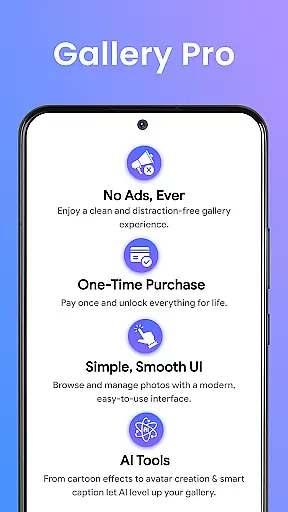
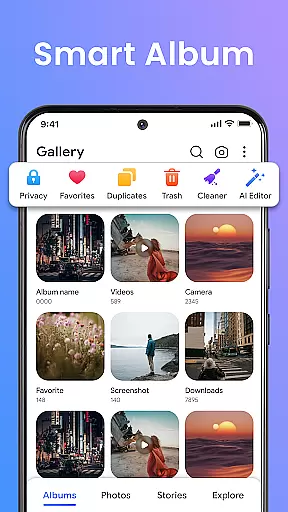
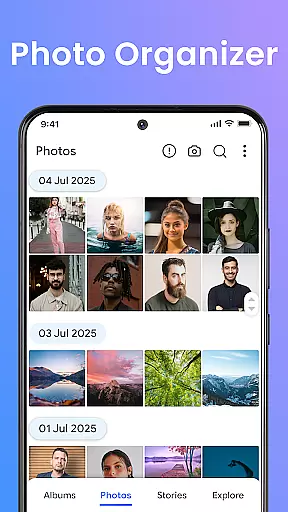
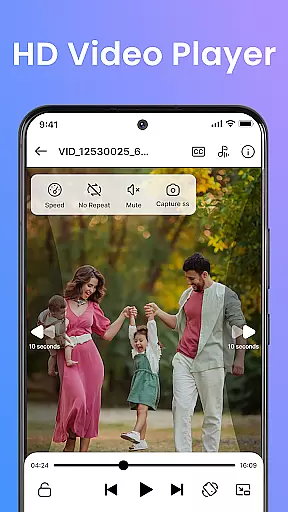
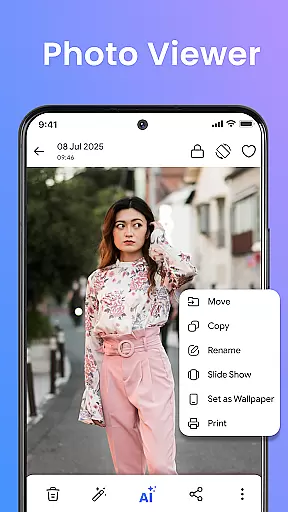
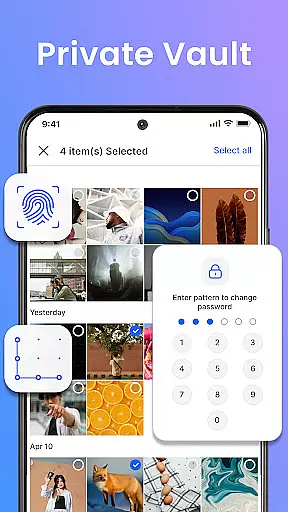

Gallery Pro is a comprehensive HD photo gallery app designed to help users organize, manage, and secure their photos, videos, and albums. With its clean and intuitive interface, the app offers effortless media management through features like a gallery vault, intelligent photo organizer, and seamless slideshow creator. Whether you need to sort your media files, enhance images with editing tools, or protect private content in an encrypted vault, Gallery Pro provides all the necessary tools in one place.
The app's standout feature is its focus on security and privacy. Using advanced encryption methods, Gallery Pro ensures that sensitive media remains protected from unauthorized access. Additionally, the AI-powered tools allow users to create avatars, enhance photos, and perform smart cleanup tasks. Compatible with Android devices, this app is perfect for photo enthusiasts, privacy-conscious users, and anyone looking to keep their digital memories organized and secure.
Gallery Pro stands out with its robust set of features tailored for both casual and power users. The app includes a built-in photo editor that supports essential functions like cropping, rotating, and advanced AI-driven enhancements such as object removal and background blur. These tools ensure that users can easily improve their photos without needing additional software.
Another key feature is the Smart Photo Organizer, which allows users to create albums, add tags, and utilize advanced search capabilities to quickly locate specific memories. The Story Memories function helps users relive past events by showing what happened on a particular day in previous years. Additionally, the HD Slideshow Creator transforms selected photos into stylish presentations, perfect for sharing with friends and family. All these features are wrapped in a clean, fast interface that prioritizes user experience and efficiency.
Real-time capture and preview functionality is essential for any photography app as it allows users to see exactly what they are capturing before taking the shot. Gallery Pro offers a seamless experience with its intuitive interface, ensuring that every photo taken is up to the user's expectations.
The app leverages advanced technology to provide an accurate representation of the scene through its HD viewer. This feature enables users to adjust settings such as exposure, focus, and white balance in real time, which is crucial for getting the perfect shot without needing to retake photos.
For users who prioritize quality and precision in their photography, this immediate feedback loop enhances the creative process. It empowers photographers to experiment with different angles and compositions while being confident that the final image will match their vision.
Ultimately, Gallery Pro's real-time capture and preview capabilities ensure that users can trust the app to deliver high-quality images consistently. This reliability not only saves time but also elevates the overall photography experience by allowing creators to concentrate on their art rather than technical adjustments.
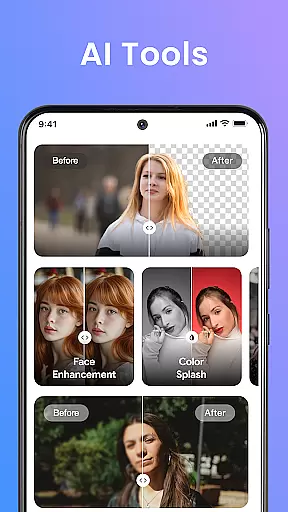
AI beauty and enhancement features have become a staple in modern photo editing apps, offering users the ability to refine and perfect their images with minimal effort. Gallery Pro stands out by providing enhancements that maintain a natural look, preserving the authenticity of each photograph.
The app employs sophisticated AI algorithms to intelligently enhance facial features, skin tones, and other elements within a photo. By doing so, it avoids the over-processed appearance that can occur with less advanced tools, ensuring that edits are subtle yet effective.
Users benefit from this approach as it allows them to highlight their best features without sacrificing the genuine essence of their photos. Whether it's smoothing out imperfections or adding a touch of vibrancy, Gallery Pro's enhancements are designed to complement the original image rather than overpower it.
This commitment to natural-looking enhancements not only boosts user confidence in sharing their edited photos but also sets Gallery Pro apart as a tool that respects the integrity of personal memories captured through photography.
User-friendly interface
Advanced security features
AI-powered editing tools
Efficient media organization
HD slideshow creation
Requires storage permission
Limited cross-platform support
Premium features may require payment
Occasional performance lags
Complex setup for beginners

Long exposure camera with computational photography
 2.60
2.60
Create collages easily! Nice pic collage maker & background eraser for Instagram
4.50
Turn your phone into a professional camera - full DSLR manual photography
4.30
HD Camera Pro with HD Video shooting, Panorama, Photo editor , Beauty Camera.
4.50
The original Rarevision VHS look seen everywhere!
4.70
Enhance, upscale, and transform your images — on your device, without limits
4.70
Remote control the phone camera shutter from your smartwatch and take a picture
1.60
A unique animation app. Powerful, easy to use, and lots of fun.
4.30
Edit photos with the picture generator: PS2 & AI Clay filters, cartoon effects.
4.50
See your baby AI baby face generator AI baby maker Face generator babymaker fun!
4.70
Movie camera, supports pro recording settings for filming. Try it and be amazed!
4.50
Safe & smart flight with Go Fly drone controller for 40+ drone camera, zone map
4.50
[3DSteroid Pro] is a stereoscopic application for Android.
4.30
A light meter for true photographers.
4.20
What celebrity do you look like? Celebs will find your celebrity match!
4.10
The #1 app for B&W film developing featuring an advanced darkroom timer.
4.10
Gallery Slideshow is slideshow maker app for slideshow from your gallery photos.
3.90
Perfect photos with body shaping, BG changer and object remover.
3.70
GCamera allows all GCam features on all phone models! Better photos with GCamera
3.30


User Reviews