
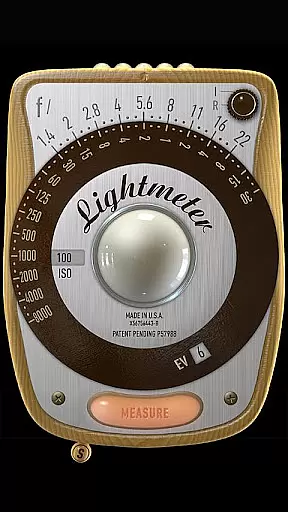
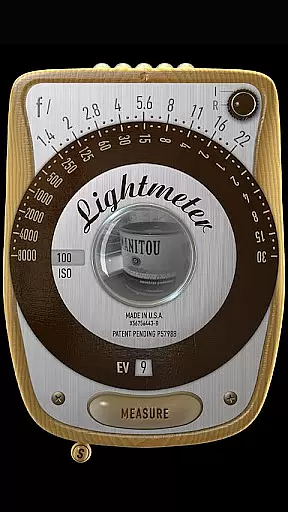
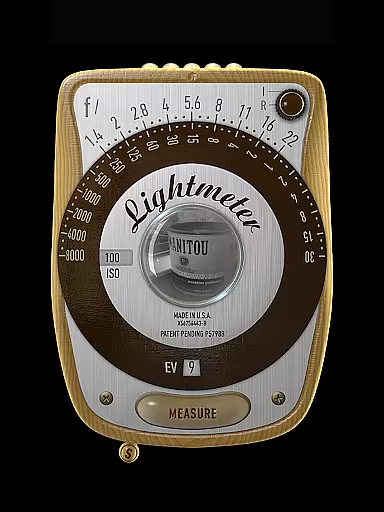
LightMeter is a specialized photography app designed for analog photographers who appreciate the art of old-school photography. This app transforms your mobile device into a reflective and incident light meter, aiding in achieving optimal exposure settings. Compatible with devices that support saving exposure data to EXIF, it offers features like ISO range adjustment from 3 to 6400, low light alerts, and calibration options.
The app's unique selling point is its ability to provide accurate reflected light readings, which can be exceptionally precise on compatible devices. It also supports various functionalities such as vibration feedback, spot measurement for cameras with zoom, and state recall upon resuming. LightMeter caters to both amateur and advanced photographers seeking an affordable yet effective tool for enhancing their analog photography experience.
LightMeter stands out with its comprehensive set of features tailored for analog photography enthusiasts. The app includes both incident and reflected light metering capabilities, catering to different shooting scenarios and device compatibilities. Incident light metering requires a light sensor, while reflected light metering works best with specific cameras capable of saving exposure data to EXIF.
Additional functionalities enhance user experience, such as low light alerts, optional muting of the camera (where supported), and detailed EXIF and sensor information displayed on-screen. Calibration options ensure precision, while features like vibration feedback on measure/hold and incident light reading hold improve usability. With alternative ISO selectors, state and ISO recall on resume, and compatibility across all screen resolutions, including extra high resolution, LightMeter provides a versatile and reliable tool for photographers.
Real-time capture and preview functionality is essential for photographers who need accurate exposure readings. LightMeter offers this feature to ensure that users can measure light conditions instantly as they take photos.
This app provides both incident and reflected light metering options, catering to different photography styles and needs. The reflected light meter works best with devices capable of saving exposure data to EXIF, offering reliable measurements when used correctly.
For those relying on incident light metering, the app utilizes the device's light sensor to deliver readings. While the precision may vary depending on the device, features like low light alerts and vibration feedback enhance usability and reliability during shoots.
While LightMeter does not focus on AI beauty enhancements, it emphasizes delivering natural and authentic light readings. This approach ensures that photographers receive genuine exposure data without artificial alterations.
The app includes calibration features and various ISO settings ranging from 3 to 6400, allowing users to fine-tune their light readings according to specific shooting environments. These adjustments contribute to more accurate and natural-looking photographs.
Additional functionalities such as muting the camera sound, holding incident light readings, and alternative ISO selectors provide flexibility and control over the photography process. Such features help maintain the authenticity of each shot while adapting to different lighting scenarios.
User-friendly interface
Wide ISO range
Precise reflected light readings
Vibration feedback feature
Compatibility with high-res screens
Limited device compatibility
Incident light needs sensor
Reflected light needs camera
Muting not available globally
Accuracy depends on device

1M influencer's special filter
 4.60
4.60
Create funny photos and videos with the popular Time Warp Scan filter.
4.90
Professional video recording application with manual controls for filmmakers!
2.80
Photo editor: AI filters, photo enhancer, pic collage maker, AI art generator.
4.80
Create Business Headshots, Polaroid Filter, Retake Photos,Profile Pics,AI Photos
4.50
Gallery Slideshow is slideshow maker app for slideshow from your gallery photos.
3.90
Collage your moments in one tap: 1000+ layouts, filters, stickers, and texts.
4.90
Easily view, share, delete photos with Gallery.
4.70
The original Rarevision VHS look seen everywhere!
4.70
Gallery show photo, video, slideshow, is perfect 3D effect private photo albums.
4.80
Take videos and pictures with the popular TikTok TIME WARP SCAN filter.
4.60
Transform photos into videos! Create realistic or anime-style images easily!
4.50
Effortlessly organize, view and share your photos & videos with Gallery app!
4.40
Transform Photos: Edit, Beautify and Craft Memories & Make Collages!
4.10
Photobooth mini FULL app will allow you to add more fun to your parties
4.00
Hair color changer, AI haircut app, fun hair editor and buzz cut filter for all!
3.80
Pet Camera
3.70
Long exposure camera with computational photography
2.60
Over 800 film simulation recipes for Fujifilm. Black Friday Offer!
4.3


User Reviews