
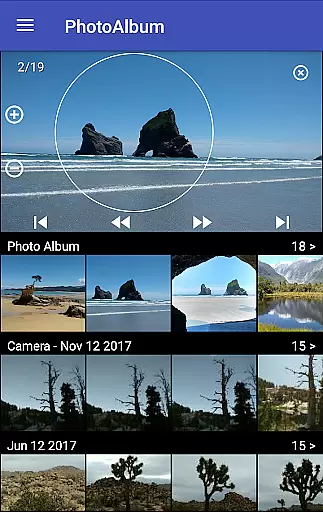
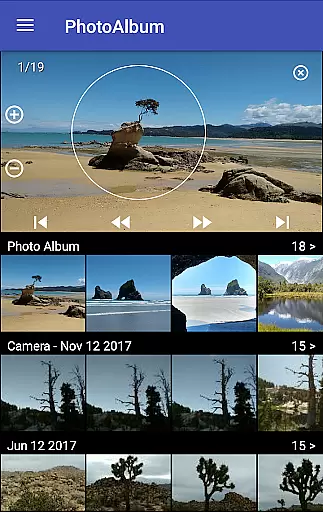
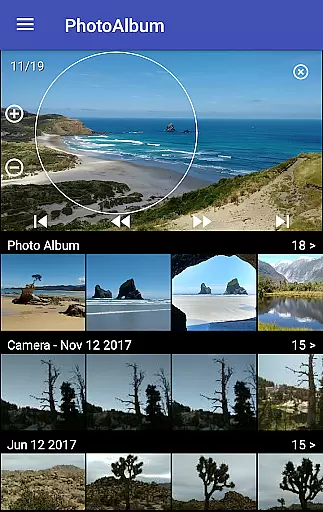
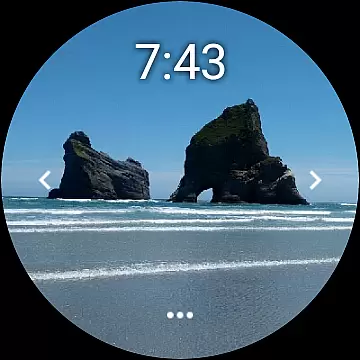
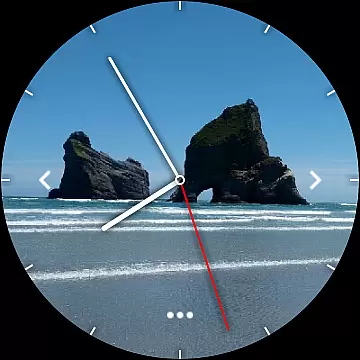
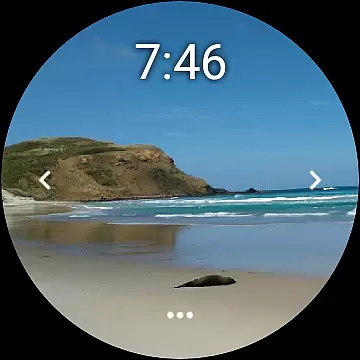
Photo Album Watch Face is a unique photography app that allows users to personalize their smartwatch faces with favorite pictures from their phone. This app bridges mobile and wearable technology, enabling seamless synchronization of photo albums directly to your watch face.
The core functionality includes automatic picture cycling on the smartwatch or manual navigation through taps. It supports Wear OS devices and works independently of the phone after initial setup. Whether for personal memories or creative displays, this app offers both aesthetic and functional value by turning your smartwatch into a dynamic photo album.
This app stands out with its innovative approach to watch customization. Users can select specific images from their phone's gallery and sync them effortlessly to their smartwatch. The Photo Album Watch Face cycles through these images automatically, creating a slideshow effect right on your wrist.
Additional features include intuitive controls such as left/right tapping to navigate between photos manually. A dedicated 'Download' button ensures easy updates of new images from the paired phone app. Notably, once set up, the smartwatch can function independently without constant connection to the phone, making it convenient for everyday use.
Real-time capture and preview functionality is essential for ensuring that users can see exactly what their smartwatch face will look like before finalizing their selection. This feature allows users to make instant adjustments, optimizing the visual appeal of their chosen images.
Photo Album Watch Face offers a seamless experience by enabling users to select their favorite pictures directly from their phone. These images are then displayed on the smartwatch, providing an immediate preview of how they will appear as part of the watch face photo album.
The ability to instantly view and modify selections ensures that users achieve the desired aesthetic without delay. This real-time interaction enhances user satisfaction by allowing quick customization and personalization of their smartwatch display.
By integrating this feature, Photo Album Watch Face not only improves usability but also empowers users to maintain a fresh and engaging watch face that reflects their personal style and mood.
AI beauty and enhancement features focus on improving image quality while maintaining a natural appearance. This balance is crucial for delivering visually appealing yet authentic results that enhance user experience without compromising the original essence of the photos.
With Photo Album Watch Face, advanced algorithms work behind the scenes to optimize each picture's clarity and vibrancy. The app ensures that every image displayed on your smartwatch retains its natural look, avoiding over-processing that could distort the original photo.
This approach not only preserves the integrity of personal memories but also enhances the overall attractiveness of the watch face. Users benefit from enhanced visuals that remain true to life, offering a sophisticated blend of technology and personal touch.
Ultimately, the AI-driven enhancements provided by Photo Album Watch Face deliver a polished yet genuine presentation, making daily interactions with the smartwatch both enjoyable and meaningful.
User-friendly interface
Seamless device integration
Automatic image cycling
Supports Wear OS
Offline usability
Requires separate phone app
Limited customization options
Initial setup can be complex
Phone connection needed for updates
Potential battery drain

Effortlessly organize, view and share your photos & videos with Gallery app!
 4.40
4.40
How would you look like with a differently shaped nose, chin or lips?
3.90
Find time and duration of different sunlight phases at any location
4.90
How old age camera Gender Swap App Face Shape Hairstyle App Hair Styler App fun!
4.00
Photo editor: AI filters, photo enhancer, pic collage maker, AI art generator.
4.80
Movie camera, supports pro recording settings for filming. Try it and be amazed!
4.50
Create amazing frames with up to five photos. Rounded corners, effects and more!
3.60
Professional quality photo edits with the new Snapseed.
4.00
Transform Photos: Edit, Beautify and Craft Memories & Make Collages!
4.10
Photo prints, cards, & gifts at Walgreens. Easy ordering & fast local pickup !
4.80
Easily view, share, delete photos with Gallery.
4.70
Viewfinder, Light meter, Reciprocity failure time, DOF & Bellows Extension
4.60
Create Business Headshots, Polaroid Filter, Retake Photos,Profile Pics,AI Photos
4.50
A reflected light meter with spot metering and incident light metering.
4.40
AI portrait generator and polaroid AI selfie, fun AI generated AI photo creator!
4.30
Turn your phone into a professional camera - full DSLR manual photography
4.30
Create AI Photos, Improve and restore quality of blurry, old or damaged pics.
4.20
Professional photography on your mobile phone
4.20
Over 800 film simulation recipes for Fujifilm. Black Friday Offer!
4.2


User Reviews