
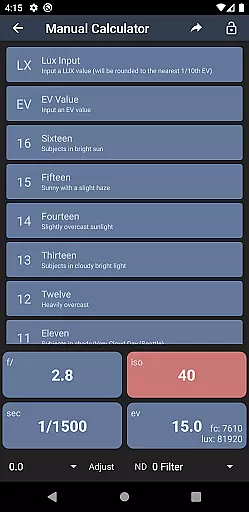
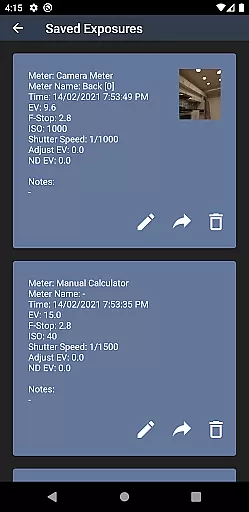
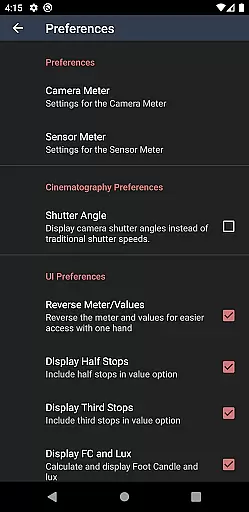
Light Meter is a comprehensive photography tool that combines both spot and incident light metering in one app. Designed for photographers of all levels, it provides accurate light readings using the device's camera and light sensor. The app has been rigorously tested against professional Gossen and Sekonic meters, ensuring reliable performance on most devices.
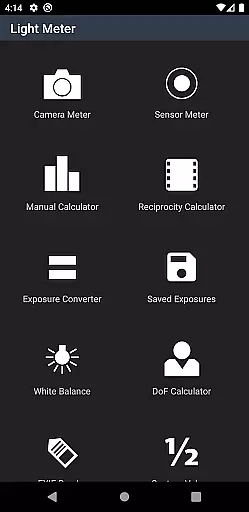
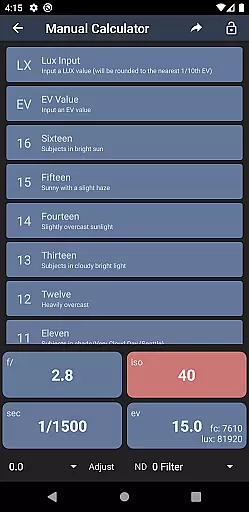
In addition to its core light metering capabilities, Light Meter offers a suite of advanced features including Color Temperature (White Balance) meter, Reciprocity Calculator, Exposure Convert, Manual (Sunny Sixteen) calculator, Depth of Field calculator, and an EXIF Reader. These tools make it suitable for use with any type of camera, from film SLRs to pinhole cameras and even cinematographic equipment.
Whether you're a professional photographer or an amateur enthusiast, Light Meter provides the essential tools needed to achieve perfect exposure and enhance your photography workflow.
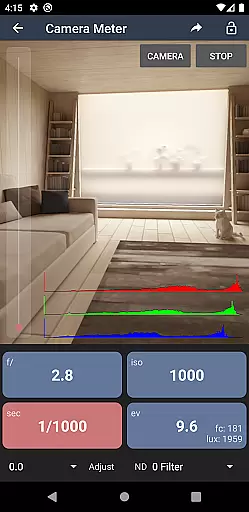
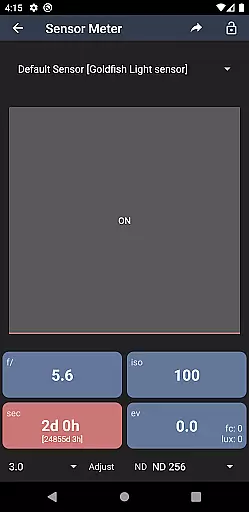
Light Meter stands out with its dual functionality, offering both reflected light metering through the device's camera and incident light metering via the built-in light sensor. This dual approach ensures precise light measurements across various shooting conditions, making it a versatile tool for different types of photography.
The app also includes several specialized calculators and tools such as a Reciprocity Calculator, Exposure Convert, Manual (Sunny Sixteen) calculator, and a Depth of Field calculator. These features allow users to fine-tune their camera settings and achieve optimal results. Additionally, the integrated EXIF Reader enables users to extract detailed information from their images, providing valuable insights into their photography techniques.
With its Color Temperature (White Balance) meter, Light Meter helps photographers accurately adjust white balance settings, ensuring natural-looking colors in their photos. The app's compatibility with a wide range of cameras, from film SLRs to modern digital models, makes it an indispensable companion for photographers seeking precision and flexibility in their work.
Real-time capture and preview functionality is essential for photographers who need to make quick and accurate decisions on the go. Light Meter offers this feature by utilizing the device's camera for spot metering, ensuring that users can measure reflected light with precision.
This app stands out by providing reliable exposure readings in real time, which are tested to be accurate against professional-grade meters like Gossen and Sekonic. This means that whether you're shooting with a film SLR or working on cinematographic projects, you can trust the readings provided by this application.
The ability to get instant feedback on lighting conditions allows photographers to adjust their settings without delay, thus capturing the perfect shot every time. With Light Meter, the assurance of accuracy in different shooting scenarios significantly enhances the photographer's workflow.
While primarily a tool for measuring light, Light Meter also contributes to photo enhancement by ensuring proper exposure, which is foundational for any post-processing enhancements. The appu2019s accurate incident light meter uses the device's sensor to provide data that helps in achieving balanced and natural-looking images.
In addition to its primary functions, the app includes several calculators and tools such as Reciprocity Calculator and Depth of Field calculator that assist in refining image quality. These features collectively help in producing aesthetically pleasing photographs without over-processing.
By focusing on delivering precise measurements and useful photographic aids, Light Meter ensures that enhancements are based on solid technical foundations rather than artificial tweaks alone. This approach supports a more authentic photography style where AI beauty enhancements align closely with natural aesthetics.
Accurate light readings
Comprehensive toolset
User-friendly interface
Wide camera compatibility
Professional-grade features
Premium version required
Limited free features
Device compatibility issues
No video tutorials
Occasional bugs

Effortlessly organize, view and share your photos & videos with Gallery app!
 4.40
4.40
Gallery show photo, video, slideshow, is perfect 3D effect private photo albums.
4.80
Shooting photos and records video easily and efficient with professional Camera
4.30
Create funny photos and videos with the popular Time Warp Scan filter.
4.90
Raw Image Viewer. Gallery with support of raw images (.cr3, .cr2, .nef, .raf).
2.00
Future baby face generator: AI kids generator, kid face! What my baby look like?
4.40
Fit multiple photos on one post. Create carousels & scroll layouts for Instagram
4.50
Catch sunlight, sunrise sunset times and sun phases with the AR sun tracker.
4.10
The original Rarevision VHS look seen everywhere!
4.70
Pro version: AR sun/moon tracker for any date. Tool for photographers & planners
4.90
Collage your moments in one tap: 1000+ layouts, filters, stickers, and texts.
4.90
Cut and paste photo editor & eraser to customize photos easy and swap faces fun
4.50
AI portrait generator and polaroid AI selfie, fun AI generated AI photo creator!
4.30
A light meter for true photographers.
4.20
Photo editor: face & body editor, beauty cam, filters and quality enhancer.
4.00
Photobooth mini FULL app will allow you to add more fun to your parties
4.00
How old age camera Gender Swap App Face Shape Hairstyle App Hair Styler App fun!
4.00
Perfect photos with body shaping, BG changer and object remover.
3.70
Create amazing frames with up to five photos. Rounded corners, effects and more!
3.60


User Reviews