
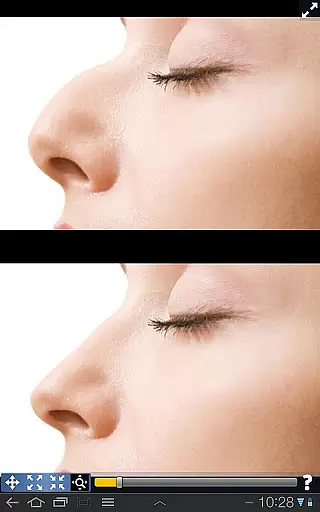
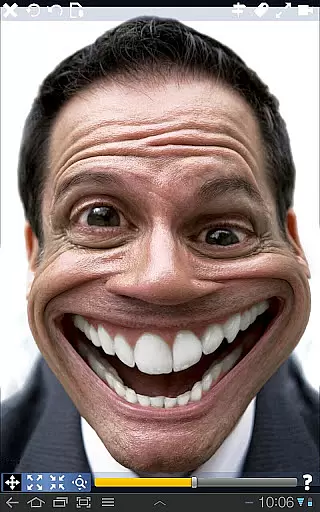
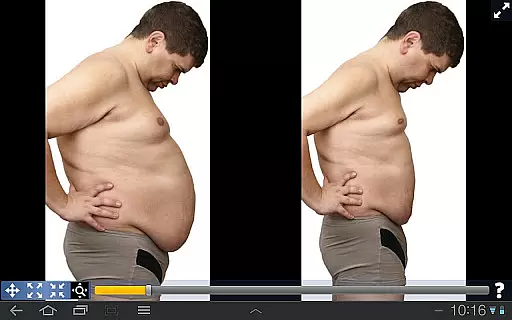
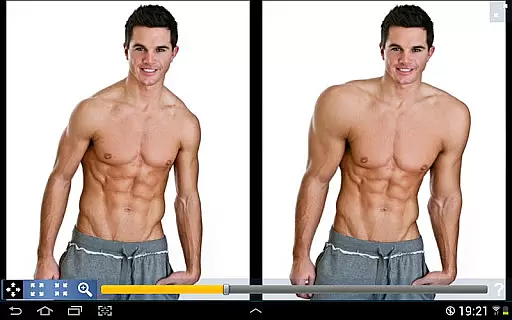
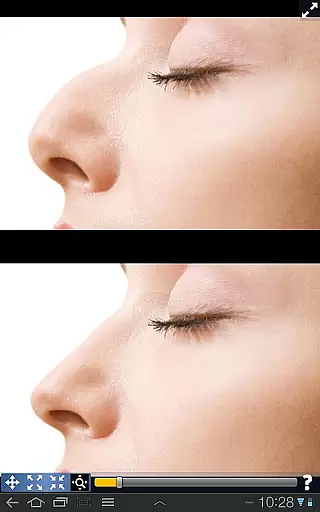
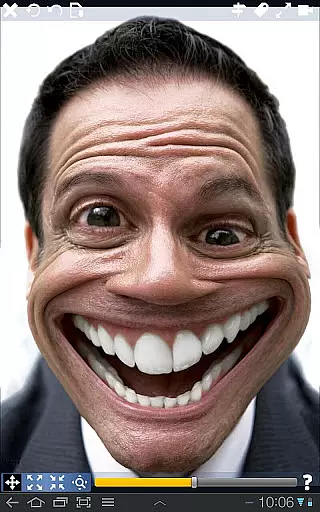
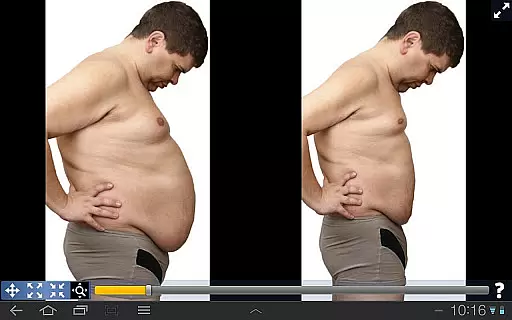
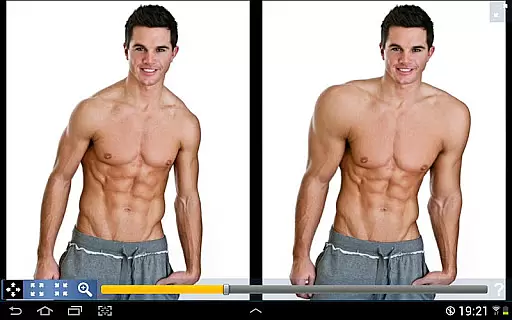
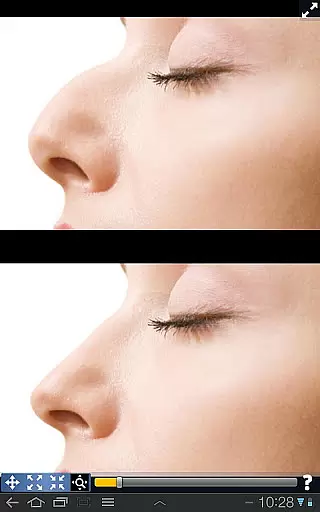
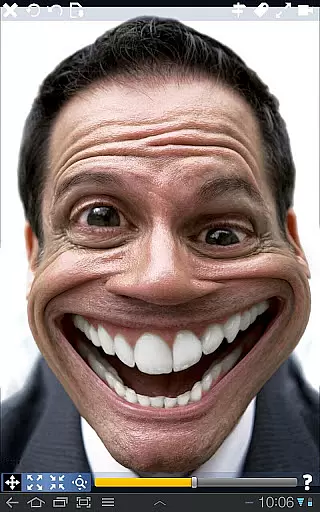
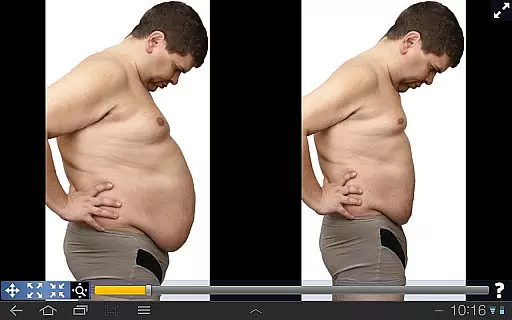
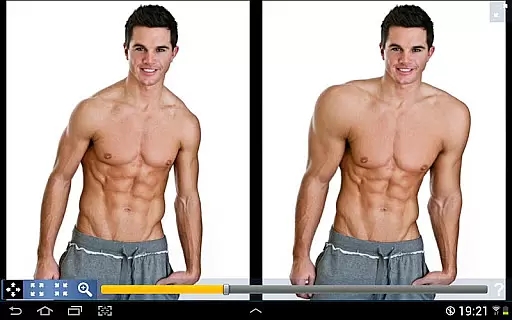
Plastic Surgery Simulator is a dynamic photo editing application designed for creative image manipulation. This app allows users to simulate physical transformations by distorting specific body parts, such as reshaping the nose, chin, or lips, or enhancing muscle definition. Its intuitive drag-and-drop interface makes it easy to shrink, grow, or reshape areas of an image with precision.
A standout feature of this app is its dual display mode, which mirrors the image on one half of the screen when the device is rotated. This functionality ensures that users can modify images without their fingers obstructing the view, making it especially useful for smaller touch devices like smartphones. Whether you're looking to enhance your social media presence or simply experiment with fun edits, Plastic Surgery Simulator offers both practical and entertainment value.
Plastic Surgery Simulator boasts several innovative features that set it apart from other photo editing tools. At its core is a powerful distortion algorithm that ensures smooth and realistic transformations, avoiding pixelation or unnatural effects. This technology enables users to achieve high-quality results even when making significant changes to an image.
Another key feature is the dual display mode, which enhances usability by cloning the image onto the opposite side of the screen during rotation. This design minimizes the inconvenience of finger obstruction, allowing for more accurate adjustments. Additionally, the app supports a wide range of customizable options, empowering users to experiment freely with various aesthetic modifications. These capabilities make Plastic Surgery Simulator a versatile tool for both casual entertainment and professional-grade edits.
Real-time capture and preview functionality is essential for photography apps as it allows users to see the effects of their edits instantly. This feature ensures that users can make precise adjustments without delay.
Plastic Surgery Simulator excels in this area by providing a dual display mode. When you rotate your device, the image is cloned into the other half of the screen. This innovative approach lets you modify your image without your finger obstructing the view, which is particularly beneficial on small touch devices like phones.
The app's powerful photo distortion algorithm further enhances the real-time experience. It produces smooth transformations, ensuring that any changes you make to body parts are seamlessly integrated into the overall image. This immediate feedback helps users achieve their desired results more efficiently.
With these capabilities, Plastic Surgery Simulator offers an engaging and interactive user experience. Whether simulating body transformations or enhancing social media photos, users can enjoy a dynamic and responsive editing process.
AI beauty and enhancement features have become a cornerstone of modern photography apps, focusing on improving images naturally. These tools help users enhance their appearance while maintaining authenticity.
Plastic Surgery Simulator stands out with its advanced photo distortion algorithm. This technology ensures that any modifications to facial features such as the nose, chin, or lips appear smooth and realistic. The result is a natural look that avoids the artificiality often associated with digital enhancements.
In addition to reshaping features, the app allows users to experiment with different looks. By dragging, growing, or shrinking specific areas, users can simulate various transformations. This flexibility empowers users to explore different aesthetics confidently.
Ultimately, Plastic Surgery Simulator combines powerful AI capabilities with user-friendly controls. This blend ensures that users can achieve enhanced yet natural-looking results, making it a valuable tool for both fun and serious photo editing projects.
User-friendly interface
Realistic distortion effects
Dual display convenience
Versatile editing options
Ideal for social media content
Limited advanced tools
No batch processing
Occasional lag
Few tutorials available
Premium features locked behind paywall

AI portrait generator and polaroid AI selfie, fun AI generated AI photo creator!
 4.30
4.30
Add Watermark - Sign your pictures with a text or logo. Effective, quick, easy!
4.50
How old age camera Gender Swap App Face Shape Hairstyle App Hair Styler App fun!
4.00
Perfect body tune & face app - photo retouch, makeup, slim body & beautify face.
4.80
USB Storage Access for Photos, Videos, Music and Documents
3.80
Use AI Video Generator to turn your words to ai generated videos.
4.50
Your personal guide to the sun and moon. Plan ahead, visualize and predict!
4.70
Solocator stamps photos you take with GPS location, Compass Direction, Date/Time
3.80
Photo & Video Gallery app to manage albums and save WA Status easily.
4.70
Gallery show photo, video, slideshow, is perfect 3D effect private photo albums.
4.80
Photo prints, cards, & gifts at Walgreens. Easy ordering & fast local pickup !
4.80
AI Photo Editor with 100+ Filters, Effects! Remove BG, Retouch & Photo Enhancer.
4.80
Discover & download millions of art for The Frame TV or Hisense CanvasTV
4.60
HD Camera Pro with HD Video shooting, Panorama, Photo editor , Beauty Camera.
4.50
Create AI photos & videos with Enhancer; restore, fix, beautify, enhance photos
4.50
Easily stitch panoramas from multiple photos or video.
4.40
RAW video capture with advanced controls
4.40
Photobooth mini FULL app will allow you to add more fun to your parties
4.00
Long exposure camera with computational photography
2.60


User Reviews