

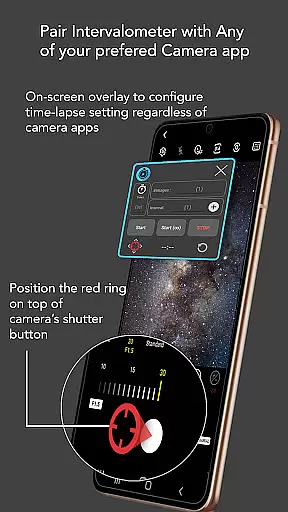
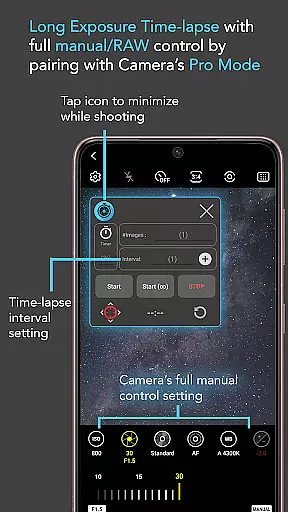
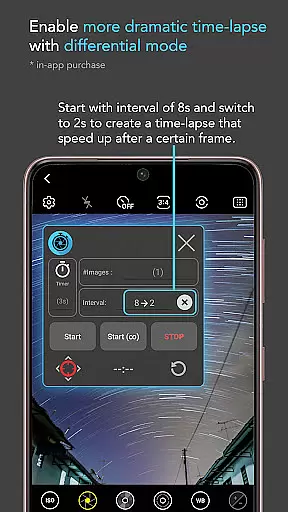
Intervalometer for TimeLapse is a powerful photography tool designed to automate the process of capturing time-lapse sequences. This app allows photographers to configure specific time intervals between shots, enabling precise control over exposure settings and camera modes that are not typically available in standard smartphone time-lapse features.
The application works seamlessly with any camera app on Android 7 and above, utilizing AccessibilityService API to trigger the shutter automatically. It supports various advanced shooting techniques such as low light, long exposure, HDR, and even ultra-wide angle time-lapses. Additionally, it can be paired with dedicated camera remote apps from brands like Canon, Sony, and Nikon, making it versatile for both mobile devices and professional-grade cameras.
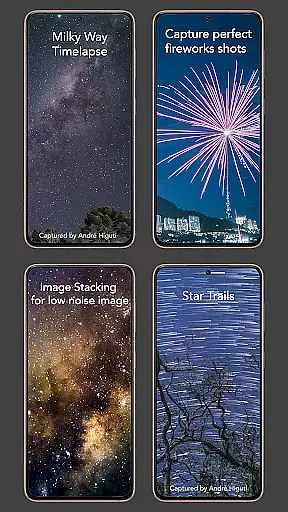
Whether you're aiming to capture star trails, milky way scenes, or holy grail transitions from day to night, Intervalometer provides the flexibility needed to execute complex time-lapse projects with ease.
Intervalometer offers an extensive set of features tailored for both amateur and professional photographers. One of its standout capabilities is the full control it provides over time-lapse configurations, including delay timers, interval times, and the number of shots. This level of customization ensures that users can fine-tune their time-lapse sequences to match their creative vision.
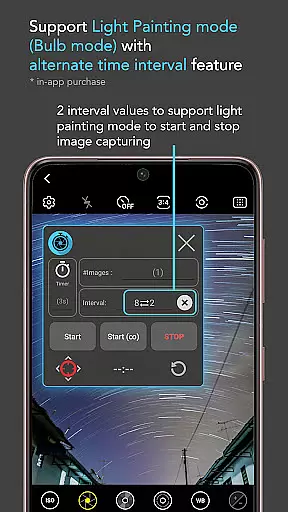
In addition to customizable settings, the app includes infinite mode and bulb mode options, which are essential for extended exposures and continuous shooting scenarios. The ability to work with any camera app means that users aren't limited by the default camera software on their smartphones; they can choose the best app for their needs and still benefit from Intervalometer's automation features.
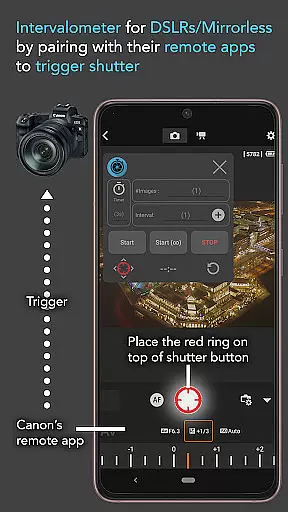
For those working with dedicated cameras, Intervalometer acts as a virtual remote, triggering the shutter button within the camera's own remote app. This functionality extends the app's utility beyond smartphones, making it a valuable tool for DSLR and mirrorless camera users as well.
Intervalometer for TimeLapse offers a unique real-time capture system that automates the photo-taking process with precision. This app allows users to configure time intervals and shutter triggers, enabling seamless time-lapse photography.
The app's integration with AccessibilityService API ensures reliable performance across various camera apps on Android 7 and above. Users can leverage advanced camera modes such as HDR, night mode, and manual settings while capturing time-lapse sequences.
With its ability to work alongside dedicated camera remote apps from brands like Canon and Sony, Intervalometer acts as a powerful tool for both smartphone and professional-grade cameras. This flexibility empowers photographers to explore creative possibilities in low-light, long exposure, and astrophotography scenarios.
While Intervalometer for TimeLapse focuses primarily on automation and control, it indirectly enhances image quality by enabling precise capture settings. The app supports configurations that contribute to natural-looking enhancements in post-processing.
By allowing full control over time-lapse parameters such as delay timers, interval times, and number of shots, the app helps photographers achieve consistent exposure and composition. These features are crucial for creating smooth transitions in time-lapse videos and maintaining natural aesthetics.
Additionally, the app facilitates capturing frames for advanced techniques like image stacking and star trails. When combined with appropriate post-processing tools, these capabilities result in enhanced image quality while preserving the authenticity of the original scenes.
User-friendly interface
Wide compatibility
Advanced time-lapse options
Supports external cameras
Customizable settings
Requires Accessibility permissions
May not work on all devices
Limited to Android 7+
No built-in camera
Dependent on other apps

Search, tag and rate your way to an organized image gallery
 4.40
4.40
Add Watermark - Sign your pictures with a text or logo. Effective, quick, easy!
4.50
1M influencer's special filter
4.60
Photo prints, cards, & gifts at Walgreens. Easy ordering & fast local pickup !
4.80
Amazing Photo Effects - The most fun you can have with your photos!
4.70
GCamera allows all GCam features on all phone models! Better photos with GCamera
3.30
A light meter for true photographers.
4.20
The original Rarevision VHS look seen everywhere!
4.70
A unique animation app. Powerful, easy to use, and lots of fun.
4.30
Gallery show photo, video, slideshow, is perfect 3D effect private photo albums.
4.80
A collection of tools and reference tables for DPs, ACs, DITs and Operators.
4.70
See your baby AI baby face generator AI baby maker Face generator babymaker fun!
4.70
A must-have app for landscape photographers
4.60
Movie camera, supports pro recording settings for filming. Try it and be amazed!
4.50
Future baby face generator: AI kids generator, kid face! What my baby look like?
4.40
Professional photography on your mobile phone
4.20
AI-powered video creator by MiniMax - Where ideas meet cinema
4.20
Create & Edit with AI: AI Remove, Enhance, Retouch, Filter
4.10
live datamoshing
4.00


User Reviews