
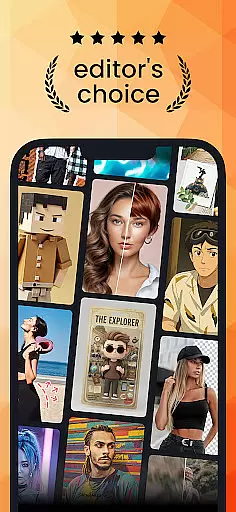
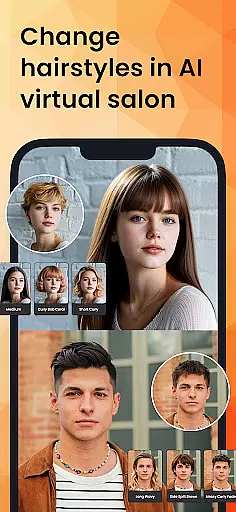
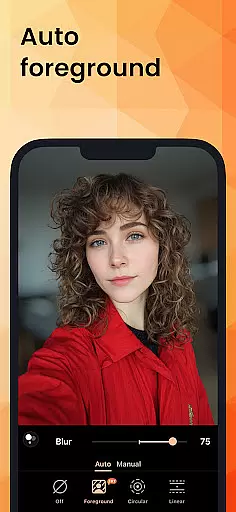
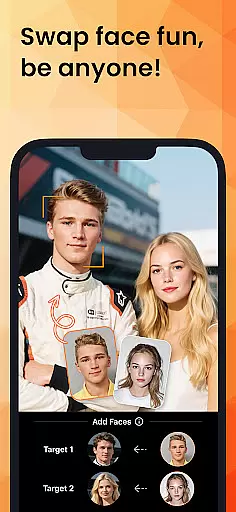
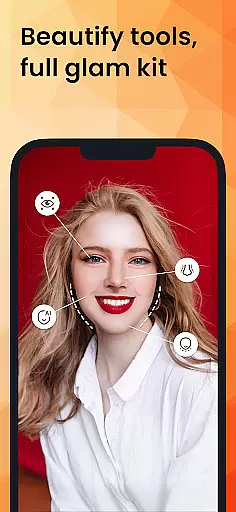
PhotoDirector is an intuitive AI-powered photo editor that empowers users to create and enhance stunning images effortlessly. With hundreds of styles, effects, templates, and tools at your disposal, this app transforms photography into an art form. Whether you're a beginner or a professional, PhotoDirector offers groundbreaking features like AI Removal, AI Expand, and AI Hairstyle, making it the ultimate photo enhancer for all skill levels.
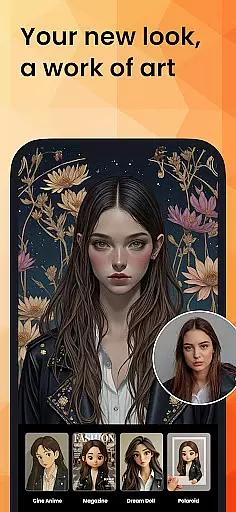
The app's standout capabilities include Image to Video, which brings portraits to life, and AI Art, allowing users to turn their photos into cartoonized artwork or aesthetic styles. Additionally, AI Face Swap and AI Outfit enable creative transformations, while AI Background and AI Enhance ensure every image is flawless. These features collectively make PhotoDirector a versatile tool for unleashing creativity and imagination.
For those seeking efficiency, PhotoDirector simplifies routine tasks with Quick Action and Collage features, perfect for enhancing social media posts. Its premium subscription unlocks unlimited content packs, including stickers, filters, and Ultra HD 4K resolution saving, ensuring a distraction-free editing experience. This makes PhotoDirector an essential app for photographers who value both quality and convenience.
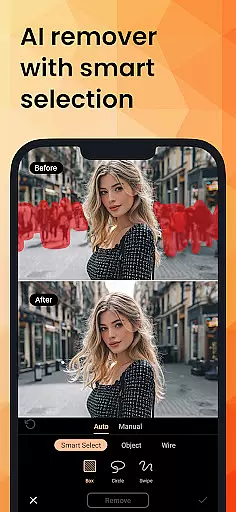
PhotoDirector stands out with its powerful AI-driven features designed to streamline photo editing. The AI Removal tool allows users to erase unwanted objects or wires automatically, while AI Replace enables seamless element swapping within images. These features save time and effort, making complex edits accessible to everyone.
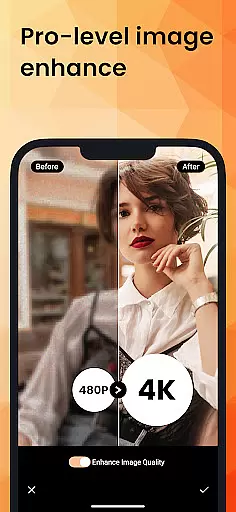
Another highlight is the AI Expand functionality, which effortlessly changes aspect ratios and turns close-ups into long shots with a single click. The AI Background feature intelligently replaces plain backgrounds with vibrant options like blue skies or textured fabrics, thanks to its smart cutout tool. Meanwhile, AI Enhance repairs low-resolution pictures, eliminating blur and restoring clarity to cherished memories.
Beyond these advanced tools, PhotoDirector also excels in staple editing tasks. Users can reshape bodies, apply makeup, and experiment with camera AR effects to craft perfect selfies. With thousands of stickers, text styles, frames, and effects available, the possibilities for customization are endless. This comprehensive suite of features positions PhotoDirector as a leader in the photography app space.
Real-time capture and preview functionality is essential for ensuring that users can see the results of their photo edits instantly. PhotoDirector offers this feature through its intuitive interface, allowing users to witness changes as they apply various effects and enhancements.
The application leverages AI technology to provide live previews of transformations such as AI Art, AI Hairstyle, and AI Outfit. This means that users can experiment with turning their images into cartoonized artwork or trying out different hairstyles and outfits without any lag in visual feedback.
For photographers who need precision when editing portraits or product photos, real-time preview ensures that every adjustment meets their exact specifications before finalizing the image. The ability to immediately see how an AI Background change will look saves time and enhances creativity.
By delivering a seamless experience from capture to edit, PhotoDirector empowers users to fully express their artistic vision with confidence, knowing exactly how each modification will appear in the finished product.
AI Beauty and Enhancement features are designed to improve the aesthetic quality of photos while maintaining a natural appearance. PhotoDirector excels in this area by offering tools like AI Face Swap, Body Reshape, and Makeup that enhance human subjects without making them look artificial.
With advanced algorithms, the app intelligently applies enhancements such as skin smoothing, blemish removal, and facial reshaping. These adjustments are subtle enough to preserve authenticity but effective enough to make noticeable improvements.
Users benefit from these features by being able to create polished yet realistic images suitable for professional portfolios or social media sharing. Whether it's perfecting a selfie with Camera AR Effects or refining a portrait with thousands of stickers and text styles, the results remain lifelike.
Ultimately, PhotoDirectoru2019s commitment to natural enhancement allows users to elevate their photography with sophisticated edits that retain the original charm and character of their subjects.
User-friendly interface
Extensive AI tools
Versatile editing options
Premium content unlocked
High-quality results
Premium subscription required
Some features may overwhelm beginners
Occasional processing delays
Limited free content
Resource-intensive on older devices

Trendy TikTok time warp scan funny filter app brings you unique photos & videos.
 4.40
4.40
Create Business Headshots, Polaroid Filter, Retake Photos,Profile Pics,AI Photos
4.50
A reflected light meter with spot metering and incident light metering.
4.40
Create AI photos & videos with Enhancer; restore, fix, beautify, enhance photos
4.50
AI Photo Editor with 100+ Filters, Effects! Remove BG, Retouch & Photo Enhancer.
4.80
Smart, light, and fast photo and video gallery
4.30
Collage your moments in one tap: 1000+ layouts, filters, stickers, and texts.
4.90
Snap photos remotely using your Garmin watch as the camera trigger
4.4
Unlock the full potential of your DJI drone with Litchi
4.50
Pro version: AR sun/moon tracker for any date. Tool for photographers & planners
4.90
Photo prints, cards, & gifts at Walgreens. Easy ordering & fast local pickup !
4.80
Android Native system HD camera app. Never been so simple and faster.
4.70
Enhance, upscale, and transform your images — on your device, without limits
4.70
Light-weight Media Gallery app for Android made with Jetpack Compose
4.60
PhotoSync Bundle Add-On License. Enables all features and services in PhotoSync.
4.60
Movie camera, supports pro recording settings for filming. Try it and be amazed!
4.50
Luminar: Photo Editor - easy picture editing with AI
4.20
How old age camera Gender Swap App Face Shape Hairstyle App Hair Styler App fun!
4.00
Pet Camera
3.70


User Reviews