
ProShot is a professional-grade photography and filmmaking application designed for Android users who demand full creative control over their mobile photography experience. With its expansive feature set, the app offers DSLR-like manual controls including shutter priority, ISO priority, and full manual adjustments, alongside automatic modes for more casual users. Its unique Dual Dial system allows quick navigation through settings, while specialized modes like Light Painting and Bulb enable stunning long-exposure shots.
The app supports RAW (DNG), JPEG, and HEIC formats on compatible devices, ensuring maximum flexibility in post-production. ProShot also includes advanced video capabilities such as up to 8K recording, LOG/FLAT color profiles, and real-time audio monitoring. Privacy-conscious users will appreciate that ProShot does not collect or transmit personal data, making it a secure choice for capturing photos and videos.
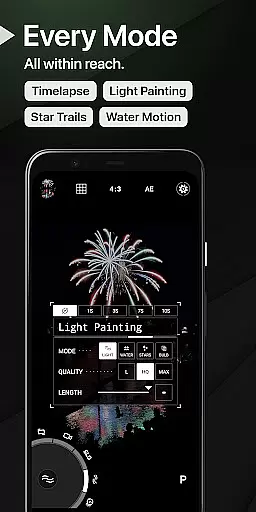
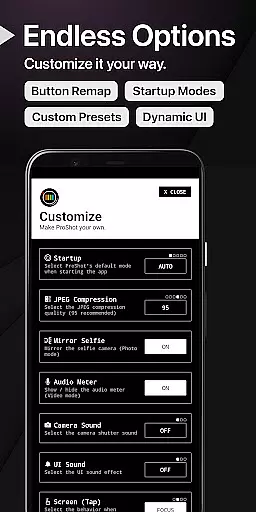
ProShot stands out with its comprehensive suite of features tailored for both amateur and professional photographers. The app leverages the camera2 API to deliver precise manual controls, allowing users to adjust exposure, ISO, shutter speed, white balance, and focus with DSLR-like precision. Unique functionalities like Light Painting modes and Bulb mode provide creative tools for capturing star trails and light effects, while customizable accent colors and interface options let users personalize their experience.
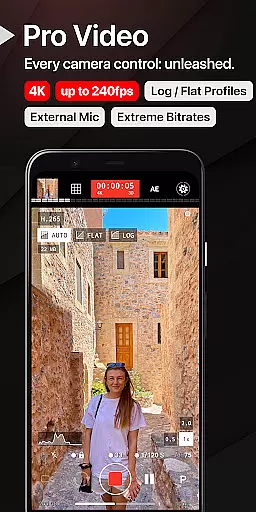
For videographers, ProShot offers advanced video features including support for H.264/H.265 codecs, adjustable frame rates up to 240 FPS, and "beyond 4K" resolution on compatible devices. Additional highlights include timelapse functionality, external microphone support, and simultaneous audio playback during recordings. With seamless integration of photo and video modes, ProShot ensures an uninterrupted creative workflow, empowering users to capture high-quality content without limitations.
Real-time capture and preview functionality is essential for photographers who need to ensure every shot is perfect before pressing the shutter button. ProShot offers a seamless experience by providing users with an accurate representation of their scene through the viewfinder.
The app leverages advanced camera controls, allowing users to adjust settings such as ISO, shutter speed, white balance, and exposure in real time. This immediate feedback empowers photographers to fine-tune their images without any guesswork, ensuring that the final photo matches their creative vision.
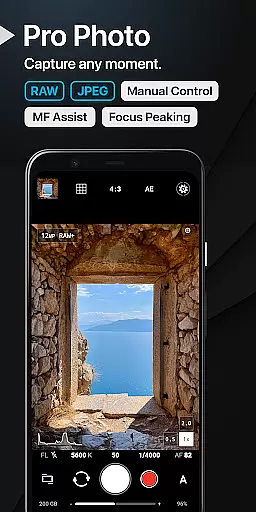
Additionally, ProShot supports various formats including RAW (DNG), JPEG, or RAW+JPEG, giving professionals the flexibility they need for post-processing. With features like focus peaking, manual focus assist, and a histogram with three modes, users can achieve precision focusing and optimal exposure levels.
Ultimately, this powerful combination of real-time adjustments and professional-grade tools makes ProShot an indispensable companion for capturing high-quality photos on Android devices.
While ProShot does not specifically market itself as an AI beauty enhancement tool, it excels in offering natural-looking image enhancements through its robust set of manual controls. Users have access to a variety of settings that allow them to enhance their photos while maintaining authenticity.
The application provides options for noise reduction, tone mapping, sharpness adjustment, and more. These features enable users to refine their images subtly, avoiding the over-processed look often associated with automatic enhancement tools. By giving full control over these parameters, ProShot ensures that each edit enhances the original photo's qualities rather than masking them.
Moreover, ProShotu2019s support for vendor extensions such as Bokeh and HDR adds another layer of sophistication to image enhancement. These capabilities help create depth and dynamic range in photos, making them visually appealing yet true to life.
In summary, although ProShot may not rely on AI-driven enhancements, its comprehensive suite of manual editing tools delivers stunningly natural results, empowering photographers to produce beautifully enhanced images with complete creative control.
Full manual controls
RAW and HEIC support
Advanced video features
Privacy-focused design
Customizable interface
Complex for beginners
Premium price point
Device compatibility issues
Steep learning curve
Limited free features

Long exposure camera with computational photography
 2.60
2.60
Shooting photos and records video easily and efficient with professional Camera
4.30
All-in-One Editor & AI Photo Enhancer, Collage, Cartoonify, Funny Stickers & BGS
4.10
Pet Camera
3.70
Future baby face generator: AI kids generator, kid face! What my baby look like?
4.40
Collage your moments in one tap: 1000+ layouts, filters, stickers, and texts.
4.90
Easily view, share, delete photos with Gallery.
4.70
Snap photos remotely using your Garmin watch as the camera trigger
4.2
Photo & Video Gallery app to manage albums and save WA Status easily.
4.70
Cartoon and artistic effects for your photos and videos
4.70
Android Native system HD camera app. Never been so simple and faster.
4.70
Automatically backup your photos and videos to computer, NAS and Cloud services
4.60
Safe & smart flight with Go Fly drone controller for 40+ drone camera, zone map
4.50
AI photo editor with hair editor, retouch tools, hair color changer & filters!
4.50
RAW video capture with advanced controls
4.40
Create & Edit with AI: AI Remove, Enhance, Retouch, Filter
4.10
GCamera allows all GCam features on all phone models! Better photos with GCamera
3.30
HD Photo gallery and photo manager to edit, hide private photos, videos & albums
4.2
Over 800 film simulation recipes for Fujifilm. Black Friday Offer!
4.3


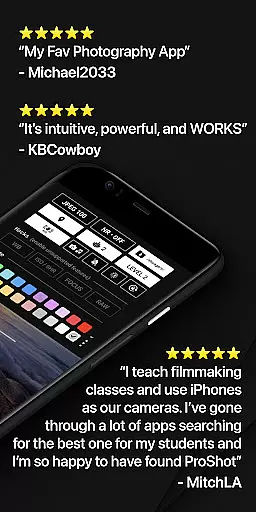
User Reviews