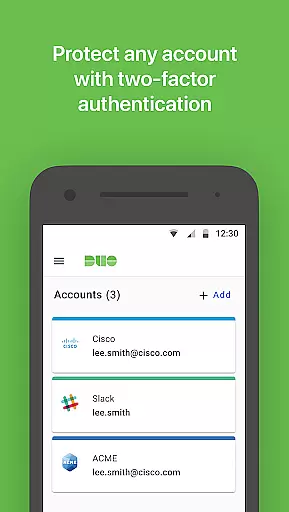
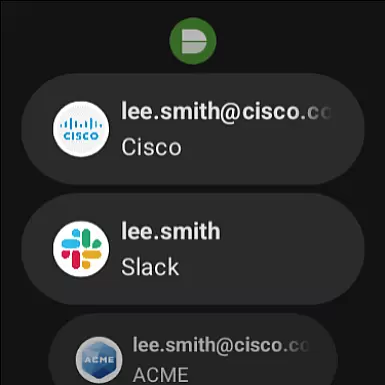
Duo Mobile is a robust two-factor authentication app designed to enhance login security for both individual users and enterprises. The application generates time-based passcodes and supports push notifications, enabling easy, one-tap authentication. It integrates seamlessly with Duo Security's trusted service while also supporting third-party applications that utilize two-factor authentication.
One of the standout features of Duo Mobile is its companion app, Duo Wear, which extends secure authentication capabilities to Android Wear smartwatches. This makes it even more convenient for users who prefer accessing their accounts directly from their wearable devices. Whether you're securing your personal accounts or managing enterprise-level access, Duo Mobile provides an essential layer of protection against unauthorized access.
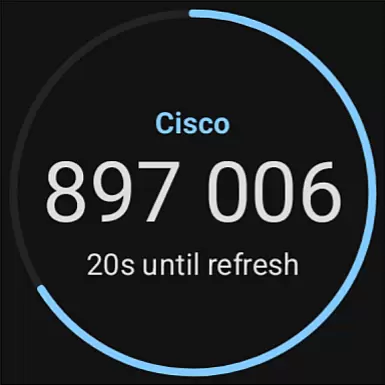
Duo Mobile offers several key features that make it a versatile and reliable choice for two-factor authentication. First, it generates time-based one-time passcodes (TOTP) for added security during login. These passcodes are constantly refreshed, ensuring that even if someone intercepts your credentials, they cannot reuse them.
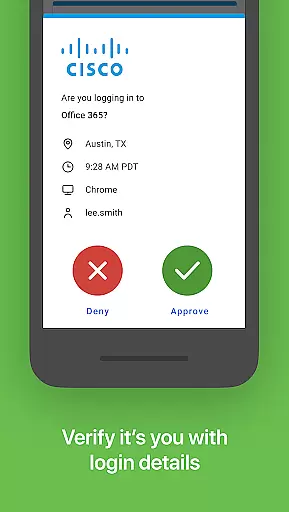
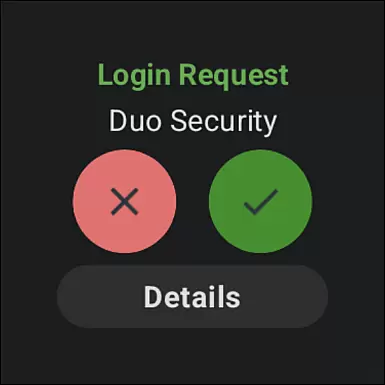
In addition to passcode generation, Duo Mobile supports push notifications for authentication requests. This allows users to approve login attempts with a single tap, streamlining the login process without compromising security. The app also includes QR code scanning functionality, which simplifies account activation by allowing users to quickly link their accounts through a visual code.
For users of Android Wear, Duo Mobile offers Duo Wear, a dedicated app that brings secure authentication to smartwatches. This feature ensures that users can authenticate even when their phone isn't readily accessible. With support for both Duo accounts and third-party services, Duo Mobile is a comprehensive solution for anyone looking to improve their digital security.
Companion app integration is a crucial feature for applications that extend their functionality to wearable devices. Duo Mobile offers seamless integration with its Wear OS companion app, Duo Wear, ensuring users can authenticate securely from their smartwatches.
This integration allows for real-time synchronization of authentication requests between the mobile app and the smartwatch. When a user receives a push notification on their phone, the same request appears on their watch, allowing for quick, one-tap approval without needing the phone nearby.
For users, this means enhanced convenience and speed in the authentication process. Whether at the gym, in a meeting, or with their hands full, they can approve login requests effortlessly. This ensures that security doesn't come at the cost of usability.
The ability to maintain continuous protection across multiple devices underscores Duo Mobile's commitment to providing robust, user-friendly security solutions. This interconnected ecosystem not only boosts productivity but also maintains high-security standards.
Ensuring compatibility with Wear OS and various devices is essential for any application targeting the smartwatch market. Duo Mobile excels in this area by offering broad support for Wear OS devices, making secure authentication accessible on your wrist.
Duo Mobile has been optimized to function smoothly across different Wear OS devices, regardless of screen size or hardware specifications. This ensures that users receive consistent performance and reliability, whether they are using a high-end smartwatch or an entry-level model.
Device compatibility extends beyond just supporting different hardware. It includes optimizing battery usage, ensuring fast response times, and maintaining a user-friendly interface tailored for smaller screens. These factors contribute to a seamless user experience, encouraging regular use of the app.
By prioritizing Wear OS and device compatibility, Duo Mobile enhances accessibility and convenience for users who rely on their smartwatches for daily tasks. This focus on compatibility demonstrates the app's dedication to delivering versatile and dependable security solutions.
Enhanced security
User-friendly interface
Push notifications
QR code scanning
Wear OS support
Requires activation
Limited offline use
No biometric login
Third-party dependency
Camera permission

Animated Watch Face and Customizable with 24 Backgrounds. Perfect for Christmas!
 3.90
3.90
Watch face designed for Thanksgiving Day. 7 Background Styles included.
3.20
Sleek, highly customizable watch face inspired by Galaxy Watch Circle Dashboard.
4.3
Kia Access makes getting your vehicle information easier than ever
4.60
sleep, alarm, snoring, stress, healing, focus, sound therapy, circadian rhythm
4.10
The Chevron App allows you to pay for fuel from the comfort of your car!
4.80
A digital watch face that celebrates Christmas.
4.00
Premium hybrid watch face with many customizations for Wear OS devices.
4.40
Track your active life in one place and share the journey with friends.
4.40
Easy Voice Recorder is your everyday companion to record important moments.
4.70
Be an elegant and classy secret agent, with this carefully detailed watch face
4.70
Real-time results, stats, schedules and player profiles for all leagues
4.60
Bold weather Digital watchface with forecast & optional animated background
4.40
Calming & relaxing sounds for sleeping and stress relief. Stay focused all day!
4.20
Daily Weather forecast with 15 weather images for Day & Night plus Big Bold time
4.10
Viewer for Wyze/Yi/Eufy/Arlo/ONVIF/RTSP/P2P IP cams w/ adv. features & DIY DVR
4.00
Professional weather radar and more
3.90
A watch face that fuses motorsport precision with contemporary smartwatch design
4.5
Funny animated watch face for Thanksgiving
4.3


User Reviews