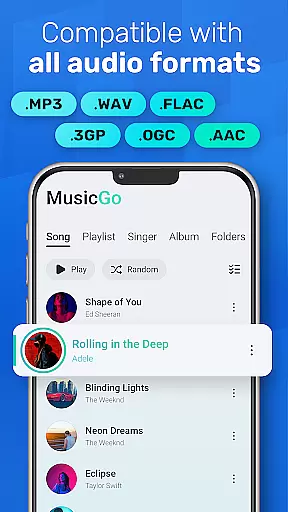
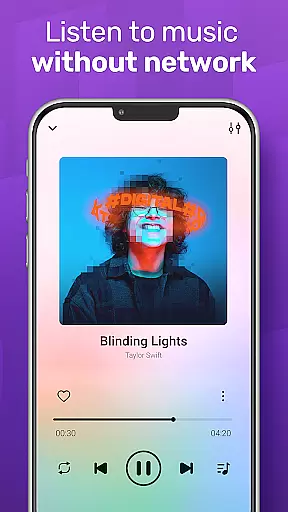
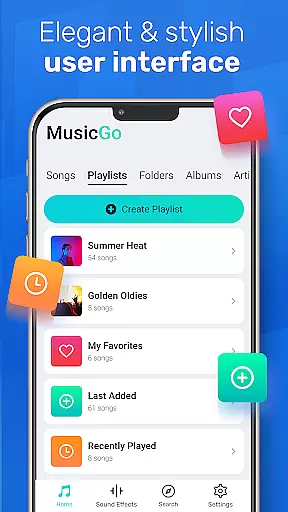
MusicGo is a versatile offline music player app designed for audiophiles who demand both quality and functionality. Supporting all major audio formats including MP3, FLAC, WAV, and AAC, it ensures optimal sound delivery across devices. With over 20 built-in equalizer presets tailored to various music genres, users can customize their listening experience with ease.
The app's intuitive interface combines aesthetics with practicality, offering customizable themes and seamless navigation. Whether managing playlists, browsing by album or artist, or using smart auto playlists like 'Most Played' or 'Recently Added,' MusicGo provides tools that cater to every user’s needs. Its compatibility with Bluetooth and wired headphones, along with background playback support, makes it an ideal choice for enjoying high-quality audio anytime, anywhere.
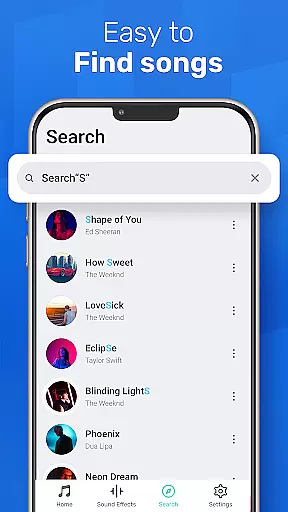
MusicGo stands out with its robust feature set tailored for music enthusiasts. The app supports an extensive range of audio formats such as MP3, WAV, FLAC, and MIDI, ensuring no file is left unsupported. Its deep scanning capability automatically refreshes your library, organizing tracks into albums, artists, and playlists for effortless access.
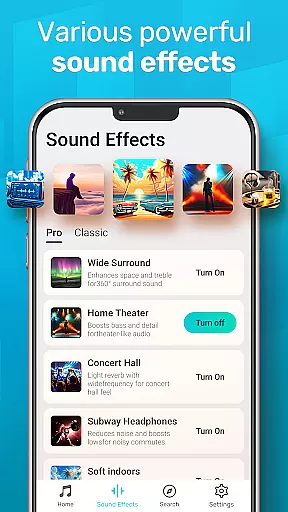
One of the app's highlights is its powerful equalizer, which includes over 20 presets optimized for genres like classical, rock, and dance. Users can further enhance their experience with bass boost and reverb effects. Additional features include shuffle, loop, and repeat options, alongside smart auto-generated playlists like 'Featured' and 'Recently Played.' With background playback support and compatibility with both Bluetooth and wired headphones, MusicGo delivers uninterrupted, high-quality audio performance.
MusicGo offers an extensive music library that supports all major audio formats including MP3, FLAC, WAV, MIDI, AAC, and APE. This ensures users have access to a wide variety of music options without worrying about format compatibility.
The app's deep scanning feature automatically refreshes the music library, making sure that every song is accounted for and available for playback. This comprehensive support for different audio formats enhances the overall user experience by providing limitless music possibilities.
Regarding copyright authenticity, MusicGo respects intellectual property rights and provides users with tools to manage their legally acquired music files. The app does not offer built-in streaming services but focuses on allowing users to play their offline audio files, ensuring compliance with copyright laws.
By supporting a vast array of audio formats and focusing on legal music management, MusicGo delivers a reliable and authentic music listening experience tailored to the needs of audiophiles who value both quality and legality in their music collection.
One of MusicGo's standout features is its powerful equalizer, which comes with over 20 built-in presets designed for various music genres such as classical, dance, folk, and rock. These equalizer settings allow users to customize their listening experience according to their personal preferences.
In addition to genre-specific equalizer presets, MusicGo also offers bass boost and reverb effects. With just a single tap, users can enhance their music with deeper bass and immersive reverb, elevating the sound quality to professional levels.
The app is equipped with cutting-edge audio technology that ensures outstanding sound quality. Whether you're using high-end headphones or standard earbuds, MusicGo optimizes audio output to deliver crisp and clear sound across all devices.
Overall, MusicGo provides versatile audio quality options that cater to audiophiles and casual listeners alike. Its combination of advanced equalizer settings and superior sound technology makes it a top choice for anyone seeking an exceptional music experience.
User-friendly interface
Extensive format support
Powerful equalizer presets
Smart playlist options
Offline playback capability
Limited social sharing
No cloud integration
Ads in free version
Few advanced controls
Occasional bugs

Enhance the sound quality of your devices, listen to what you want
 4.50
4.50
Super Sound Editor, Song Maker & Mixer, Vocal Remover, Voice Recorder & Changer!
4.60
Voice recorder - Audio recorder. Best recorder for recording
4.90
Music, News & Sports Radio Tuner App. Tune in Live FM & AM Radio Stations.
4.80
Make songs with AI! Any genre, custom lyric, song generator for music creation!
4.80
Learn and play 2M+ music tabs & chords on guitar, ukulele, bass, and more
4.30
Play KORG’s revolutionary touch-based instrument on a variety of devices.
4.40
Versatile MP3 recorder with auto-backup to Dropbox and Google Drive
4.10
Be a true music maker: create beats, mix and make music like a real DJ!
4.30 4.70
4.70
Taal player that lets you sing any Indian & Western song with Tabla & Tanpura
4.60
Bass Booster & Volume Equalizer Pro improves your music and video sound quality
4.60
Recording studio w/ 10k beats, pro vocal FX and a network of 20M rappers & fans!
4.60
AI Music Maker: Generate And Compose AI Tunes & AI Songs & AI Music & AI Melody!
4.60
Equalizer, Bass Booster and Volume Booster (Eq & Bass) improve sound quality
4.30
Offline and always ad-free - stream in the highest quality available.
4.10
The official Sonos app
4.10
The Skullcandy App Experience
3.20
The Minimalistic Premium Music Player. Handmade with passion for music
2.20


User Reviews