
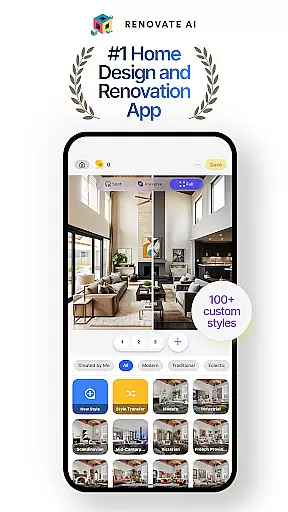
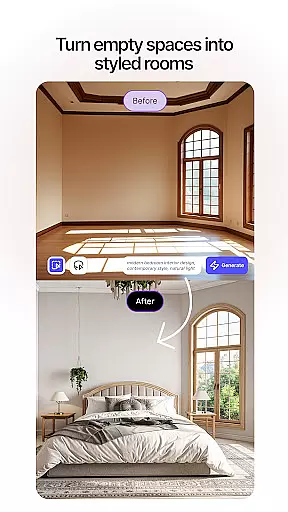

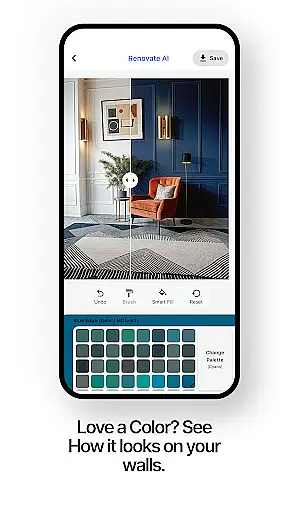
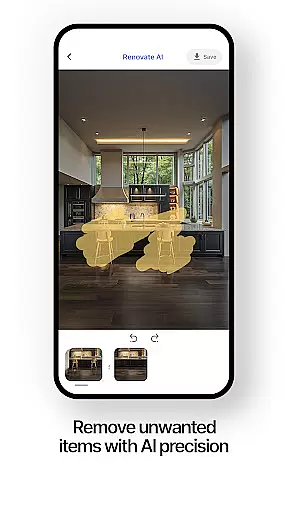
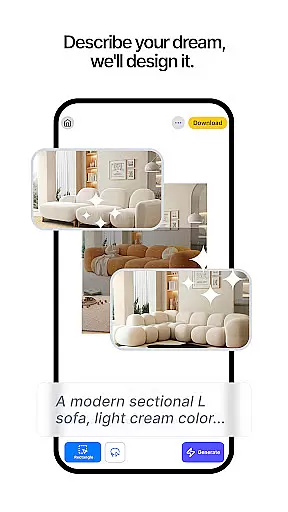
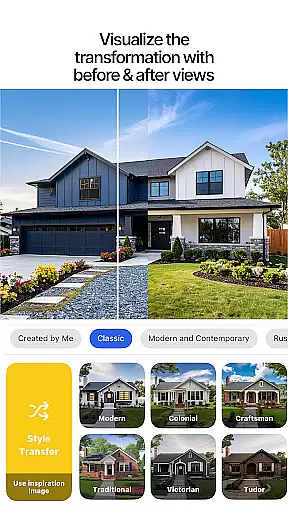
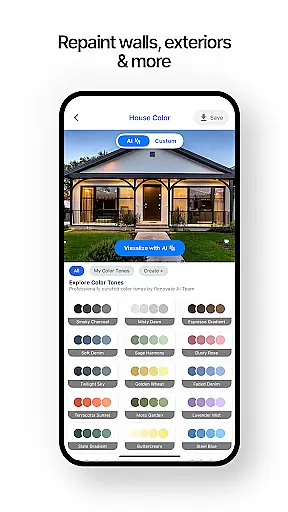
Renovate AI is a cutting-edge home design and interior design application that leverages artificial intelligence to help users reimagine their living spaces. The app provides powerful tools for creating photorealistic interiors and exteriors, making it an ideal solution for anyone planning a house design, room design, or full renovation project.
With features like virtual staging, 3D elevations, and exterior remodeling, Renovate AI empowers users to redecorate and plan every corner of their home with ease. Whether you're working on bedroom design, garden layouts, or experimenting with colors and furniture, this app brings professional-grade design capabilities straight to your device.
The app's strength lies in its ability to transform design ideas into reality through smart AI models. Users can visualize their dream kitchen, bathroom, or any other space instantly, experiment with curated styles, and optimize their house design projects efficiently. This makes Renovate AI an invaluable tool for homeowners, DIY enthusiasts, and design professionals alike.
Renovate AI stands out with its comprehensive suite of design features tailored for both interior and exterior projects. The app includes virtual staging capabilities that allow users to instantly redesign interiors by adding furniture, lighting, fixtures, and decor elements. Its 3D elevation feature transforms flat 2D plans into lifelike 3D renders, while the image upscaling tool converts low-resolution plans into crystal-clear 4K visuals.
For exterior projects, Renovate AI offers robust remodeling tools for facades, walls, roofing, and landscape design. With over 40 styles available, users can create stunning gardens and patios that perfectly match their home design vision. The app also includes innovative features like sketch-to-render functionality, instant makeovers for wall colors and flooring, and object removal for decluttering design spaces.
What sets Renovate AI apart is its integration of 10+ advanced AI models specifically trained for home design tasks. These models power specialized room designer tools, visual object search for home goods, and professional-grade tools for walls, floors, and backsplashes. The app's cloud-based architecture ensures user data security while providing seamless access to premium design features.
In the realm of home design and renovation, having authentic and reliable property listings is crucial for users looking to transform their spaces. Renovate AI ensures that every design option and feature presented is verified and accurately reflects real-world possibilities.
Renovate AI employs advanced AI models to curate over 100 styles and unique layouts, ensuring that each design element from furniture to color schemes is both realistic and attainable. This meticulous attention to detail guarantees that users can trust the platform when planning their dream spaces.
Users benefit from this authenticity by being able to confidently experiment with different designs, knowing that the results will be true to life. Whether redesigning a living room or landscaping a garden, the assurance of genuine design options empowers users to make informed decisions.
The value of Renovate AI's commitment to authenticity lies in its ability to turn user visions into reality without misleading representations. This dedication not only enhances user satisfaction but also streamlines the entire design process, making it more efficient and enjoyable.
Effective home management features are essential for overseeing various aspects of home design and renovation projects. Renovate AI offers comprehensive tools that assist users in managing everything from interior design to exterior remodeling effortlessly.
With functionalities like virtual staging, 3D elevations, and landscape design, users can visualize and modify their spaces extensively. These tools enable users to add furniture, adjust lighting, and even redesign exteriors, providing a holistic approach to home management.
The advantage for users is significant; they gain control over every detail of their home projects, from conceptualization to execution. The ability to preview changes and make adjustments on the fly simplifies complex tasks and ensures that final outcomes align perfectly with user expectations.
By integrating these sophisticated home management features, Renovate AI not only facilitates project oversight but also enhances creativity and precision in home design. Users can efficiently track progress, manage resources, and achieve professional-grade results without needing expert assistance.
User-friendly interface
Advanced AI capabilities
Comprehensive design tools
Secure cloud storage
Versatile style options
Premium features locked
Internet connection required
Steep learning curve
Limited offline functionality
Subscription pricing

Use Home by ShowingTime to easily manage showings, tours, feedback and more
 3.60
3.60
Make Renting Easy
4.40
Unlock AI-based barcode scanning and support the development of Grocy Android
4.2
Tailored Care Guides For Houseplants, Indoor Plants, Garden Plants & Flowers.
4.60
Smart AI plant care schedules, Real plant experts, support & Thriving community!
4.20
USHUD.com helps you find the best homes for sale in your area
4.00
Innovative and budget-friendly housing options
4.60
View houses and apartments for rent, updated daily.
4.80
Design your dream home with 3D planning app, Visualize your dream home in 3D.
4.20
Plants, Beauty, Collectibles
4.60
Control your Daikin, Amana & Goodman heating & cooling systems from anywhere
4.40
SmartRent - Opening Doors To A Smarter World
4.40
AI Home Designer & Room Planner: Decorate your interior space with AI
4.40
Plan your remodel AI home renovation easily using planner 5D and home decor AI.
4.40
Control your thermostat, comfort, and home monitoring from your phone
4.30
Floor Plan Creator Home Design with 2D interior design and 3d view.
3.90
Find the perfect paint color with advanced tools to explore and visualize color.
3.80
Draw your floor plan smartly. Make house design blueprint with home planner app
3.60
An awesome mobile app for Home Security Surveillance - uses ZoneMinder
3.20


User Reviews