
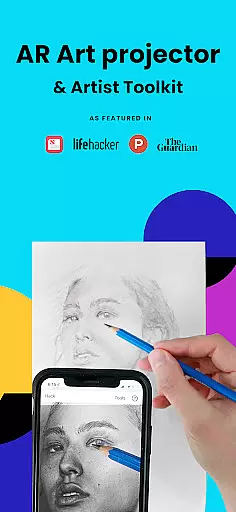
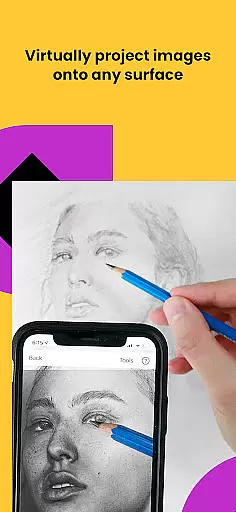
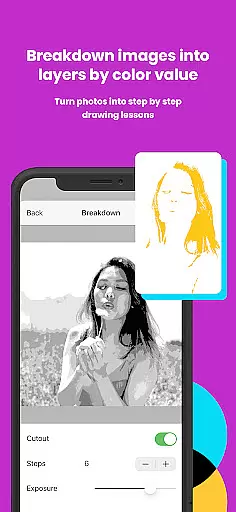
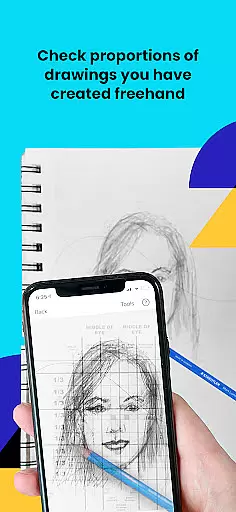
Da Vinci Eye's AR Art Projector is a revolutionary tool designed to enhance drawing and sketching skills using augmented reality technology. This app allows users to project images onto any surface, enabling precise tracing and detailed artwork creation. With features like the unique strobe function for hyper-realistic drawings and layer separation by color value, it caters to artists of all levels.
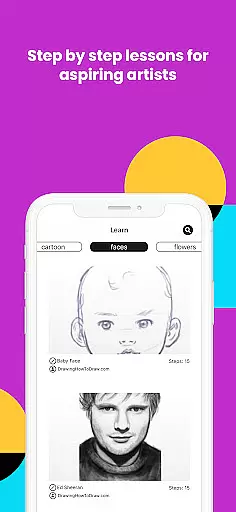
The app offers an extensive range of functionalities beyond just tracing. It includes video tutorials, step-by-step drawing lessons, and filters that simplify the drawing process. Whether you're a professional illustrator or a hobbyist, Da Vinci Eye supports various art forms and helps improve your skills through innovative AR tools and a supportive community platform.
Perfect for anyone looking to refine their artistic abilities, this app bridges traditional techniques with modern technology. By projecting images directly onto your canvas, it ensures accurate proportions and shading, making it easier to create stunning artwork. The app's versatility and comprehensive feature set make it an essential tool for artists worldwide.
Da Vinci Eye stands out with its advanced AR tracing technology, allowing artists to anchor images to real-world objects. This ensures that even if the canvas or device moves, the projection remains aligned, offering unparalleled precision in sketching and drawing. The Classic mode provides a simpler, traditional art projector experience suitable for most drawing tasks.
Beyond its core functionality, the app includes a variety of tools designed to enhance the creative process. Users can break down images into step-by-step instructions, apply filters to simplify drawing, and zoom in for intricate details. Video tutorials and lessons further enrich the learning experience, catering to both beginners and seasoned artists.
The app also fosters a vibrant community where users can share their artwork and receive feedback. With exceptional customer support and regular updates, Da Vinci Eye continues to evolve, ensuring that artists have access to the latest tools and resources to elevate their craft.
When it comes to creating art, having the right tools at your disposal can make all the difference. AR Art Projector offers a comprehensive suite of creative tools that cater to artists of all levels. From professional illustrators to hobbyists, this app provides functionalities such as the ability to separate images into layers by color value, which allows for detailed breakdowns of an artwork's light and shadow elements.
The app also features a unique strobe function that aids in making hyper-realistic drawings by guiding users on where to place their shadows and highlights accurately. Additionally, the inclusion of video tutorials ensures that users not only have the tools but also the knowledge to use them effectively. These educational resources cover fundamental techniques and advanced tips, elevating the learning experience.
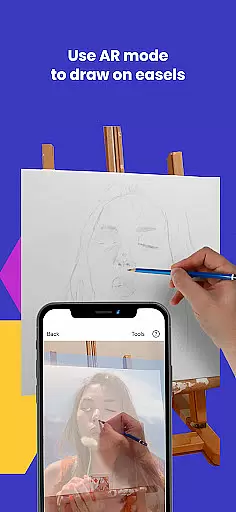
Moreover, AR Art Projector stands out with its augmented reality (AR) tracing mode, which functions similarly to a digital Camera Lucida. This feature enables artists to project any image onto their canvas and trace it with precision, thus honing their skills in recognizing proportions and refining their hand-eye coordination. The app's dedication to providing a wide array of sketching and drawing tools makes it an indispensable companion for anyone looking to master the art of drawing.
Flexibility in art creation is essential, and AR Art Projector excels in providing adaptability in both canvas and format options. Whether you're working on a digital canvas or a traditional one, the app accommodates various surfaces, allowing artists to draw or sketch on any medium they prefer. This versatility is particularly beneficial for those who enjoy experimenting with different textures and formats in their artwork.
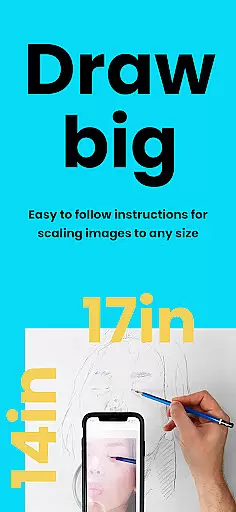
In addition to supporting diverse canvas types, AR Art Projector also offers zoom functionality, which is crucial for capturing micro-details in drawings. Artists can zoom in on specific areas of their work to refine even the smallest elements, ensuring that every detail is perfect. This level of precision empowers creators to push the boundaries of their art without being limited by the constraints of physical tools.
Furthermore, the app's AR tracing mode anchors images to real-world objects, offering unparalleled flexibility when working on easels or other unconventional setups. This means that whether you're a baker designing intricate cake decorations or a tattoo artist sketching a custom piece, AR Art Projector adjusts to your unique workflow. By merging traditional art methods with cutting-edge AR technology, the app delivers a dynamic and customizable drawing experience suitable for any artistic endeavor.
User-friendly interface
Innovative AR features
Comprehensive tutorial library
Vibrant artist community
Regular software updates
Device compatibility issues
Premium subscription required
Learning curve for beginners
Limited offline functionality
Occasional rendering glitches

Create trending AI photos & videos with powerful effects and 3D styles.
 3.20
3.20
Digital Drawing: Draw & Paint
4.10
AI Assistant, powered by ChatGPT GPT-4 & GPT-4o. Your intelligent companion.
3.50
Remove Background, Magic Eraser, Photo Enhancer, Story Templates, Collage Maker
4.30
Design unique, funny and adorable cat stickers that reflect your own style!
3.80
Draw glowing spinners, relax, and spin your creative art
4.60
Powerful home decoration & house design that allows you to design dream home.
3.80
Android 14 style widgets and wallpapers app.
4.3
An intuitive, high-performance painting app that lets you focus on creating
4.40
Draw anime & manga drawing, art with templates to create stunning picture!
4.50
The perfect place to start sketching! Use Sketchbook to draw and paint sketches.
4.50
AI generated images & photos, turn your words into drawing, painting & pictures.
4.30
Beauty Camera - Selfie Camera is the ultimate beauty camera and selfie app
4.30
Custom Character Creator & PFP Maker!
4.20
Experience next-gen icons with a modern liquid glass look.
3.60
Create sweet, cool and unique couple avatars easily, in just a few steps!
3.40
Meet the magic aı 3d photo generator and smart AI video generator app.
3.20
Create stunning video, photo & magic from text with FlixAI GPT video generator.
3.10
Art of Combination Wear OS Watch faces
4.0


User Reviews